About Us
 Careers
 Leadership
 Board
 Newsroom
The best email marketing examples start with a real customer moment. Those moments include a finished job, a service coming due, an open quote, a first inquiry, or a customer who hasn’t booked in a year, and each one decides what to send, when to send it, and whether a text should go with it.
Sending by hand depends on someone remembering. For an owner-operator with no marketing team, those moments already sit in the job, appointment, and invoice records inside your small business software, so the trigger is already there.
Vendasta Campaigns Pro, part of Vendasta’s AI customer acquisition and engagement platform, starts a campaign on its own when a job is completed, an appointment closes, or an invoice is paid in Jobber, ServiceTitan, Housecall Pro, Dentrix, ShopMonkey, QuickBooks, and more.
Below are 20 sample campaigns grouped by trigger, each with a subject line, a short email, send timing, and the right channel, and every one works by hand in any tool.
Email and SMS marketing that sends when jobs close
TL;DR
- Trigger every send from a customer moment: A finished job, a service coming due, an open quote, a new inquiry, or a year without a booking tells you what to send, when to send it, and whether a text should go with it.
- Start with the revenue you’re losing: Service-due reminders bring back repeat jobs, seasonal offers and win-backs fill slow stretches, and a three-step follow-up recovers open quotes.
- Automate the triggers: Campaigns Pro starts these campaigns when a job is completed, an appointment closes, or an invoice is paid in your field service or accounting software.
What Makes the Best Email Marketing Campaigns for Local Businesses
Good campaigns offer one clear next step. A campaign earns bookings when it reaches the right customer at a moment they already care about, so check each campaign against these elements before it goes out:
- Trigger moment: A completed job, a due date, or an open quote sets the send time, so nobody has to remember it.
- Subject line: Name the service and the customer’s situation, and use these subject line tactics for the rest.
- Mobile-friendly CTA: Use one great CTA per email on a button at least 44 pixels square, the tap-target size Apple recommends.
- Segmentation: Send the furnace reminder only to furnace customers, which takes CRM email marketing lists built from job history.
- Email or text: Send details and attachments by email, and send anything with a deadline measured in hours by text.
Short, personal service emails often read best as plain text, while promotions with photos or several offers work better in a designed layout.
Promotional email carries legal duties. The Controlling the Assault of Non-Solicited Pornography and Marketing Act (CAN-SPAM) requires promotional emails to include an opt-out and your physical address, and opt-outs must be honored within 10 business days.
Purely transactional emails such as appointment confirmations and receipts are exempt from most of those rules, though under the Federal Trade Commission’s (FTC) primary-purpose test a thank-you that leads with a discount can count as promotional.
The Best Local Business Email Campaigns at a Glance
Seven customer moments cover most local email campaigns:
| Campaign group | Trigger moment | Example business type | Send timing | Channel |
|---|---|---|---|---|
| After the job | Job completed or invoice paid | Plumbing, roofing, cleaning | Same day to a few days after | |
| Service coming due | Maintenance or recall date approaches | HVAC, dental, auto repair, landscaping | 2 to 8 weeks before the due date | Email or both |
| Quote follow-up | Estimate sent, no reply | HVAC, roofing, landscaping | Day 2, day 5, 48 hours before expiry | Both |
| New lead | Call, chat, or form fill | Pet grooming, medical aesthetics | Within minutes; 2 days before the first visit | Both |
| Seasonal and promotional | Season, holiday, or slow stretch | HVAC, pet boarding, cleaning | 3 to 6 weeks ahead | Email or both |
| Win-back | No booking in 12 months | Plumbing, medical aesthetics, auto repair | Around the anniversary of a visit | |
| Staying in touch | Fixed calendar date | Landscaping, roofing | Monthly or at launch |
After the Job Emails
Send thank-yous, care tips, or referral asks within days. Send within a few days of finishing the job, while the customer still remembers your truck in the driveway, and tie each send to the job-complete or invoice-paid status in your field service software so nobody has to remember.
Example: Plumbing Thank-You Email
A plumbing company sends this after a water heater install.
- Trigger: The job is marked complete.
- Subject line: “Thanks for having us out today, {first name}”
- Sample email: “Hi {first name}, thanks for trusting us with your new water heater. Your warranty paperwork is attached. If anything sounds off this week, reply here and we’ll come back out.”
- When to send: Two to three hours after the job closes.
- Channel: Email carries the warranty attachment.
- Why it works: It answers the “what if it breaks?” worry early.
Example: Roofing Care Tips After a Repair
A roofing contractor sends this after patching storm damage.
- Trigger: The repair invoice is paid.
- Subject line: “What to check after your roof repair”
- Sample email: “Your repair is sealed and covered by our workmanship warranty. After the next heavy rain, check the attic ceiling under the patched area and keep the gutters clear. Send us a photo if you spot a stain.”
- When to send: Two days after payment.
- Channel: Email works best here.
- Why it works: Specific checks catch problems early.
Example: House Cleaning Referral Ask
A residential cleaning company sends this after a recurring customer’s third visit.
- Trigger: The customer finishes a third cleaning on a recurring schedule.
- Subject line: “Know a neighbor who’d like their Saturdays back?”
- Sample email: “If a friend books a cleaning with us, you both get $25 off your next visit. Forward this email or reply with their name, and we’ll take it from there.”
- When to send: The day after the third visit.
- Channel: Email, which customers can forward in one tap.
- Why it works: It asks only customers who already like the service.
Service Coming Due Emails
Use dates and details in your records, such as the last tune-up, the hygienist’s recall interval, or the mileage on the last repair order, to invite customers to book their next appointment.
Example: HVAC Maintenance Reminder
An HVAC company sends this to maintenance customers before cooling season. ENERGY STAR recommends checking cooling systems in spring and heating systems in fall.
- Trigger: The customer’s last spring tune-up was about a year ago.
- Subject line: “Your AC tune-up is due, {first name}”
- Sample email: “It’s been about a year since we checked your system. Book a spring visit and we’ll clean the coils, test refrigerant, and change the filter before the first hot week: {booking link}.”
- When to send: Four to six weeks before your local cooling season, with a text the week before.
- Channel: Email and text.
- Why it works: Customers who book before the rush fill your slower weeks.
Example: Dental Cleaning Recall
A dental practice sends this as a patient’s recall date approaches. The American Dental Association (ADA) supports tailoring recall intervals to each patient’s risk, so the date comes from the chart.
- Trigger: The patient’s recall date is three to four weeks out.
- Subject line: “Time for your next cleaning, {first name}”
- Sample email: “Your next cleaning is due around {due date}. Early-morning and after-school slots go first, so grab a time here: {booking link}.”
- When to send: Three to four weeks before the due date, then a text two days before the booked visit.
- Channel: Email and text.
- Why it works: A patient-specific date reads as personal care.
Example: Vehicle Service Reminder
An auto repair shop sends this when a customer’s car is likely near its next oil change.
- Trigger: The car reaches its projected mileage since the last visit, or six months pass, whichever comes first.
- Subject line: “Your {vehicle} is due for service soon”
- Sample email: “Based on your last visit, your {vehicle} is close to its next oil change. Reply with a day that works, or book here and we’ll have it back by lunch: {link}.”
- When to send: Two weeks before the projected due date.
- Channel: Both, text first.
- Why it works: A short text with the car’s name gets read between errands.
Example: Spring Lawn Cleanup Prep
A landscaping company sends this to past cleanup customers in late winter.
- Trigger: You open spring bookings.
- Subject line: “Spring cleanup spots open Monday”
- Sample email: “We start spring cleanups once temperatures hold above 50°F for several days. Book this week for a spot in the first round, and we’ll confirm your date as the weather settles.”
- When to send: Six to eight weeks before your first cleanup date.
- Channel: Email only.
- Why it works: Early bookings let you plan crews before the phones get busy.
Quote Follow-Up Emails
Follow up on an open quote three times: two days after sending, around day five with answers to common questions, and 24 to 48 hours before it expires. Jobber suggests a first check-in two to three days after sending, and Housecall Pro recommends stopping after two or three follow-ups.
Example: Two-Day Quote Check-In
An HVAC company sends this after quoting a system replacement.
- Trigger: The quote has been open two days with no reply.
- Subject line: “Any questions on your new system quote?”
- Sample email: “Hi {first name}, I wanted to make sure your heat pump quote came through. If the options were confusing, reply and I’ll walk you through them in five minutes by phone.”
- When to send: Two days after the quote goes out.
- Channel: Both; the text often gets the quicker reply.
- Why it works: It offers help instead of a pitch.
Example: Questions About Your Estimate
A roofing contractor sends this when a full replacement estimate is still open.
- Trigger: The estimate is still unsigned after the first check-in.
- Subject line: “What most homeowners ask about their roof estimate”
- Sample email: “A full tear-off takes one to two days, we sweep every nail with a magnet before we leave, and financing is available. Reply with anything else, or approve the estimate here: {link}.”
- When to send: Five days after the estimate.
- Channel: Email, because the answers need room.
- Why it works: It answers the usual objections up front.
Example: Final Nudge Before a Quote Expires
A landscaping company sends this before a patio estimate expires.
- Trigger: The quote expires in two days.
- Subject line: “Your patio quote expires Friday”
- Sample email: “Your quote holds current stone prices until Friday. After that, we’ll need to reprice for the season. To keep your spring install slot, approve here: {link}.”
- When to send: 24 to 48 hours before expiration.
- Channel: Email and text.
- Why it works: The deadline comes with a real reason.
New Lead Emails
Respond quickly to new inquiries and send clear details before first appointments. The MIT and InsideSales.com Lead Response Management study found the odds of contacting a lead fall 100 times between a five-minute and a 30-minute response; set it up so a new call, chat, or form fill starts this follow-up automatically, without anyone adding the lead to a list.
Example: Welcome Email After a First Inquiry
A pet grooming salon sends this when someone fills out the booking form.
- Trigger: Someone submits the booking form, or you miss their call.
- Subject line: “Thanks for reaching out about {pet name}”
- Sample email: “Here are our grooming packages, prices, and the next three open slots. Reply with the one you want, and we’ll hold it for 24 hours.”
- When to send: Within minutes.
- Channel: Both: the text confirms you heard them, the email carries prices.
- Why it works: The lead hears back before calling the next salon.
Example: What to Expect Before a First Appointment
A medical aesthetics practice sends this before a new client’s consultation.
- Trigger: A first consultation is booked.
- Subject line: “Before your consultation on {date}”
- Sample email: “Your consultation takes about 30 minutes and includes a skin assessment and a treatment plan with pricing. Please arrive 10 minutes early for intake forms. Parking is behind the building.”
- When to send: Two days before, with a text the morning of.
- Channel: Email and text.
- Why it works: Clear details make a first visit feel lower-risk.
Seasonal and Promotional Emails
Seasonal emails need a real deadline. A season starting, a holiday closure, or a package that ends on a set date gives customers a reason to book. Tie sends to local moments people already talk about, like a heat wave or the first frost.
Example: Spring AC Tune-Up Offer
An HVAC company sends this to its full list.
- Trigger: The send goes out in early spring, before the first warm stretch.
- Subject line: “$20 off spring AC tune-ups through April 15”
- Sample email: “Get your AC checked before the first hot week and save $20 on a tune-up booked by April 15. Book here: {link}.”
- When to send: Early March in warm climates, a few weeks later in cooler ones.
- Channel: Email only.
- Why it works: Customers who skip annual service get a dated reason.
Example: Holiday Hours for Pet Boarding
A pet boarding facility sends this ahead of the December holidays.
- Trigger: The holiday schedule starts in six weeks.
- Subject line: “Holiday boarding dates and hours”
- Sample email: “We’re boarding December 20 through January 2, with no pickups on December 25. Holiday spots fill early, so reserve here: {link}.”
- When to send: Six weeks ahead, plus a text to past holiday boarders two weeks out.
- Channel: Email and text.
- Why it works: It answers hours and booking in one message.
Example: Limited-Time Spring Cleaning Package
A house cleaning company sends this to fill a slow stretch.
- Trigger: The spring schedule has open days.
- Subject line: “Spring deep clean: 12 spots left”
- Sample email: “Our spring package covers baseboards, inside windows, the oven, and the fridge for one flat price. We’re booking 12 before April 30: {link}.”
- When to send: Three to four weeks before the slow period.
- Channel: Email only.
- Why it works: A capped number and fixed scope create urgency without a deep discount.
Win-Back Emails
Past customers already know your work, so pull everyone with no booking in 12 months and match the message to why they might have drifted. For health practices, keep win-back copy general, because naming a client’s past treatment in a marketing email can require HIPAA authorization.
Example: It’s Been a Year Since Your Last Service
A plumbing company sends this a year after a water heater flush.
- Trigger: Twelve months have passed since the last service visit.
- Subject line: “It’s been a year since we flushed your water heater”
- Sample email: “Hi {first name}, it’s been 12 months since your last visit with us. Want a spot on this month’s schedule? Book here, or reply and we’ll call you: {link}.”
- When to send: On the anniversary of the last visit.
- Channel: Email only.
- Why it works: It ties the reminder to the customer’s own service history.
Example: We Miss You Offer
A medical aesthetics practice sends this to clients with no visit in a year.
- Trigger: The client hasn’t booked an appointment in 12 months.
- Subject line: “We’d love to see you again, {first name}”
- Sample email: “It’s been a while, and we’d love to welcome you back. Book a complimentary consultation this month and take 15% off your next facial: {link}.”
- When to send: 12 months after the last visit.
- Channel: Email only.
- Why it works: A free consultation lowers the barrier to returning.
Example: Customer Anniversary
An auto repair shop sends this on the anniversary of a customer’s first visit.
- Trigger: The anniversary of the first repair order arrives.
- Subject line: “Three years of keeping your car on the road”
- Sample email: “Three years ago today you trusted us with your {vehicle}. Thanks for sticking with us. Your next visit includes a free tire rotation.”
- When to send: On the anniversary date.
- Channel: Email only.
- Why it works: It thanks a loyal customer before a competitor’s coupon reaches them.
Staying in Touch Emails
Staying-in-touch emails keep you visible between jobs. They fill the gap with useful tips and news of new services, and many marketers aim for roughly 60% useful information and no more than 40% selling.
Example: Monthly Lawn Tips Newsletter
A landscaping company sends this to every customer and lead.
- Trigger: It goes out on the first Tuesday of each month.
- Subject line: “June lawn tips: water deep, mow high”
- Sample email: “This month’s tips cover summer watering and mowing height for {city} lawns. If brown patches appear, reply with a photo and we’ll tell you what’s causing them.”
- When to send: Monthly on the same day.
- Channel: Email only.
- Why it works: Advice earns the open; photo offers become service calls.
Example: New Service Announcement
A roofing contractor sends this when it adds gutter guard installation.
- Trigger: The new service launches.
- Subject line: “Now installing gutter guards”
- Sample email: “We’ve added gutter guard installation, which keeps leaves out and saves you a ladder climb every fall. Reply for a free quote, and we can do it during your next roof inspection.”
- When to send: At launch, to past roofing customers first.
- Channel: Email only.
- Why it works: Existing customers are the easiest first buyers for a new service.
What Promotional Email Campaigns Can I Test With a Small List
With a few hundred contacts, test a single-offer email, a win-back, and a referral ask:
- Single-offer email: One service, one price, and one deadline to everyone, as in the spring AC tune-up example.
- Win-back to lapsed customers: Send it to everyone with no booking in 12 months.
- Referral ask: Repeat customers forward a two-sided offer to a neighbor.
Judge these tests by replies and booked jobs, not opens, because Apple’s Mail Privacy Protection records opens that never happened. Change one thing per send, usually the subject line or the offer, and keep the send time steady so a well-timed email isn’t the variable you’re testing.
Pairing Email With Text for Time-Sensitive Campaigns
Use text when the message has a deadline measured in hours or days, such as an appointment reminder or a quote follow-up. Use email when the customer needs details, photos, or attachments.
Most examples marked “both” send the email first and a short text closer to the deadline. New leads and vehicle reminders are the exception: there, the text goes first.
Keep each text to one message of 160 characters or fewer, so it doesn’t split on older phones. Start with your business name, since customers may not have your number saved, and include one link or one question to reply to. End promotional texts with an opt-out such as “Reply STOP to unsubscribe.”
Under the Telephone Consumer Protection Act (TCPA), automated marketing texts need the customer’s prior express written consent, so collect it before adding anyone to a promotional text list.
How Campaigns Pro Sends These Campaigns for You
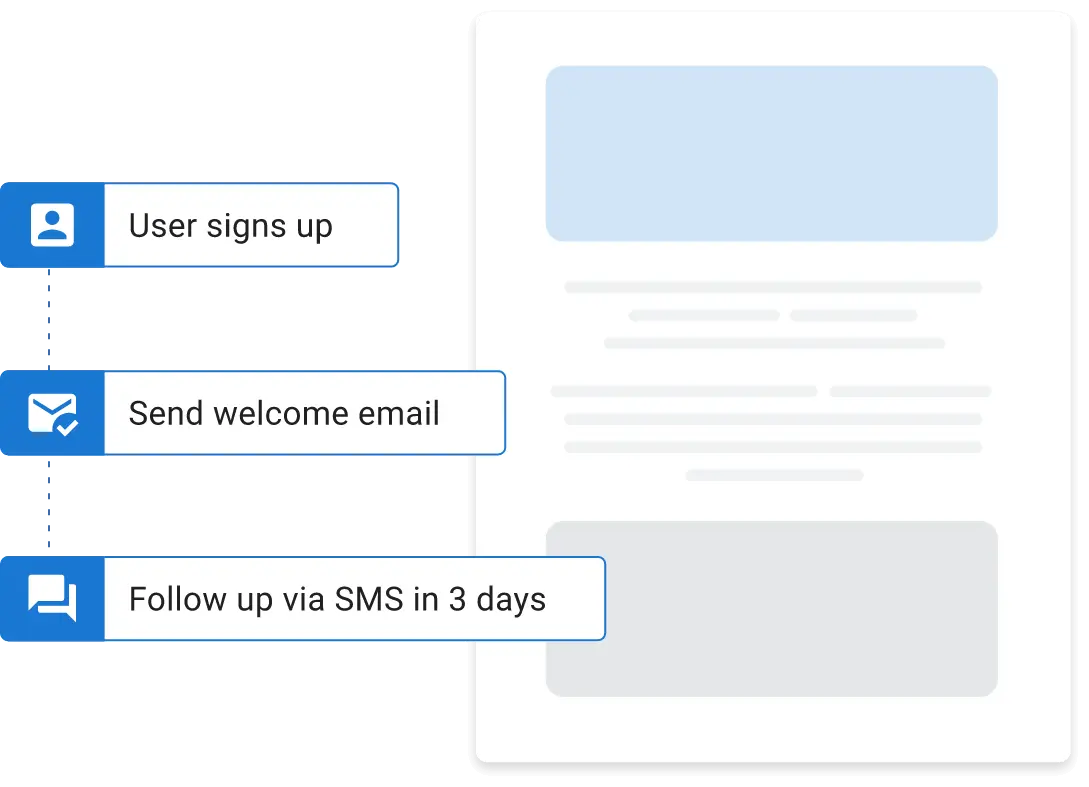
Campaigns Pro, Vendasta’s email and text message (SMS) marketing software, turns the customer moments above into campaigns that start on their own:
- Job and invoice triggers: A completed job, closed appointment, or paid invoice in Jobber, ServiceTitan, Housecall Pro, Dentrix, ShopMonkey, QuickBooks, and more starts the right campaign.
- Email, text, or both: Each campaign can send either channel. Texts go from a local number registered to your business, and replies land in the same inbox as your calls and chats.
- A list that builds itself: New callers, chat leads, and form fills join your contact list automatically, so the new-lead follow-up starts without anyone adding them.
- Unlimited contacts: The one-time customer from three years ago is still on your list when the win-back goes out.
Set up the thank-you, reminder, and quote follow-up once, and each one goes out every time the trigger fires, even on your busiest week. Your team stays on the job while the follow-up still happens.
Which Email Campaigns Should You Start With
Start with the campaign that matches the revenue you’re losing now. Use this table to pick your first two:
| Your goal | Start with | Best fit |
|---|---|---|
| More repeat jobs | Service-coming-due reminders, then after-the-job thank-yous | HVAC, dental, auto repair |
| Fill a slow season | A seasonal offer plus a win-back to lapsed customers | Landscaping, cleaning, pet boarding |
| Recover open quotes | The three-step quote follow-up | Roofing, HVAC replacement, hardscaping |
Every campaign above depends on a trigger firing on time, even while you’re out on a job. Vendasta Campaigns Pro, part of its customer acquisition and engagement platform, starts these campaigns on its own when a job is completed, an appointment closes, or an invoice is paid.
To see how Vendasta can address this workflow in your business, book a Vendasta demo.
Email Marketing Examples FAQs
Tie local-business emails to customer moments, balance useful information with offers, and distinguish transactional messages from promotions. These answers cover getting started, choosing content, and timing quote follow-ups.
1. What is email marketing and how do I do it for a local business?
Email marketing means messaging people who gave you their address. For a local business, the practical version ties each email to a moment: a finished job, a service due date, an open quote, or a new inquiry. Your job, appointment, and invoice records then decide who gets which email and when.
2. What is the 60/40 rule in email marketing?
The 60/40 rule is a content ratio. Roughly 60% of your emails should give customers useful information, such as seasonal maintenance tips, and about 40% should promote a service or offer. Treat it as a rule of thumb, not a research finding. Some designers use the same name for a 60% text, 40% image layout ratio.
3. Is email marketing still worth it for a small local business in 2026?
Yes, when real customer moments trigger the sends. A recall reminder three to four weeks before the due date, or a quote check-in two days after an estimate, reaches someone already thinking about the service. Past customers know your work already, so a win-back email lands warmer than an ad.
4. What’s the difference between transactional and promotional emails?
Transactional emails confirm something already agreed. They cover things like an appointment confirmation or a receipt, while promotional emails advertise a service or offer and must include an unsubscribe option and your physical address under CAN-SPAM. A thank-you that leads with a referral discount may count as promotional under the FTC’s primary-purpose test.
5. How soon should I follow up on a quote the customer hasn’t accepted?
Check in two days after sending, answer common questions around day five, and send a final note 24 to 48 hours before the quote expires. Pair the first and last touches with a short text. After two or three follow-ups with no reply, stop chasing and move the contact into your next seasonal campaign.