About Us
 Careers
 Leadership
 Board
Board Newsroom
A Google Business Profile (GBP) management service that grows past one account manager’s manual capacity without a new hire runs as a three-layer operating system: centralized access through a Google organization account, a templated monthly cadence for every profile, and bulk tooling that publishes and audits across all locations at once.
It is one of the most repeatable white-label services an agency can resell to local businesses, because Google lets one organization account manage every Google Business Profile your agency touches without a single client sharing a password.
How your team runs the cadence and tooling layers determines whether each profile takes about 100 minutes of manual work a month or roughly a third of that once posting and review responses are automated.
This guide covers the monthly deliverables, the fields that move rankings, the password-free access model, a minutes-per-task cadence, templating levers, review workflows, multi-location governance, a tool comparison for 20 to 100 profiles, onboarding and suspension runbooks, client reporting, build-versus-buy cost per profile, and what to charge.
Automate the entire customer journey from first touch to repeat business
TL;DR
- Vendasta’s Starter plan starts at $99 in monthly product spend: Each $1 of qualifying product spend credits $1 against the platform subscription, so the subscription falls to $0 once the $99 minimum is met.
- Four products retain 80% of clients: Vendasta’s study of 200,000 client records found 30% two-year retention with one product, roughly 20 percentage points more with two, and 80% with four.
- AI Search Specialist covers audit and visibility work: It answers questions about rankings and listings, optimizes business profiles, and runs SEO and answer engine optimization (AEO) audits plus brand visibility reports covering ChatGPT, Gemini, and Perplexity.
What a Google Business Profile Management Service Includes
The service is seven recurring deliverables per profile per month, and most of them have changed since 2024. Scope each line item against Google’s current feature set, so your retainer promises work that still exists.
- Posts: Publish Updates, Offers, and Events on a fixed schedule through the posts section of a Google profile. Google added post scheduling and multi-location publishing in November 2025, and Google’s posts documentation says posts older than six months are archived unless a date range is set.
- Review responses: Reply to every new review inside a defined window and watch for pauses. During a September 2026 spam spike, Google temporarily paused new ratings, reviews, and other contributions on some profiles, and your monitoring should flag those profiles before a client notices the active reviews section has gone quiet.
- Q&A: Google discontinued the Q&A API on November 3, 2025, and retired legacy Q&A in favor of AI-generated “Ask a question” answers in Maps, which Whitespark reports appear only for some categories and regions. Scope this line as checking those answers and keeping the profile’s services, attributes, and description complete.
- Photos: Upload a monthly batch of new images and video. Google lists photos and videos among the ways to show customers what a business offers.
- Data accuracy: Verify name, address, phone, website, hours, and special hours against every other business listing the client holds, and act on suggested edits inside Google’s four-day window.
- Optimization: Review primary and additional categories, services, attributes, and the description quarterly against an up-to-date Google Business Profile checklist.
- Reporting: Export Performance metrics and a geogrid rank snapshot into a white-label report.
Two legacy items belong in no retainer. Google removed chat and call history from Business Profiles on July 31, 2024, and turned off Business Profile websites on business.site in March 2024, with redirects ending June 10, 2024. If a prospect’s incumbent agency still lists “chat management,” that is a sales opening for you.
Core Profile Optimization Fields That Move Rankings
Google’s local ranking guidance says local results are mainly based on relevance, distance, and prominence, which the page’s introduction now calls popularity. It names verification, complete information, a full address, hours including special hours, attributes, photos, and reviews as inputs, and says there is no way to request or pay for a better local ranking.
In December 2023, Search Engine Land reported Google’s Danny Sullivan saying that openness has long been part of local ranking and had recently become a stronger signal for non-navigational queries. That makes hours a ranking field.
Whitespark’s 2026 Local Search Ranking Factors survey adds an order of operations for the local pack. Primary category ranks first of 187 factors, open at time of search fifth, high ratings sixth, additional categories eighth, quantity of native Google reviews with text ninth, and proper hours 21st. Predefined services sit at 22nd, user-added attributes at 81st, service areas at 152nd, and keywords in the description at 171st.
Prioritize your optimization pass in that order:
- Primary and secondary categories: Pick the most specific primary category Google offers, such as “Nail salon” rather than “Salon,” and add relevant additional categories, up to the nine the bulk template allows. Updating categories addresses the factor Whitespark’s survey ranks first.
- Hours and special hours: Keep regular and holiday hours current, since a closed profile at search time loses the openness signal an optimized GBP depends on.
- Services and attributes: Add Google’s predefined services where the category supports them and relevant attributes such as parking or Wi-Fi.
- Description: Write it for conversion, not ranking. Keep it under the 750-character limit and avoid keyword stuffing, which the Whitespark survey lists as a negative factor.
- Service area: Set it so people can find the profile, and keep boundaries within about two hours of driving time, as Google’s profile guidelines require. Google does not state that the setting itself raises rank.
- Name, address, and phone number (NAP) consistency: Match name, address, and phone across every citation. Google warns that adding unnecessary information to the business name can get a profile suspended.
Reviews belong on this list too, and the review workflow section below treats them as a ranking input. That is the difference between a profile that ranks and one that only looks tidy on the way to optimal local SEO performance.
How to Centralize Access Without Client Passwords
Register one Google organization account for your agency, and clients grant that organization access to their profiles without ever sharing credentials. Google’s agency guidance says third-party agencies should use a single organization account to manage all of their profile groups, and it lists bulk management, per-profile or per-group user access, and specialized agency support as the benefits.
Setup takes five steps:
- Register at business.google.com/agencysignup with a Google account tied to your company email that does not own or manage any profiles. Each company is allowed only one organization.
- Create business groups, one per client or per franchise brand. Some of Google’s pages still use the older location groups wording for the same concept.
- Get access to locations. Per Google’s access instructions, a profile owner invites your business group using its group ID, or a business group owner invites your organization using your organization ID. You can also request access from Manage invites.
- Create user groups so each account manager works only on the business groups assigned to them. Staff can join only if their own accounts do not directly own or manage any locations.
- Migrate any profiles your team was managing from personal accounts into the organization.
Ask for the manager role, not ownership. Google’s roles documentation gives managers nearly the same access as owners, including posts, photos, responding to reviews and Q&A, hours, services, attributes, Google Ads links, and insights downloads. Owners alone can add or remove users and remove profiles, which is exactly the control a client should keep.
The organization cannot directly own an individual profile, so the client stays primary owner and your business group holds management rights. If a client later leaves, your group is removed, and the profile stays with the client as primary owner.
Two timing rules shape onboarding. New owners and managers must wait seven days before they can delete or undelete a profile, remove other owners or managers, or transfer primary ownership. If the current owner ignores an access request, Google gives them three days to respond before you may have the option to claim the profile, though that option is not always available.
The Monthly Cadence per Profile With Minutes per Task
CloudScale’s automation guide puts a fully manual cadence at 100 minutes per profile per month, the most itemized published estimate. Merchynt’s pricing guide puts do-it-yourself management higher, at 5 to 10 hours per profile, and no independent survey has measured the task-level numbers. Treat the figures below as vendor planning estimates to validate against your own time logs.
| Task | Minutes per profile per month | Basis |
|---|---|---|
| Posting (two to three posts) | 20 | CloudScale |
| Review responses | 20 | CloudScale |
| Review monitoring | 15 | CloudScale |
| Photo upload | 10 | CloudScale |
| Q&A monitoring | 10 | CloudScale; with legacy Q&A retired, use this time to check Maps “Ask a question” answers |
| Monthly audit and profile updates | 15 | CloudScale |
| Reporting | 10 | CloudScale |
| Total | 100 | CloudScale |
Layer a deeper review on top of the monthly audit. Flento’s audit guide recommends a quick check every 30 days and a full audit every 90 days, and says a manual 35-point audit takes 45 to 60 minutes.
Run the cadence from an editorial calendar so posting happens in one weekly block rather than seven interruptions. Writing from a blank page per client is where the manual GBP optimization model breaks.
How Many Profiles One Account Manager Can Handle
Published guidance clusters between 12 and 20 profiles per account manager under a manual cadence. CloudScale calls every 15 to 20 locations a full-time job, Flento’s agency guide puts manual capacity at 12 to 20 profiles per person, and Databox’s survey of agencies found almost 70% keep account managers under 10 clients.
If you calculate capacity at 100 minutes per profile, 40 hours of monthly GBP capacity covers 24 profiles. That assumes zero client calls.
When your team automates the cadence, the denominator changes. Flento estimates roughly 40 to 60 profiles per person with automation, about three times its manual figure. That is a vendor estimate, but the direction matches what the task table shows: posting and review work consume the largest blocks, followed by monitoring and the audit.
That is where AI Employees break the hire-to-grow cycle. AI Social Media Manager drafts and publishes posts, while AI Reputation Specialist handles review responses under rules you configure. AI Search Specialist runs the audits and visibility reports, and every action is logged and reported.

The account manager’s job shifts from producing posts and replies to reviewing them. As a planning estimate rather than a measured result, Flento’s threefold capacity gain applied to the 100-minute baseline works out to about 33 minutes of review time per profile, a figure to test against your own time logs.
Templating and Automation That Cut Per-Client Hours
Using four templates and two bulk levers targets the largest parts of the 100-minute estimate. Build the templates once per vertical, then let the bulk levers apply them across every profile in a business group.
- Post templates: Write one Update, one Offer, and one Event template per vertical with fill-in fields for service, city, and call to action. Google added a Repeat option to Event and Offer posts on a weekly, monthly, or custom schedule, so plan a scheduled queue for Updates.
- Review reply templates: Draft response frames by star band and keep a complaint escalation path that moves the conversation offline within the reply.
- Service descriptions: Standardize descriptions per service line so every profile in a vertical carries consistent wording, then localize one sentence per city to maximize results.
- Common-question answer sets: Keep a per-vertical set of answers to the questions customers ask most, and work them into each profile’s services, attributes, and description.
The first bulk lever is the spreadsheet. Google’s bulk upload guidance accepts .xls, .xlsx, .ods, and .csv files keyed on a store code of up to 64 characters, with up to nine additional categories, 10 labels per location, and a 750-character description. A column heading with no data beneath it deletes the existing information in that column, so audit the file before upload.
The second lever is the Business Profile application programming interface (API). Google’s quota documentation sets a default of 300 queries per minute and a fixed 10 edits per minute per profile that cannot be increased.
Templates still require a person to fill, approve, and publish them, which is why offering Google Business Profile management manually caps out around 20 profiles per head. AI Social Media Manager, part of Vendasta Social AI, learns each client’s brand voice and visuals, then generates, schedules, and publishes platform-adapted posts across Google Business Profile, Facebook, Instagram, LinkedIn, X, TikTok, and YouTube. Social AI runs on approval workflows or full autopilot, with full autonomy on the Premium edition.
AI Reputation Specialist, part of Vendasta Reputation AI, automatically responds to Google and Facebook reviews in the reviewer’s language under configurable rules such as rating thresholds, delays, and approval workflows, and suggests responses for 100+ other review sources. Reputation AI Premium is the edition that fully automates those responses.
Both AI Employees learn from the business’s own website, profile, and uploaded knowledge, so the output is specific to a Phoenix roofer or a Calgary family-law firm rather than a generic template. Your team uses the templates as training material instead of recreating daily work. A listings management service line can then grow without proportional headcount, which is the Margin Engine in practice: AI Employees as the fulfillment layer, so monthly recurring revenue (MRR) grows without adding staff.
Review Generation, Monitoring and Response Workflows
Reviews are a ranking input and a trust input at once, so run request and response as one cadence rather than two services. Google says more reviews and positive ratings can help local ranking. Google’s review policy prohibits offering incentives, discouraging negative reviews, and selectively soliciting positive ones, so the request workflow must go to every customer after a real transaction.
The response half has a measured payoff. A Marketing Science study of hotels on TripAdvisor found that properties that began responding to reviews saw ratings rise by 0.12 stars and review volume grow 12%.
Responses change customer choice as well: SOCi’s 2026 Local Discovery Index, published on Search Engine Land, reports that 72% of consumers are more likely to choose a business that responds to its reviews, up from 65% in 2025.
BrightLocal’s 2026 Local Consumer Review Survey corroborates the urgency, with 89% of consumers expecting owners to respond and 81% expecting a response within a week.
Structure the monthly workflow in three steps:
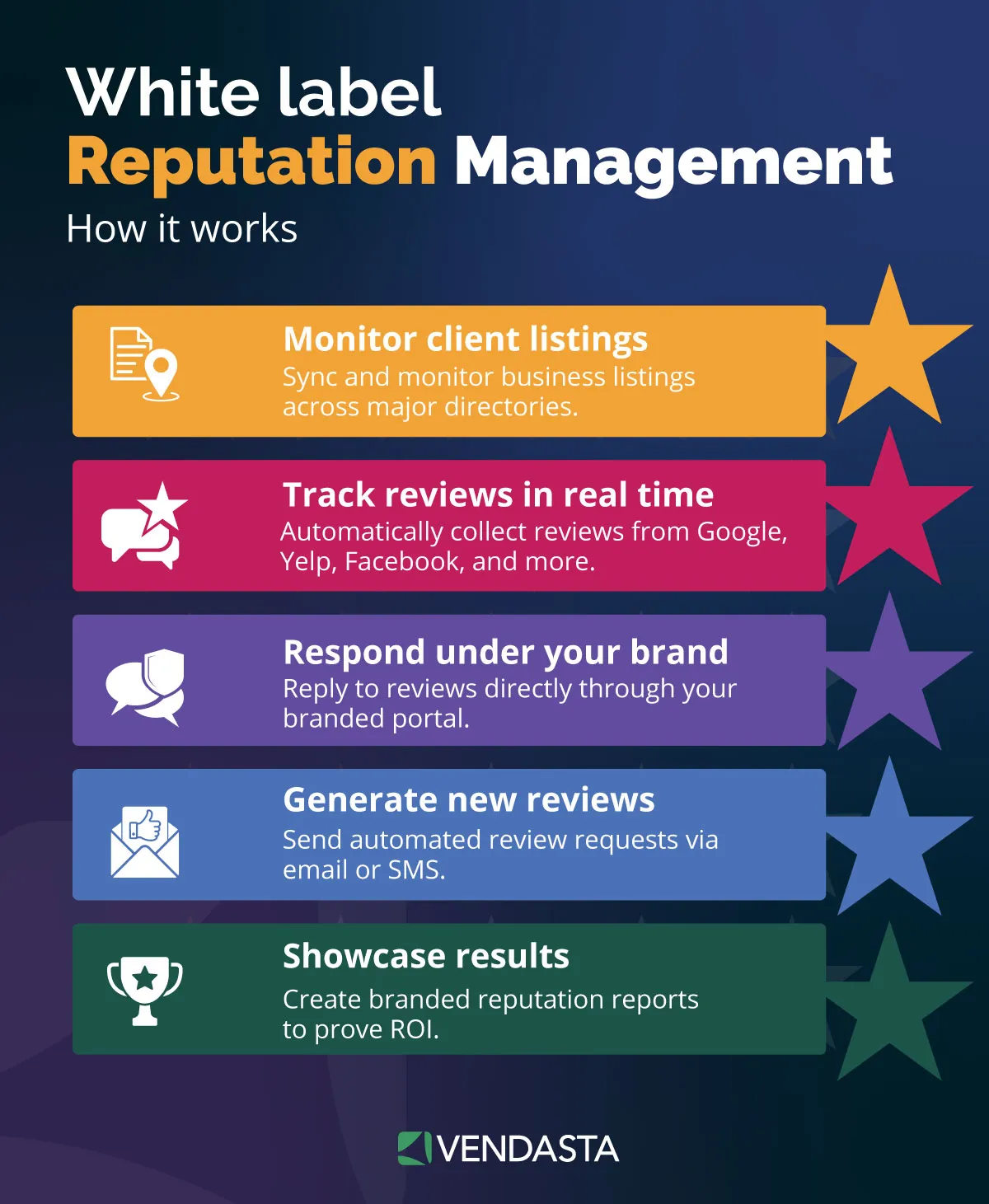
- Request: With Reputation AI Premium, send review requests by email or SMS to every customer after a completed job.
- Monitor: Watch every source daily for new reviews, rating drops, and pauses. When Google paused contributions on some profiles in September 2026, it said it would lift the pause once the risk was mitigated, typically within a few days.
- Respond: Reply to every review within the window you promised in the retainer, with tailored responses for positive reviews and an offline path for complaints.
Reputation AI monitors reviews across 100+ sources and analyzes sentiment, and the AI Reputation Specialist responds under the rules you configure per client. Review requests by email and SMS, Net Promoter Score (NPS) surveys, and full review-response automation require Reputation AI Premium.
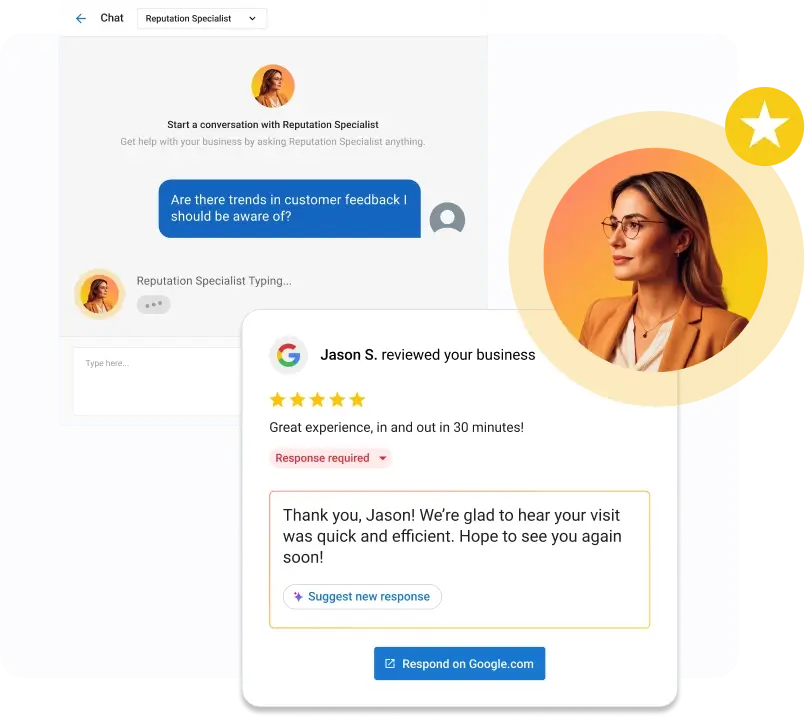
Google is also testing AI-drafted review replies that an owner edits and submits, with inconsistent availability since March 2026. That test covers drafting only; monitoring across 100+ sources, sentiment trends, and review requests remain the agency’s work.
Multi-Location and Franchise Management at Scale
A single-location client needs a business group and one manager invite. A 40-location franchise needs bulk verification, spreadsheet governance, and account templates. The workflows diverge at 10 locations, Google’s bulk verification threshold.
Apply these controls at franchise scale:
- Google’s bulk verification guidance allows businesses with 10 or more locations of the same brand to verify through a spreadsheet, though Google notes video verification may still be needed. The spreadsheet must list every profile you manage for that business, and duplicate, suspended, or disabled profiles do not count toward 10.
- Agencies cannot bulk verify an account that mixes different businesses, so each brand gets its own business group. Search Engine Land’s verification guide, citing Google Business Profile Platinum Product Expert Claudia Tomina, says large multi-location enterprises are almost always bulk verified, which bypasses video verification entirely, while video is the main option about eight times in ten.
- Google keys bulk imports on the store code, and changing one on an existing location creates a duplicate, so freeze store codes at onboarding.
- Google’s appeals tool accepts a spreadsheet of Business Profile IDs when 10 or more locations are suspended at once.
This structure improves franchise economics. Fred Astaire Dance Studio, a Vendasta franchise client, achieved 37% search traffic growth, averaged 50 reviews per store, and generated 2.5 times more net-new leads.
Partner Center includes account templates for multi-location governance, so your team can set up a brand once and reuse that setup for each new location account, with billing and portfolio-wide reporting in the same place. Each location gets its own Business App portal, and Business App’s multi-location view rolls up the whole brand for the franchisor. Your team manages the brand as a template rather than as 40 separate logins.
Tool Stack for 20 to 100 Profiles
The comparison comes down to bulk posting, client access, white-label reporting, and verified pricing. Prices are from each vendor’s own pages as of October 2026, except SOCi’s per-location figure, which comes from its AWS Marketplace listing. Where a vendor publishes no price, the table says so rather than substituting a third-party estimate:
| Tool | Intended user | Bulk GBP posting | Client access | White-label reporting | Verified pricing | Best fit |
|---|---|---|---|---|---|---|
| BrightLocal | Agencies and consultants; local businesses | Yes on Manage and Grow, not Track | Yes, a separate client dashboard URL per client | Yes, all paid plans | Manage at 11–20 locations: $115/mo billed annually; 91–100 locations: $577/mo billed annually | Agencies at 20–100 profiles wanting published per-band pricing and a 14-day trial |
| Yext | Enterprise primary; agencies via reseller partners | Yes, Post Feed by location, folder, or label | Yes, partner accounts | Yes, logo, colors, and business name | Custom only; typically annual, no free trial | Enterprise brands and the partners serving them at high location counts |
| Birdeye | Local agency resellers; multi-location brands | Yes, XLS bulk scheduling | Yes, SMB, Enterprise, or reseller accounts | Yes, white-label or co-branded | Not published; auto-renews unless notice is given 90 days before renewal; 8% fee on recurring fees at renewal | Agencies bundling reviews and social with listings and willing to negotiate |
| SOCi | Enterprises with hundreds or thousands of locations | Publishes across locations and networks | No agency sub-account product documented | Location, region, and portfolio reporting | Quote only; AWS listing at $30/location with a 100-location minimum | Franchise systems above 100 locations |
| Whitespark | Multi-location companies and SEO agencies | Not documented | Grouping by client, region, and account manager | Yes, white-label grid URLs; custom domains on Rank Tracker | Local Platform $1/location/mo billed annually; grids from $10/mo for 2,000 credits | Agencies that need geogrid tracking cheaply alongside another posting tool |
| Semrush Local | Base for local businesses, Pro for growing, Local Business for 20+ locations | Partial; the same post across locations is not an option, Pro adds bulk connect and edit | Partial; shared locations with roles, Client Portal discontinued | Pro Report add-on, $20/mo | Base $30 and Pro $60 per location per month billed annually; no volume discount found | Agencies already on Semrush with under 20 profiles |
| Synup | Agencies and multi-location businesses | Yes, from one workspace | White-label client portal on Premium and above | Premium and above | Pro $399/mo annual up to 25 locations; Scale $719/mo annual up to 50; above 50 quote only | Agencies at 20–50 profiles wanting a flat band price |
| Vendasta Local SEO and Social AI | Local businesses and the partners serving them | Yes, AI Social Media Manager publishes to Google Business Profile and six other networks | Yes, one Business App per client under your brand, plus a multi-location view | Yes, white-label executive reporting in Business App | Partner pricing: Starter requires $99 monthly product spend credited dollar-for-dollar against the subscription; wholesale discounts up to 80% off retail, scaling with plan tier and volume | Agencies reselling GBP work inside a wider AI Employee bundle |
Two cautions apply to the figures. Synup prints monthly prices of $499 for Pro and $899 for Scale with a 20% annual discount, so the annual figures above are calculated. Synup’s pricing page also says its free trial covers the Solo plan, which excludes white-labeling, while its trial page says you can test the white-label portal during the trial, so confirm with the vendor.
Verdict by portfolio size: at 20 profiles, BrightLocal Manage at $115/mo is the lowest verified price among tools that document bulk GBP posting. Whitespark’s Local Platform costs less at $1 per location but does not document posting.
Synup Pro at $399/mo is the flat-band alternative up to 25 locations; both it and BrightLocal include bulk posting and client-facing dashboards.
At 100, BrightLocal, Semrush Local, and Whitespark publish prices. BrightLocal’s 91–100 band is $577/mo billed annually, while Semrush Local Base works out to about $3,000 a month. Yext, Birdeye, and SOCi require a quote.
Vendasta Local SEO Pro is the fit when GBP is one line in a multi-product retainer: AI Employees handle the posting and response labor, and AI Search Specialist handles the audits rather than your staff.
Client Onboarding Standard Operating Procedure and the 7-Day Access Window
Onboarding a profile takes seven steps, and the seven-day restriction on new users dictates the order. Build the standard operating procedure (SOP) so nothing a client expects in week one depends on an action Google blocks until day eight.
- Send the invite email: Give the client your business group ID so they can invite the group, or, if they prefer an individual invite, the path: More, then Business Profile settings, then People and access, then Add, enter the email, choose Manager, and Invite. Ask for Manager, state that they keep primary ownership, and note that the invite takes effect the moment they accept.
- Plan around the seven days: Schedule removal of a prior agency’s user and any profile deletion for day eight or later. Do the same for a primary ownership transfer. If the client wants ownership moved to a new corporate account, add that account first.
- Run the audit checklist: Check categories, hours and special hours, services, attributes, description length, booking links, and business links against Google’s business links policy, updated in September 2025, which requires links to lead to a dedicated landing page for the business or location and excludes social media, messaging, and shortened URLs.
- Capture the baseline geogrid: Scan the client’s core keyword on a grid before you change anything, so the day-90 report shows movement from a dated starting point rather than a claim.
- Verify the profile status: Confirm verification and check the Searches metric, which updates at the start of each month and can take up to five days to appear.
- Set naming and folder conventions: Use one business group per client or brand and store codes of no more than 64 characters. Apply up to 10 labels per location for region, vertical, and account manager.
- Request API access if you run your own tooling: Google’s API prerequisites require a profile verified and active for 60+ days, a website representing the business listed on the profile, and a request from an email address listed as an owner or manager. Google emails you once the request is reviewed, and a quota of 0 queries per minute (QPM) means the project is not yet approved.
Once the audit is done, treat its findings as the first proof of performance. Your team can show the fixes behind an optimized Google Business Profile in before-and-after screenshots. That creates the day-30 win that opens the second-product conversation.
Suspension, Unauthorized Edits and Verification Runbook
A suspended profile disappears from Google’s search results for that business. A suspension-response commitment in the retainer puts someone on the appeal on day one. The following runbooks cover suspension appeals and unauthorized edits. They also prepare clients for video verification.
Suspension Appeals
Run the appeal in five steps from Google’s appeals guidance:
- Open the appeals tool with the Google Account linked to the profile and select it; the tool shows the moderation reason and the policy it cites.
- Select the decision to appeal.
- Add evidence: business registration, business license, tax certificate, or a utility bill, with name and address matching the profile. Search Engine Roundtable reported in July 2026 that evidence uploads now happen inside the appeal itself rather than in a separate form.
- Submit and wait for the emailed decision. Google says appeals can only be submitted once, so include complete evidence the first time.
- Do not create a new profile for the same business while the appeal is open.
Google states appeals take up to five business days. Search Engine Journal’s report by Mike Blumenthal found that appeal resolution times grew from about five days to nearly five weeks, so set client expectations at weeks.
Unauthorized Edits
Suggested edits carry a four-day window. Google notifies owners of certain suggested changes, and if nobody responds within four days it may publish the edit when other public information supports it. Blue text in the editor marks information changed by Google.
The volume is large: Google’s Maps protection update says the community suggested 80 million updates in 2025. Google began rolling out proactive email alerts in April 2026, so verified and active owners can review important edits before they go live. Keep your own monitoring step regardless, since a four-day window leaves little room for a missed notification.
Video Verification
Google’s video verification rules require a continuous recording made live on a mobile device, with no cuts or edits, at least 30 seconds long. It must show nearby street signs, building numbers, or landmarks, followed by the business name on a permanent fixture.
It must also show employee-only access, such as opening a register or entering a storage room. Service-area businesses show tools, equipment, branded apparel, or a branded vehicle instead of signage.
Review takes up to five business days. Search Engine Land’s verification guide reports that after just a few failed attempts, Google shows “No More Ways to Verify,” and after two to three business days, emails the business that a live video call is the only remaining route, so brief the client before the first attempt rather than the third.
Reporting Clients Read Without Extra Agency Hours
Clients read a one-page report with profile Views, Calls, and Website clicks. Add map-pack rank on a grid as the visual anchor. Google’s Performance documentation supplies Interactions, Searches, Views, Directions, Calls, Messages, Website clicks, Bookings, Products, Menus, and Offers for verified profiles, with Views counted as unique visitors once per day.
Three limits shape the export. Search Engine Land reported in 2024 that the dashboard date range covers the past six months, so a 12-month trend requires monthly exports or the Performance API, which returns daily metrics and monthly search keywords, with low-volume keywords reported as a threshold rather than an exact count.
Google began rolling out post view counts in the dashboard in September 2026, but they are not yet available in the API, so post performance stays a manual screenshot for now.
Export in bulk rather than per profile. In Business Profile Manager, tick the profiles, choose Actions, then Insights, pick the timeframe, and download one spreadsheet covering every selected location.
Geogrid rank tracking is a metric clients understand without explanation. A grid of green and red cells across the service area shows exactly where the client ranks for “emergency plumber” and where a competitor does.
When account managers compare the grid month over month, clients see local SEO rankings as a picture rather than a position number. Local SEO Pro includes keyword and geolocation rank tracking, competitor analysis, and Google Business Profile insights, surfaced in white-label executive reporting in each client’s Business App.
Regular reporting also improves retention. Vendasta’s study of 200,000 client records found that clients who receive regular proof-of-performance reports retain 38% better.
AI Search Specialist, unlocked by Local SEO Pro, produces the SEO and AEO audits and on-demand brand visibility reports that fill the audit and reporting lines of the cadence table, leaving your account manager to review them.
Those reports cover how a client shows up in ChatGPT, Gemini, and Perplexity answers, which now matters alongside the map pack for local discoverability.
Build In-House or White Label: Cost per Profile Compared
An in-house account manager running the manual cadence costs roughly $85 to $94 per profile per month in labor and tooling, while published white-label GBP fulfillment runs from $99 to $900 per profile. The gap narrows once automation shrinks the labor line, which is why the decision depends on how much of the cadence a person still performs.
The in-house figure is arithmetic from cited sources. Robert Half’s 2027 salary guide lists an SEO Specialist at $67,750 to $91,000 with a midpoint of $78,500. The SBA’s employee cost guidance puts fully loaded cost at 1.25 to 1.4 times salary; Bureau of Labor Statistics data, with benefits at 30.0% of private-industry compensation in June 2026, implies a slightly higher multiplier of about 1.43, so the range is conservative.
At the midpoint salary, that yields $47 to $53 an hour across 2,080 hours; at 100 minutes per profile, labor is $79 to $88, and BrightLocal Manage at the 91–100 band adds about $6 per profile.
| Path | Cost per profile per month | What it covers | What it does not |
|---|---|---|---|
| In-house, manual cadence | $85–$94 labor plus tooling (calculated) | Full control of voice, timing, and client contact | An account manager reaches capacity near 20 profiles |
| In-house, automated cadence | $26–$29 labor at about 33 minutes per profile (calculated from Flento’s capacity estimates) | Same control with templated posting and responses | Still requires a person to approve output |
| White-label fulfillment | $99 at 10+ locations (GBPPromote); $99–$199 (Local SEO Bot); $275 for review management with GBP optimization (The HOTH); $350–$900 (White-Label SEO) | Done-for-you posts, responses, and reporting under your brand | Each is an individual price list, not a benchmark; suspension recovery may be priced separately |
| Vendasta AI Employees | Wholesale product spend at up to 80% off retail, scaling with plan tier and volume, against a $99 Starter minimum | AI Social Media Manager, AI Reputation Specialist, and AI Search Specialist do the work; every action logged and reported | Optional expert setup and fulfillment are add-ons, not the core offer |
An agency choosing the white-label path gives up some margin to avoid hiring. At a $99 wholesale cost and a $299 retail price, you keep $200 per profile. A $350 wholesale tier against the same $299 retail loses $51 per profile, so that tier works only at a higher retail price. Reselling SEO services at that spread works only when the provider’s quality holds without your team rewriting deliverables.
Using AI Employees preserves the in-house margin without requiring in-house headcount. Vendasta, an AI customer acquisition and engagement platform, lets channel partners buy products at wholesale and set their own retail price. They deploy AI Employees across client accounts from Partner Center, with each profile’s work logged as proof of performance.
Your agency can deliver Google Business Profile management for your clients this way and grow MRR without adding headcount proportionally. Optional fulfillment by white-label experts covers the exceptions an AI Employee does not handle.
What to Charge per Profile and How to Scale GBP Revenue
Published provider price lists run from about $99 to $900 per profile per month, and several tiers between $199 and $399 include weekly posts and review responses, such as Local SEO Bot’s Growth plan, Complete360, and GMB Gorilla’s Pro plan. Price at the retail your clients will pay; at a $299 retail price, holding wholesale below $100 clears about $200 per profile. Deliverables that justify the retainer include suggested-edit monitoring inside the four-day window and suspension appeals. A geogrid report with a dated baseline gives the client visible proof of the work.
Sell GBP management as the second product, not the first. Vendasta’s retention study found two-year retention of 30% with one product, roughly 20 percentage points more with two, and 80% with four. Bundling services such as reviews and listings into one retainer gets a client closer to product four. AI Employees in Vendasta Reputation AI, Vendasta Social AI, and Vendasta Local SEO Pro fulfill each layer so your agency can grow revenue without hiring one person for every 20 profiles. To see that workflow running on your own book of clients, book a Vendasta demo.
Google Business Profile Management Service FAQs
1. How do I manage a client’s Google Business Profile without their password?
Register a Google organization account at business.google.com/agencysignup, create a business group, and have the client invite that group using its group ID with the Manager role. Google requires each user to have their own Google Account, and managers can edit, post, and respond without the owner ever sharing credentials.
2. How do I access Business Profile Manager as an agency?
Sign in at business.google.com with the Google Account that registered your organization. Business Profile Manager shows your organization, its business groups, and pending invites. Bulk performance downloads run through Actions, then Insights, while Add profile, then Import profiles handles spreadsheet imports. The registering account must not already own or manage any individual profiles.
3. Is Google Business Profile management free, or do I need paid tools?
Google’s ranking guidance says there is no way to request or pay for a better local ranking. Agencies pay for tooling and labor: BrightLocal Manage runs $115 a month billed annually at 11 to 20 locations; Semrush Local Base is $30 per location per month, billed annually; and manual labor is the larger cost at roughly 100 minutes per profile.
4. Which tools can bulk post to multiple Google Business Profiles?
Google’s own dashboard added multi-location publishing in November 2025. Among third-party tools, BrightLocal Manage and Grow, Yext Post Feed, Birdeye’s XLS bulk scheduler, SOCi, and Synup all publish across locations, and Vendasta’s AI Social Media Manager publishes to Google Business Profile for each client. Semrush Local does not post the same update across locations simultaneously, and Whitespark’s Local Platform does not document posting.
5. How many Google Business Profiles can one account manager handle?
Published guidance clusters at 12 to 20 profiles under a manual cadence, with CloudScale calling every 15 to 20 locations a full-time job. Flento estimates roughly 40 to 60 profiles per person once the cadence is automated. Vendasta’s AI Employees shift the account manager from producing output to reviewing logged work.
6. What should an agency do when a client’s profile gets suspended?
Open Google’s appeals tool with the account linked to the profile, select the moderation decision, attach matching registration, license, tax, or utility documents, and submit. Appeals can only be submitted once, and you should not create a new profile during review. Google states up to five business days, but Search Engine Journal reported resolution times growing to nearly five weeks, so set expectations in weeks.
7. Should my agency build GBP management in-house or white label it?
Build in-house when your team already runs a local SEO cadence and can automate posting and responses, which brings labor cost near $26 to $29 per profile. White label when you need capacity now, and the wholesale price stays under $100 with your retail near $299 or higher. AI Employees deliver the in-house margin without the hire.
8. How much should I charge per profile for Google Business Profile management?
Provider price lists we found run from about $99 to $900 per profile per month, and several tiers between $199 and $399 include weekly posts and review responses. Set retail to your market, keep wholesale cost under $100, and include suspension handling and suggested-edit monitoring so the retainer covers risk the client cannot manage alone.
9. What is the 7-day restriction for new Google Business Profile managers?
Google blocks newly added owners and managers for seven days from deleting or undeleting a profile, removing other owners or managers, and transferring primary ownership. Google does not list posting, editing, or responding to reviews among the blocked actions. Schedule prior-agency cleanup for day eight.
10. How do I bulk verify a multi-location client’s profiles?
Google allows bulk verification for 10 or more locations of the same business. Create a business group, upload a spreadsheet listing every profile you manage for that brand, fix errors, then request verification under Verifications, Chain. Duplicate, suspended, and disabled profiles do not count toward 10, and accounts that mix different businesses cannot bulk verify.