About Us
 Careers
 Leadership
 Board
Board Newsroom
Every client onboarding workflow starts the same way: turn on the products, build the pipeline, write the follow-ups, and set up the AI Receptionist. Done by hand, it takes hours, and too often it never gets finished.
Vendasta Blueprints fix that.
Each Blueprint is a ready-made setup for a specific type of local business, built and tested by Vendasta. Agencies, franchises, multi-location businesses, and software companies apply one to a single account or every location they serve, so each starts from a setup that already works.
This guide walks through the five stages of a client onboarding workflow, where hand-built setups break down, and how Blueprints handle the build for every client and location.
Onboard new clients faster with ready-made setups for their trade
TL;DR
- Hand-built onboarding takes hours per account: Every new client needs products turned on, a pipeline built, follow-ups written, and an AI Receptionist set up, and the deeper automations are often skipped.
- Four products retain 80% of clients: In Vendasta’s retention study, two-year retention is 30% with one product, roughly 20 percentage points higher with two, and 80% with four.
- Start every client from a tested setup: Vendasta’s ready-made Blueprints set up an account for a specific trade in one step from Partner Center.
What Is a Client Onboarding Workflow?
A client onboarding workflow is every step between a signed deal and a client who is winning customers. For a partner serving local businesses, the biggest step is building the account itself, because the client sees no result until it’s live.
A typical local business account needs each of these set up before it starts working:
- AI Employees, such as an AI Receptionist, set up with the business’s own facts to answer calls and messages
- A customer pipeline in Vendasta CRM AI, with stages and custom fields that match how the trade sells
- Follow-up campaigns that chase open quotes and leads who went quiet
- Review requests sent after each finished job
- Tracked local searches the business wants to show up for
Teams that write the build down as a client onboarding template get the same result every time. Teams that rebuild it from memory get whatever the person on shift remembers.
The Five Stages of a Client Onboarding Workflow
Most client onboarding workflows for local businesses move through the same five stages. The order matters, because each stage depends on the one before it.
- Signed deal: The client agrees to a package, which sets the products the account needs.
- Intake: Collect the business’s details, such as services, hours, service area, and the questions customers ask most. A client intake form keeps this step consistent.
- Product activation: Turn on every product in the package before setup starts, since the account build depends on them.
- Account build: Set up AI Employees, the customer pipeline, follow-up campaigns, review requests, and tracked local searches for the client’s trade. This stage takes the most hours.
- Go-live: Connect Google Business Profile and review sites, finish texting registration and call forwarding, review the automations, and turn them on.
Stages one and two are covered in our guide to a scalable agency client onboarding process. The rest of this article focuses on stage four, the account build, because that’s where hand-built onboarding breaks down.
Hand-Built Onboarding Breaks as Your Client List Grows
Most partners start each new account from a blank screen or by copying the last client they set up. Both approaches work at five clients. At 50 clients or 50 locations, they create three problems that compound.
Setup Time Grows With Every Account
Every account means turning on the products, building the pipeline, writing the follow-ups, and setting up the AI Receptionist again. The client waits for a first result while your team configures, and every hour spent building is an hour not spent selling the next account.
Quality Depends on Who Built the Account
When each account is built by a different person, accounts drift from your standard. Nobody can say which setup is current, and a franchisor cannot show that every location runs the same configuration.
The Deeper Automations Never Get Finished
When setup takes hours, the hardest parts get skipped first. Clients end up with a thin account that uses a fraction of what they bought.
The fix is to stop treating each account as a custom build. When the account build is a tested template applied from Partner Center, AI Employees, the pipeline, and follow-ups go live together, and your team’s hours shift from configuring to selling.
Ready-Made Setups, Built by Vendasta
A Blueprint is a ready-made setup for a specific type of local business. Apply one and the business gets its AI Receptionist, customer pipeline, follow-ups, and review requests in one step. Our team builds every template, tests it on a live account, and explains in plain language what it does before you apply it.
The full library of ready-made Blueprints brings client onboarding automation to Partner Center. Each template’s page covers what is included, how the pieces work together, and what the business experiences once it’s live. You know what a template does before anything changes on a client’s account.

Built for the Businesses You Serve
Blueprints are built for the local businesses that channel partners serve most:
- Home services: Plumbing, HVAC, roofing, electrical, garage door, home cleaning, and remodeling
- Professional services: Law firms, accounting, and insurance
- Automotive: Auto repair and towing
- Pet services: Grooming, boarding, and vet clinics
- Beauty: Salons
- Travel: Travel agencies
- Nonprofits: Nonprofit organizations
Each one is built around how that business wins customers. A plumber’s template routes emergency calls to the on-call technician. A law firm’s checks for conflicts before every consultation, and an accountant’s chases missing tax documents on a schedule.
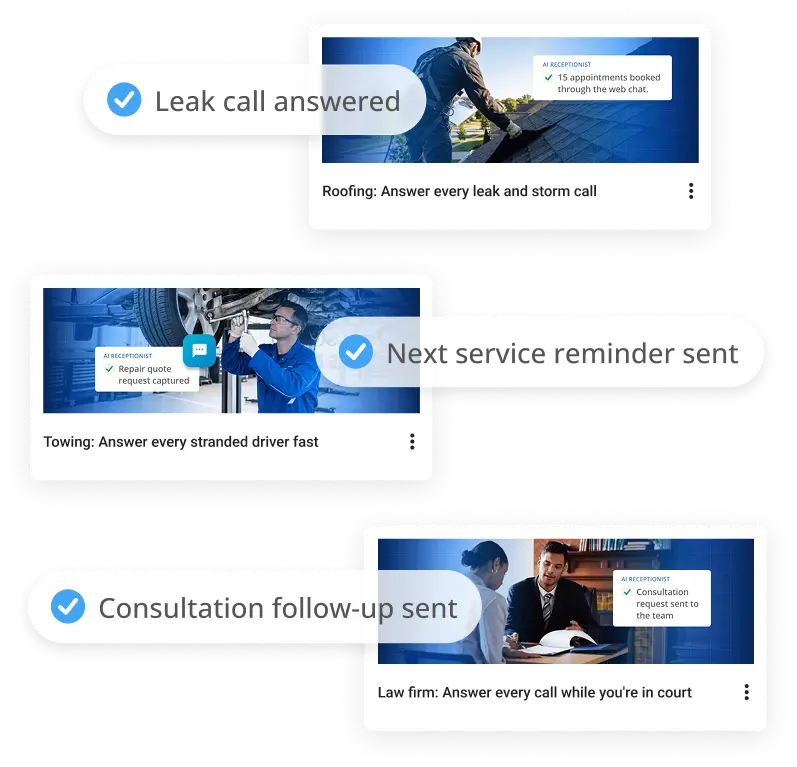
The detail carries into the records. A plumber’s records hold fittings and water heaters, a salon’s hold color formulas, and a towing template knows a police tow from a roadside call. If your clients work in one of these industries, the setup work for their next account is already done.
How to Automate Client Onboarding With Vendasta Blueprints
Open Blueprints in Partner Center, pick the template for your client’s business, turn on the products it lists, and apply. Here is each step in more detail.
- Open Blueprints in Partner Center: Go to the Blueprint templates library and filter by industry.
- Pick the template for your client’s business: Read what it includes, which products it needs, and what the business experiences after it’s applied.
- Turn on the products it lists: A template sets up the products already active on the account. Parts tied to a product that is not active will not land, so check the template’s product list against the account before you apply it.
- Apply it to one account or many: Choose a single client, or select several accounts at once, such as every location in a network.
- Run the after-apply checklist: Every Blueprint ships with one covering the details only you can add.
The checklist exists because some setup is specific to each business. It covers steps such as connecting Google Business Profile and review sites, setting up texting registration and call forwarding, adding the business’s facts to AI Receptionist, and adding the city to tracked searches, which start as near-me searches.
Automations arrive switched off. Nothing goes out to the business’s customers until you review the messages and turn them on, so a template never starts texting a client’s customers before the account is ready.
Because every template comes with its own checklist, a new team member can finish an account to the same standard as your most experienced specialist.
One Setup for Every Client, Location, or Customer
The same template works whether you set up 10 accounts a year or roll out to thousands of locations. What changes is how far one setup reaches:
- Agencies onboard every new client the same way, without more setup work. You can also package a template under your own brand and sell it to a trade you haven’t served before. It’s one way agencies sell AI services to local businesses without building each setup from scratch.
- Franchises and networks roll one standard out to every location and see which version each location is on from the Blueprint page. That visibility is part of how franchise networks run local marketing at scale.
- Multi-location businesses open the next location with what works at the first.
- Software companies give every customer the same ready-to-go setup, applied across customer accounts in bulk. It’s one way software companies add local marketing to their product.
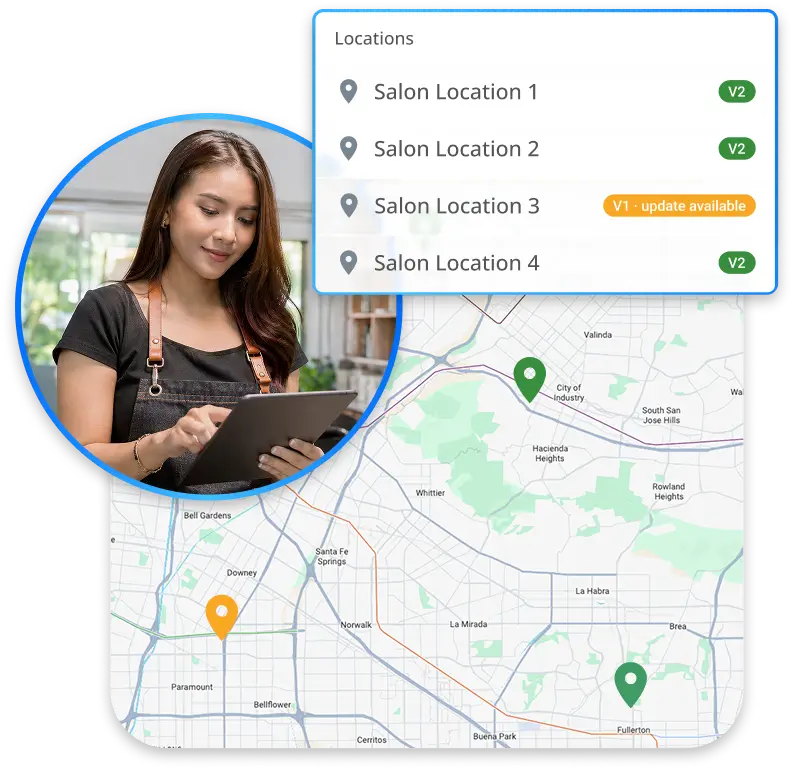
Use a template as is, or copy it and make it yours. You can also save your best account as a Blueprint and reuse it. A Blueprint copied from a template stays as you set it, even when Vendasta updates the original.
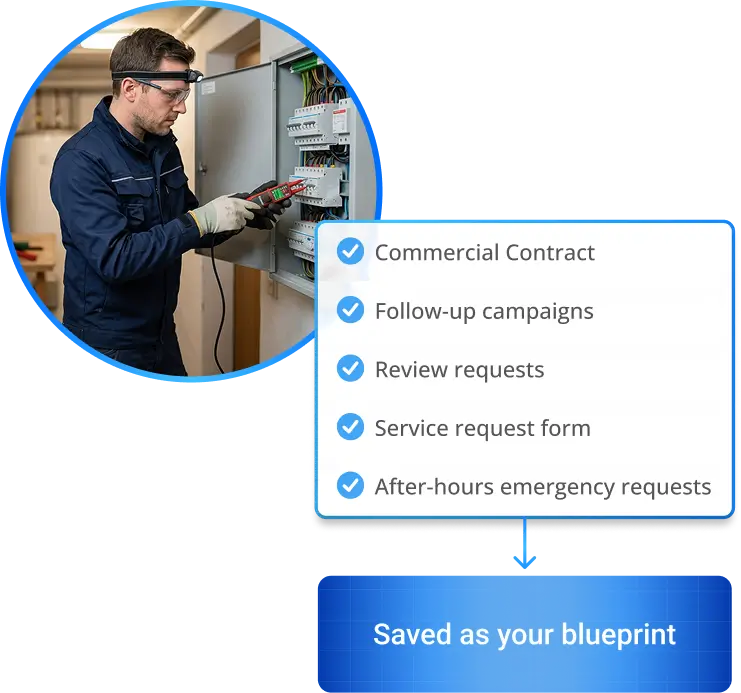
How One Agency Turned Blueprints Into Its Own Offer
During early access with Vendasta AI Certified partners, the agency Crosshair Digital Marketing packaged ready-made Blueprints into its own branded offer. It sold that offer to an HVAC contractor and an accounting firm.
“Vendasta Blueprints let us offer fast, streamlined deployment of systems that give our clients the foundation they need to take full advantage of the technology and, more importantly, to scale their business.”
– Jeff Pierce, Founder of Crosshair Digital Marketing
Why One Setup Keeps Clients Longer
After two years, clients on four products stay at 80%, against 30% on one. Vendasta’s client churn study, based on 200,000 client relationships, found that two-year retention is 30% with one product, rises by roughly 20 percentage points with a second, and reaches 80% with four.
A Blueprint puts several products to work at once, so clients see results sooner and stay longer. And when the account build is one step instead of hours, your team can take on more clients without adding headcount.
How Vendasta Blueprints Standardize Client Onboarding
Vendasta Blueprints turn the account build from a custom project into a selection. Each problem above maps to a capability in Partner Center:
- Hours spent per account: Apply a tested Blueprint in one step instead of configuring each product by hand.
- Quality that depends on who built the account: Every account gets the same setup, and the Blueprint page shows which version each account is on.
- Automations that never get turned on: Every template explains what it does in plain language and ships with an after-apply checklist, so the last steps get finished.
- Thin accounts that churn: One template sets up AI Employees, the pipeline, follow-ups, and review requests together, so several products work from the first day.
- New trades that need new setups: Copy a template, put your brand on it, and sell it as your own offer.
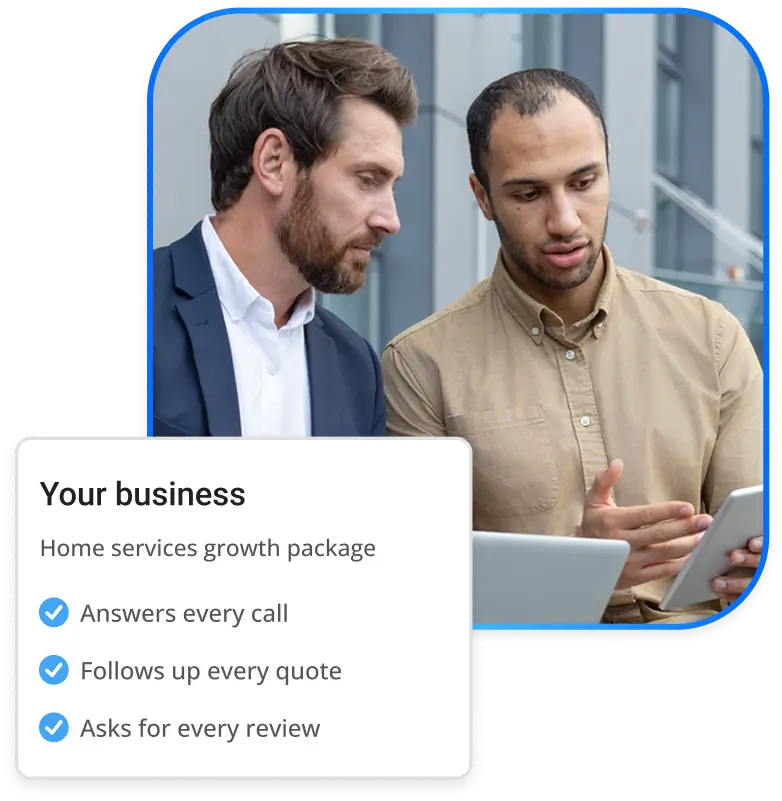
Plan for two limits. The products a template uses must be active on the account before you apply it, and automations need your review before they go live. With those in place, Blueprints give your team one repeatable way to deliver every account.
A Repeatable Client Onboarding Workflow Starts With a Blueprint
A client onboarding workflow decides how fast a new client sees results and how long that client stays. When each account is built by hand, setup time grows with every sale, quality depends on who did the work, and the automations that drive results get skipped.
Vendasta Blueprints move that build into one step. Each template is built and tested by Vendasta for a specific trade, explains what it does before you apply it, and sets up AI Employees, a pipeline, follow-ups, and review requests together. Apply it to one client or every location in a network, then finish a short checklist.
The result is a standard your whole team can deliver. It also puts several products to work from day one, which matters when two-year retention climbs from 30% with one product to 80% with four.
To see a Blueprint applied to a live account and how it fits your onboarding, book a Vendasta demo.
Client Onboarding Workflow FAQs
1. What is a client onboarding workflow?
A client onboarding workflow is the repeatable sequence that turns a signed client into a working account. For partners serving local businesses, it covers intake plus the account build: AI Employees, a customer pipeline, follow-up campaigns, review requests, and tracked local searches, set up so the client starts seeing results.
2. What should a client onboarding template include?
A useful client onboarding template covers every piece the account needs to win customers: AI Employees set up with the business’s facts, a pipeline and custom fields for the trade, follow-ups for open quotes, review requests after finished jobs, and a checklist of manual steps such as connecting Google Business Profile.
3. How do you automate client onboarding?
Turn on the products the client bought, then apply a tested template instead of configuring each product by hand. With Vendasta Blueprints, you pick a ready-made Blueprint for the client’s trade in Partner Center, read what it sets up, apply it to one account or many, and finish the after-apply checklist.
4. What are client onboarding best practices?
Keep one documented setup per trade, collect the business’s facts before the build, launch several products together, and review automations before they reach customers. Product depth matters: in Vendasta’s retention study, two-year retention is 30% with one product, roughly 20 percentage points higher with two, and 80% with four.
5. What happens during new client onboarding?
New client onboarding moves a business from signed deal to live account. The partner gathers the business’s details, turns on the products sold, builds the account, and confirms everything works before automations go live. A Blueprint turns the build into one step, leaving a short checklist of business-specific details.
6. How do you streamline client onboarding?
Replace one-off builds with a single tested setup for each trade, and apply it the same way every time. A standard setup removes the variation that comes from different people building accounts and frees setup hours for selling. Version tracking then shows which accounts run the current setup.
7. What tools help agencies with client onboarding?
Agencies typically use an intake form, a project tracker, and the platform their clients’ products run on. In Partner Center, Vendasta Blueprints handle the account build itself, applying a trade-specific setup with AI Employees, a pipeline, follow-ups, and review requests to one client or many at once.
8. What is customer onboarding automation?
Customer onboarding automation sets up each new customer’s account from a tested template instead of by hand. For software companies serving local businesses, it means applying one ready-to-go setup across customer accounts in bulk, so every customer starts with the same configuration rather than an empty account.
9. What does the franchise onboarding process look like?
For a franchise’s local marketing setup, the franchisor turns its model location into the standard, applies that setup to each location, and tracks which version every location runs. Vendasta Blueprints support this: one Blueprint applies to every location, and the Blueprint page shows the version each location is on.
10. What is an industry-specific CRM?
An industry-specific CRM is set up around how one trade sells and serves customers, with pipeline stages and custom fields that fit that work. A Blueprint gives Vendasta CRM AI that shape for each trade: a plumbing setup tracks fittings and water heaters, and a salon setup keeps color formulas on file.