About Us
 Careers
 Leadership
 Board
Board Newsroom
An AI virtual assistant for small businesses is software that works alongside you, handling calls, texts, and web inquiries that arrive while you are on a job or after hours, and routing anything outside its rules back to you.
The results can be significant: Vendasta’s AI Receptionist handled 1,017 calls for a car rental business and qualified 778 leads, a 76% conversion rate over four months. From there, it answers, qualifies, books, and logs to the customer relationship management (CRM) system so paid leads get a response even when you cannot pick up.
Vendasta’s AI Receptionist is the best pick for an all-in-one local business solution; Smith.ai fits free phone testing, Jobber Receptionist suits Jobber users, Intercom’s Fin handles support chat, and Tidio covers budget web chat.
This guide covers how AI Employees work, their use cases, pricing, integrations, security, setup, and the evidence supporting the final pick.
Automate every step of the customer journey with AI employees
TL;DR
- AI virtual assistants automate 24/7 operations: Small business software handles calls, texts, and web chats continuously, manages bookings, syncs CRM data, and hands off complex inquiries to humans.
- Vendasta offers all-in-one AI virtual assistants for small businesses: Vendasta’s AI Workforce answers every call, text, and web chat 24/7, responds to Google and Facebook reviews, posts to social media weekly, launches a professional website, syncs your listings to directories, and more.
- Five-minute callbacks improve contact odds 100-fold: MIT’s study found contact odds fall 100 times between a five-minute and a 30-minute response.
- AI Receptionist qualified 778 of 1,017 calls: Vendasta’s AI Receptionist handled 1,017 calls for Choice Signature Luxury Car Rental and qualified 778 leads, a 76% conversion rate over four months.
What Is an AI Virtual Assistant for Small Business
An AI virtual assistant for small business is software that completes customer-facing work on its own: it answers calls, qualifies callers, books appointments, and writes contacts to your CRM using your website, business profile, and uploaded documents. Vendasta calls these roles AI Employees and groups them as an AI Workforce.
Three labels describe different tools. A chatbot typically answers typed questions and may not connect to a calendar. An assistant can own a defined job across channels, including voice, and finish it. An AI agent plans and executes multistep tasks; the guide to AI agents for small businesses covers that category. The comparison of AI digital workers maps those roles onto payroll jobs.
Is ChatGPT a virtual assistant? For drafting an estimate email, yes; for your phone line, no. General-purpose tools such as ChatGPT and Claude wait for text prompts. Gemini and Copilot work the same way rather than answering inbound calls or booking jobs. OpenAI’s help center lists ChatGPT Business at $25 per user per month with a two-seat minimum.
Types of AI Virtual Assistants for Small Business
Five kinds of tools share the “AI assistant” label. Knowing which one you need saves you a wasted trial:
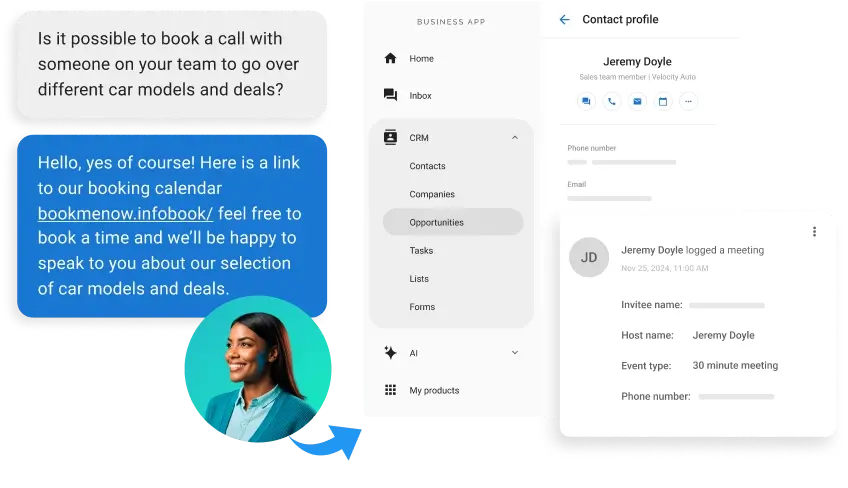
- AI receptionists: Answer calls, texts, and web chat, qualify callers, and book jobs on your calendar. Examples: Vendasta’s AI Receptionist, Smith.ai, Jobber Receptionist, My AI Front Desk.
- AI features in business phone systems: Platforms such as RingCentral, Dialpad, Vonage, and Nextiva add call routing, transcription, and summaries to a phone line your team still answers.
- Support chat assistants: Intercom’s Fin and Lyro by Tidio resolve typed questions on your website.
- Productivity, scheduling, and meeting assistants: Motion and Reclaim.ai plan your calendar and task list, and Fireflies.ai records and summarizes meetings. They don’t talk to customers.
- AI agent builders and task helpers: Lindy AI lets you build no-code agents for inbox and scheduling work, and Sintra offers prebuilt AI helpers for marketing and admin tasks.
- General-purpose AI: ChatGPT, Microsoft Copilot, and Google Gemini draft emails, quotes, and posts when you prompt them.
This guide focuses on AI receptionists because missed calls and slow follow-up cost local businesses the most. For the wider toolset, see the guide to AI for small business.
How an AI Virtual Assistant Works
Most AI virtual assistants follow the same loop: learn from the business’s own data, complete the triggered task, and log the result. Here’s how that loop works in Vendasta’s AI Workforce.
Learning From Your Own Business Data
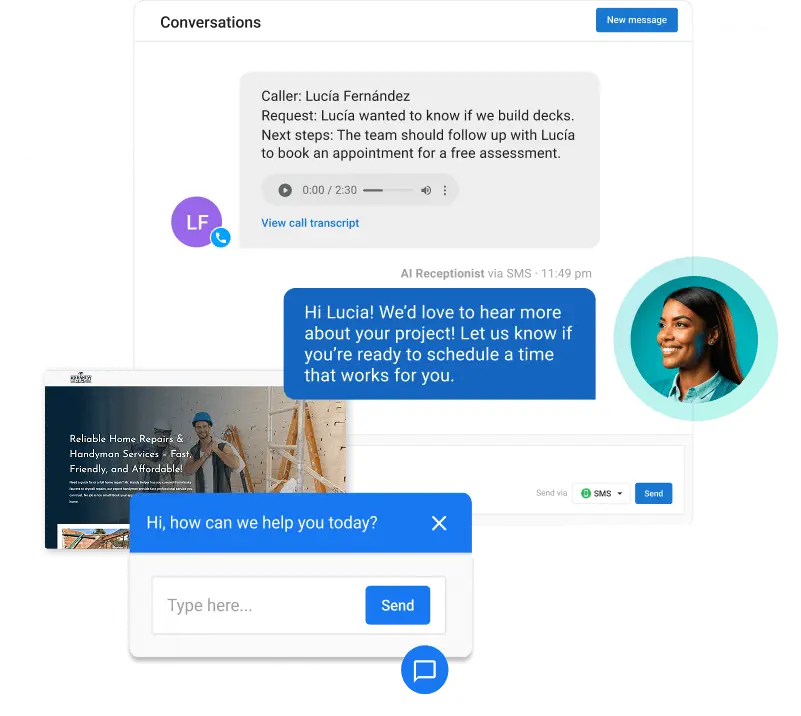
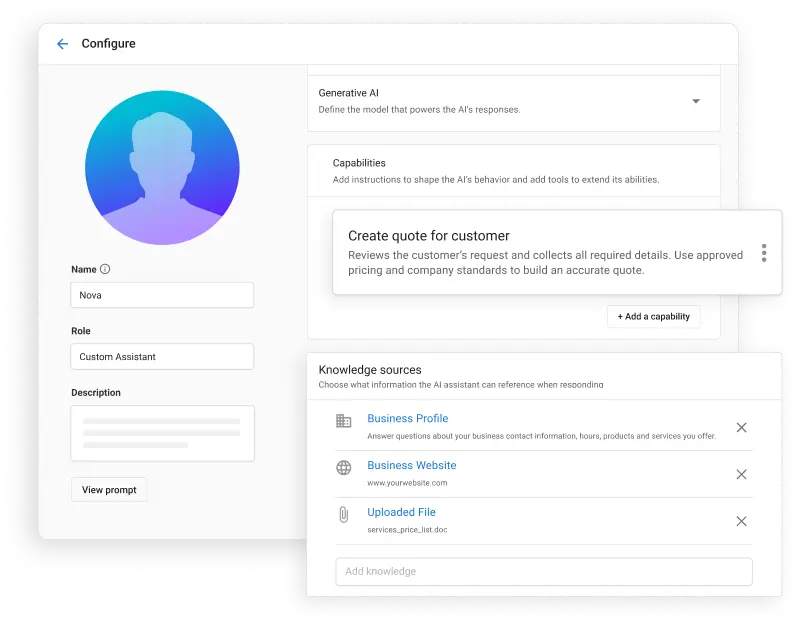
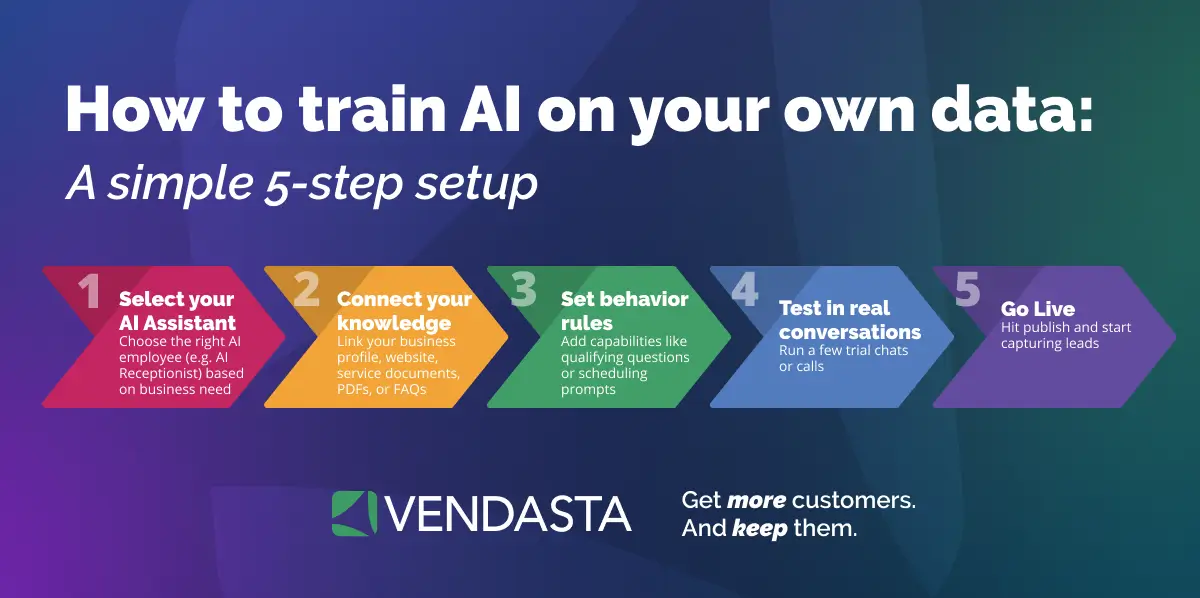
Setup begins with your website and Google Business Profile. Uploaded files, such as a price list, add operational detail. The same documents can train Custom AI Employees for jobs like estimating or payment coordination. Most AI Employees are live in under 30 minutes.

A complete price list helps the assistant quote diagnostic fees and after-hours surcharges consistently; a bare homepage does not. The guide on how to train AI on your own data covers what to load first.
Executing Tasks End to End
A homeowner calls at 9 p.m. about a leaking water heater. The AI Receptionist uses natural language processing (NLP) to understand the request in the caller’s own words, checks the service area and diagnostic fee, books the first open slot, then files the contact in the CRM.
Workflow automation handles the handoffs between steps: a missed call triggers a text-back, and a job closed in your field-service tool can trigger a review request.
Logging and Reporting
Vendasta logs each call, message, booking, and CRM update in a shared inbox and reports it in Business App. The next morning, you can see what each caller asked, which jobs were booked, and which leads still need a callback, and you can check any answer the assistant gave against your price list.
If a marketing agency manages your account, it works from the same log, so you’re both looking at one record of every conversation.
Benefits of an AI Virtual Assistant for Small Business
The payoff shows up as work you stop doing and leads you stop losing:
- Never miss a call: The assistant answers nights, weekends, and while you’re on a job, so a missed call doesn’t turn into a lost job.
- Respond to every lead instantly: Replies go out in seconds, well inside the five-minute window where contact odds are highest.
- Follow up without doing it yourself: Missed-call text-back, reminders, and follow-up sequences run on their own.
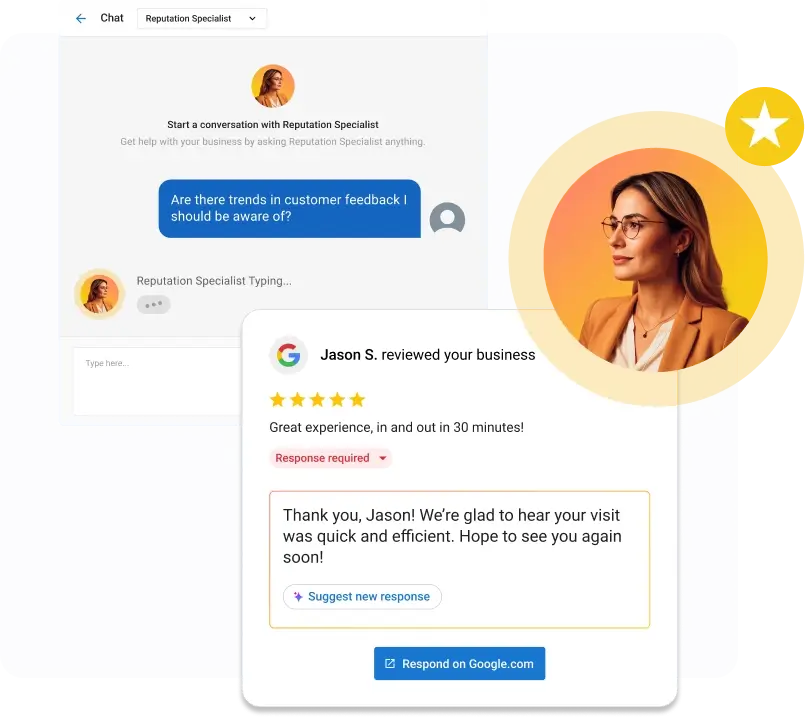
- Get more reviews: Review requests go out after completed jobs, and replies are drafted or posted for you.
- Save time on admin: Contacts, call summaries, and bookings land in the CRM without data entry.
- See proof of the work: Every action is logged, so you can check what the AI did instead of taking it on faith.
You don’t have to hand everything over on day one. Start with approval workflows, such as reviewing drafted review replies before they post, and give the assistant more independence as the results earn it.
Key Features and Capabilities
Judge each feature by the job it removes from your day, and check how each tool handles it:
- Voice and chat answering: The assistant should answer phone calls, texts, web chat, and social messages, with every conversation in one inbox. Chat-only tools, such as Tidio, don’t answer phones.
- Appointment booking: The assistant should check live availability on your real calendar, book the slot, and send a confirmation, not just take a message.
- Review requests and responses: The assistant should send review requests after completed jobs and draft replies, so you don’t need a separate reputation tool.
- Email and SMS follow-up: Missed-call text-back, appointment reminders, and follow-up sequences should run without you.
- CRM updates: Call summaries and contact details should land in your CRM system automatically, so you don’t have to retype notes.
Vendasta’s AI Workforce covers all five in one platform and logs every conversation and booking to the CRM. Most other tools cover one or two, so check which ones you’d need to combine.
Small Business Use Cases by Job to Be Done
The best fit depends on the work you need removed first. Start with missed calls, then evaluate scheduling, support, and administrative follow-up.
Missed Calls and Phone Answering
Missed calls come first because the loss is immediate. InsideSales.com and MIT found contact odds fall 100 times between a five-minute and a 30-minute response.
A business phone system with AI added routes and transcribes calls. Dedicated AI receptionists go further: they qualify the caller and schedule the work. A nine-location veterinary group using AI intake added 57 new clients and $47,698 in monthly revenue in a single month, according to a Vendasta success story. Every one of those calls would otherwise have competed with the front desk for attention.
The roundup of the best AI voice services for customer engagement compares how leading voices sound live.
Appointment Scheduling
A booking has to land on a real calendar. Vendasta’s AI Receptionist books against connected calendar tools. Completed jobs in Jobber, Housecall Pro, and ServiceTitan sync into its CRM rather than onto a dispatch board. Jobber Receptionist and Housecall Pro’s CSR AI book natively inside their own tools.
Customer Support
Callers ask about Saturday hours, service area, and the cost of a service call. The assistant answers from your uploaded knowledge base and escalates with context when a question falls outside it; Vendasta’s AI Support Agent is a Custom AI Employee built for this. Qualtrics XM Institute’s study scored AI-handled interactions 4.41 out of 5 for friendliness, and satisfaction fell to 2.83 when issues went unresolved.
Admin, Invoicing, and Lead Follow-Up
Automated lead follow-up recovers ad spend you have already committed.
Review requests ride the same automation rails. In Vendasta, a completed visit in Jobber or an invoice posted in QuickBooks Online automatically triggers the request. The AI Reputation Specialist then replies; according to a Vendasta success story, a 43-location heavy equipment dealership using it keeps average response time under 16 hours.
How to Choose an AI Virtual Assistant
Score every option on the same six criteria:
- Setup speed: Vendor claims cluster between 15 and 30 minutes; ask whether that includes your calendar and number.
- Integrations: Confirm the tool writes to the calendar or scheduler you use.
- Accuracy and escalation: Run 20 test calls with your edge cases and inspect every handoff.
- Approval controls: Check whether you can review responses before they go live, then loosen the rules once you trust the output.
- Cost per unit: Know whether you pay per seat, call, minute, or outcome.
- Data security: Ask for the SOC 2 report type and retention setting. If you handle health data, ask for a business associate agreement (BAA).
Adjacent scheduling, content, and CRM tools are covered in the roundup of AI automation tools for small businesses.
AI Virtual Assistant Tools Compared
We compared one tool for each common small business need: an all-in-one front office, free phone testing, field-service scheduling, support chat, and budget web chat. We scored each tool against the criteria above. Prices come from each vendor’s official pricing page and were current at publication.
| Tool | Plan details | Free tier | Seat minimum | Key integrations | Best for |
|---|---|---|---|---|---|
| Vendasta AI Receptionist | Included in the all-in-one AI Workforce monthly subscription | 14-day free trial, no credit card | Not seat-based | Jobber, Housecall Pro, ServiceTitan, QuickBooks, HubSpot, Zapier, Google, Microsoft Teams | Owner-operators who need calls answered and booked 24/7 |
| Smith.ai AI Receptionist | $150 Pro plan (75 calls) | 25 calls a month at $0 | None, per-call billing | Jobber, Housecall Pro API, ServiceTitan, Google Calendar, Microsoft Bookings | Testing AI phone answering at zero cost |
| Jobber Receptionist | Included on Plus; $29 add-on (30 conversations) on select plans | Included with a Jobber subscription | Jobber subscription | Native to Jobber | Businesses already scheduling in Jobber |
| Intercom Essential with Fin | $29 per seat annual ($39 monthly), plus Fin usage | 14-day trial | 1 seat | Google Calendar, Microsoft Teams in beta | Chat and email support resolution |
| Tidio Starter with Lyro | $24.17 annual equivalent, plus Lyro from $32.50 for 50 AI conversations | 50 chats/mo; Lyro 50 one-time | Not stated | Gmail, Messenger, Instagram, WhatsApp | Website chat on a budget, no voice |
- Vendasta: Reviews, follow-up, and the receptionist run on one AI customer acquisition and engagement platform. The AI Workforce package bundles AI Employees, a professionally built website, listing sync, and missed-call text-back, all with done-for-you setup included. That breadth makes it a strong fit for an owner who wants one vendor to handle the full front-office stack rather than stitching together separate point solutions. To see current Vendasta pricing for your business, schedule a demo.
- Smith.ai: Answers real calls, with calls past the free 25 billed at $2.50 each. Smith.ai keeps recordings and transcripts for 90 days by default and names no SOC 2 type.
- Jobber Receptionist: Writes work requests straight into an existing Jobber schedule and handles scheduling by text or phone. It requires Jobber, and the $29 add-on covers 30 conversations.
- Intercom: Fits a chat and email queue on a $29 seat, while a Health Insurance Portability and Accountability Act (HIPAA) business associate agreement requires the Expert plan at $132 a seat. Intercom prices Fin Voice separately through its sales team, so the $29 entry point excludes phone service.
- Tidio: The cheapest way to put an AI agent on your website. The Lyro quota bills separately, so a busy chat month costs more than the sticker. Tidio covers chat and messaging channels, not voice.
What It Costs: Monthly Fees, Per-Seat and Consumption Billing
The billing unit matters more than the sticker price.
- Flat monthly with a quota: Smith.ai bundles calls and bills $2.50 per call beyond the Pro quota. Vendasta bills local businesses one flat monthly subscription for its AI Workforce package.
- Per seat or plan: Intercom bills by seat and Tidio uses plan-level conversation quotas.
- Consumption or outcome: Intercom’s Fin charges $0.99 per resolution and $9.99 per qualification. Intercom caps billing at one outcome per conversation. Tidio automatically upgrades eligible monthly plans at 95% of quota instead of charging per-conversation overages.
To forecast a month, count last month’s inbound calls and multiply by four minutes. At 60 calls you are at 240 minutes, so check that figure against any per-minute or per-call allotment in the plans you’re comparing.
AI Assistant vs. Human Virtual Assistant
Bureau of Labor Statistics (BLS) wage data puts the median secretary and administrative assistant at $22.86 an hour, or about $47,549 a year in wages. Benefits account for 30.1% of total compensation.
Offshore help narrows the gap. Armasourcing’s salary report puts the median Filipino virtual assistant at $6 an hour, or about $960 a month full-time. Either human option buys 40 hours of weekly coverage; the other 128 hours still go to voicemail.
AI cannot exercise judgment. Talking a customer down after a flooded basement or deciding whether a warranty claim is legitimate still needs a person. Goldman Sachs’s survey found 87% of owners say AI augments rather than replaces employees.
The working split sends intake, booking, follow-up, and after-hours coverage to the AI, while exceptions go to you. Where other owners landed is tracked in the report on AI adoption.
Integrations With Your Existing Stack
Ask each vendor which direction data flows. Most AI assistants connect to Google Workspace and Microsoft 365 through calendar and email rather than certified marketplace apps, and Smith.ai, Intercom, and Tidio don’t show certified listings in either marketplace.
Vendasta connects with Jobber, Housecall Pro, and ServiceTitan, along with QuickBooks, HubSpot, Zapier, Google products, Microsoft Teams, and Monday.com. Field-service connectors push customer data into Vendasta’s CRM when a visit or job reaches the completion stage, and the AI Receptionist handles email as one channel alongside phone, SMS, web chat, WhatsApp, and social messaging.
Slack is not a core connector in this comparison. Reclaim.ai connects with Slack for calendar workflows, but it does not answer phone calls or manage inbound lead intake.
Real Results: Watch What This Assistant Can Do
Here’s what this looks like in the real world. Not a demo environment. Not a scripted flow.
Watch how an AI virtual assistant for small business handles live conversations, captures intent, and keeps opportunities moving.
What stands out immediately is speed. Calls are answered instantly. Leads are logged automatically. Appointments get booked without human intervention.
This is what an always-on assistant looks like when it is built for real businesses.
Case Study: Gig Strategic – From Startup to $3M with Vendasta
Gig Strategic is a digital marketing agency that needed to scale fast without growing its internal team at the same pace.
Instead of hiring ahead of demand, they leaned into automation and AI.
The results speak for themselves:
- $3.05M in revenue
- 100% client retention
- Seamless scalability using automation and white-label solutions
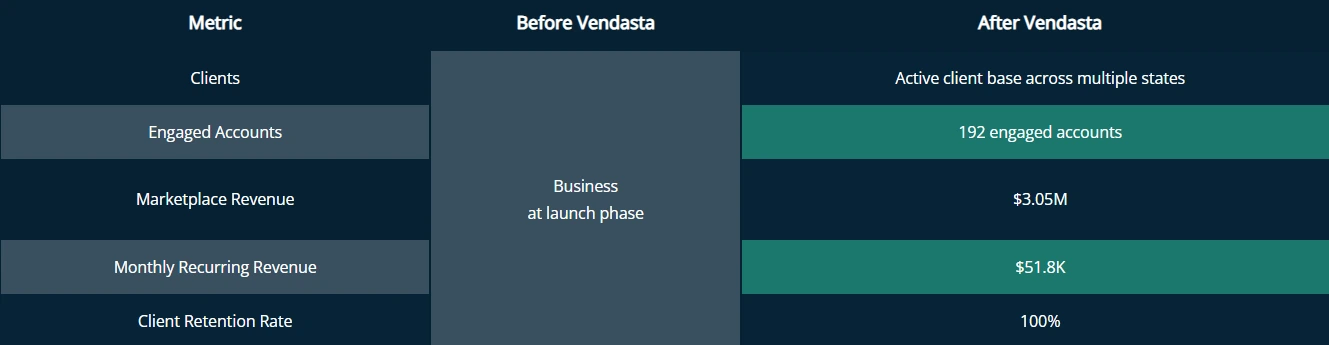
This growth was not driven by more people. It was driven by better systems.
How Vendasta Made It Possible
At the core of Gig Strategic’s growth was automation that removed friction from daily execution.
Vendasta supported this by enabling:
- Automated lead handling and task workflows that function like an AI virtual assistant
- An integrated CRM and shared client dashboards that kept teams aligned
- The ability to focus on strategy while AI handles repetitive execution
This is where an AI-powered virtual assistant from Vendasta’s AI workforce becomes a revenue engine, not just a productivity tool.
Leads were captured instantly. Follow-ups stayed consistent. Clients received faster responses without added overhead.
Curious to learn more? Read the full case study here.
Data Privacy, Security, and Compliance Checklist
Call audio, transcripts, and contact records leave your building the moment an AI answers. First, identify what the vendor stores, including recordings and uploaded training material. Then review its contracts and controls before setting a retention window you can enforce.
Guidance from the U.S. Department of Health and Human Services (HHS) states that no product is certified as HIPAA-compliant. If you handle health data, require the vendor to sign a business associate agreement. A SOC 2 Type II report covers controls over time; Type I is a snapshot.
Smith.ai describes itself as SOC 2 compliant without naming a type. It offers a General Data Protection Regulation (GDPR) data processing agreement and Standard Contractual Clauses by request, but it does not confirm BAA availability. Smith.ai retains recordings and transcripts for 90 days by default and deletes them up to 30 days after termination.
Intercom holds a SOC 2 Type II report, publishes a GDPR data processing agreement, and offers European Union data residency. Customers can configure call-recording retention. Intercom deletes account data 180 days after termination, and only its Expert plan includes a BAA.
Tidio holds a SOC 2 Type II report and publishes a GDPR data processing agreement. It stores most data on European Economic Area servers, does not state that it offers a BAA, and does not publish a call-recording retention period. Customers can manually delete visitor data or remove all project data.
Vendasta logs every call, message, booking, and CRM update an AI Employee completes in the shared inbox and surfaces it in Business App, so an owner can audit exactly what was said and stored. Before forwarding your number, ask Vendasta’s team for its security documentation, including the SOC 2 report type, BAA availability, and call-recording retention settings. Do the same for Jobber Receptionist. Apply the same check to any vendor whose plan or data location changes.
Your First 30 Days: No-Code Setup and Rollout
- Day 1, under 30 minutes: Load your hours, services, pricing, and FAQs into the knowledge base; connect your calendar and CRM; set greeting and escalation rules; run test calls; then forward your business number. With Vendasta, the team handles this configuration for you, and you approve the details. Tom’s Guide’s review independently timed a comparable voice-agent build at 10 to 15 minutes.
- Week 1, forward or port: Forwarding your existing number works the same day. Porting can take up to two weeks depending on the carrier, so keep forwarding until it completes.
- Weeks 2 through 4, tune from transcripts: Read every escalated call, add missing answers to the knowledge base, and tighten the qualification questions.
- Week 4, add the second job: Turn on review requests triggered by completed jobs and missed-call text-back, then check the CRM for new contacts. Keep review replies on approval until the drafts consistently match your voice, then switch to auto-publish.
Why an AI Virtual Assistant Is the Smart Way to Scale
An AI virtual assistant for small business scales the coverage that hiring never fixed. A receptionist works 40 hours; the calls, texts, and form fills that decide your month arrive across all 168 hours, with many landing on evenings and weekends.
Vendasta’s AI Receptionist answers those hours using your price list and calendar, books the job, and leaves a log you can audit the next morning. On a 10 p.m. call, that means checking your connected calendar and asking the qualification questions you wrote.
Neighborly’s deployment shows what that looks like at volume: 35,700 conversations produced 3,400 conversions and a 372% year-over-year increase in lead-to-revenue performance, with roughly 30% of those leads having previously gone uncontacted.
Count the calls your own line dropped last month and price that gap. To watch the AI Receptionist qualify and book a call against your own calendar, schedule a demo.
AI Virtual Assistant for Small Business FAQs
1. How much does an AI virtual assistant cost per month?
Monthly prices start at $24.17 for Tidio’s Starter plan, $29 a seat for Intercom Essential billed annually, and $150 for Smith.ai’s 75-call Pro plan. Usage charges can increase the total. Vendasta bundles AI Receptionist into its AI Workforce package on one flat monthly subscription.
2. Is ChatGPT a virtual assistant?
Only in the writing sense. ChatGPT drafts emails, quotes, and social posts when prompted, but it does not independently answer your phone, read your connected calendar, qualify callers, or book a job. ChatGPT Business costs $25 per user per month and requires at least two seats.
3. What is the best AI agent for small business?
For a local service business, Vendasta’s AI Receptionist is the best overall fit here. It answers phone and digital inquiries 24/7, books appointments, and logs every action. Smith.ai suits free phone testing, Jobber Receptionist fits Jobber users, and Intercom’s Fin serves chat support.
4. Is an AI assistant cheaper than a human virtual assistant?
By a wide margin. BLS wage data puts a full-time U.S. administrative assistant near $3,960 a month before employer benefits, while Armasourcing puts a full-time Filipino virtual assistant near $960. Competing AI tools like Tidio, Intercom, and Smith.ai start below $160 a month. Vendasta offers its AI Receptionist as part of an AI Workforce package with 24/7 availability.
5. Do AI virtual assistants integrate with Google Workspace and Microsoft 365?
They can connect without certified marketplace listings. Vendasta connects to Google products and Microsoft Teams among its integrations. Smith.ai books to Google Calendar and reaches Outlook through Microsoft Bookings. Intercom connects to Google Calendar, while its Microsoft Teams app remains in beta rather than a certified AppSource listing.
6. Can an AI virtual assistant connect to my CRM and calendar?
Yes. Vendasta’s AI Receptionist books against connected calendars and logs contacts to the CRM. Jobber, Housecall Pro, and ServiceTitan push completed-job data one way into that CRM. HubSpot and Zapier connectors cover other systems, so confirm each integration’s direction before buying.
7. Is my customer data safe with an AI virtual assistant?
Safety depends on the vendor’s controls and your contract. Request a SOC 2 Type II report, have the vendor sign a business associate agreement if health information is involved, and require a retention window you can control. Intercom and Tidio hold SOC 2 Type II reports; Smith.ai does not name a type.
8. How long does setup take without a developer?
Vendasta puts core AI Receptionist configuration at under 30 minutes. You add business details, connect the calendar and CRM, set greeting and escalation rules, run a test, and forward your number. A Tom’s Guide reviewer configured a comparable voice agent in 10 to 15 minutes.
9. Do AI virtual assistants offer a free plan or trial?
Smith.ai’s AI Receptionist has a permanent free plan covering 25 real calls, the only $0 option here that answers phones. Tidio’s free plan includes 50 chats plus a one-time 50-conversation Lyro quota. Intercom offers a 14-day trial, while Vendasta offers a 14-day free trial.
10. Can an AI virtual assistant replace a receptionist?
It can take over intake, after-hours coverage, booking, and follow-up, which is most of the phone work a front desk handles. It can’t make judgment calls, such as calming an upset customer or deciding whether a warranty claim is valid, so the best setup routes those to you or your team. Goldman Sachs found 87% of small business owners say AI augments rather than replaces employees.
11. How do you start as a virtual assistant, and will AI replace the role?
Start by picking one service you can do well, such as scheduling, inbox management, bookkeeping, or customer service, and learn the tools small businesses already use for it. Then take on a few small clients to build references. AI is taking over repetitive intake and data entry, so the virtual assistants in most demand set up and supervise AI tools, review transcripts, and handle the judgment calls the software escalates.
This article was originally published in January 2026 and was updated in September 2026 to include the latest information and insights.