About Us
 Careers
 Leadership
 Board
Board Newsroom
Small agencies spend 20 to 30 hours per client, per month, on reporting, according to Fluent’s June 2025 survey of 104 marketing agencies. Over that same month, the typical agency loses about 4% of its clients, based on Databox’s tracking of 934 agency accounts, which compounds to roughly 38% annual churn. Databox estimated churn from deleted Databox accounts, so the figure is not a universal industry survey.
Agency leaders face both pressures at once. Every hour your team spends copying metrics into spreadsheets is an hour not spent on the strategy and communication that keep clients engaged, and inconsistent client reporting leaves clients guessing about the value they’re paying for.
Automated client reporting addresses both pressures. Software assembles the proof of performance on a schedule; your team spends its time interpreting results and acting on them.
Automate your client reporting for easy visibility into performance
TL;DR
- Manual reporting is expensive: Small agencies spend 20–30 hours per client per month on reporting, according to Fluent’s June 2025 survey. That time comes directly at the expense of strategy and client communication.
- Reporting gaps correlate with short client lifespans: Among agencies whose typical client relationship lasts 0–12 months, only 6% provide analytics and reporting, compared to 48% of agencies overall (CallRail, 2026). Automation provides the reporting backbone for structured reviews, while retention also depends on broader practices.
- Automation reclaims meaningful time: 46% of agencies now produce a report in under 30 minutes (AgencyAnalytics, 2026), shifting hours away from data assembly and toward the interpretation and decision-making that clients value.
What Is Automated Client Reporting?
Automated client reporting uses software to pull performance data from your marketing platforms and compile it into branded reports for scheduled delivery without manual assembly. Manual reporting often means exporting CSVs from six dashboards and pasting screenshots into a slide deck. The reporting platform connects directly to each data source and refreshes the numbers itself.
A typical setup connects Google Analytics 4, Google Ads, social channels, SEO tools, and review platforms, then maps each metric into a report template. Once the template exists, every subsequent report generates itself. You get the digital marketing reports your team builds by hand while avoiding hours of assembly and copy-paste errors.
Manual Reporting vs. Automated Reporting
The gap between the two approaches shows up in time and staffing capacity.
Time Efficiency
Manually compiling a single client report takes 2.5 to 5 hours, per an AgencyAnalytics 2026 Benchmark Report recap. Fluent’s time breakdown shows that teams spend 21% of reporting time on data extraction and 9% on data cleaning. Report creation takes another 20%, meaning mechanical assembly consumes half the work.
Automation removes most of that assembly. In the vendor-sponsored AgencyAnalytics 2026 benchmark survey of 473 agency professionals, 46% of respondents now create a report in under 30 minutes, and 73% finish in under an hour.
Accuracy and Consistency
Manual reporting depends on someone copying each number from the correct dashboard into the correct cell every month for every client. An Adverity-sponsored survey of 200 chief marketing officers (CMOs) in Q2 2025 found that CMOs consider 45% of the marketing data they use for business decisions incomplete or inaccurate, including data that is out of date. MarTech reported on a TransUnion survey of 196 US marketers that found 60% say internal stakeholders question the validity of their metrics at least sometimes.
An automated platform pulls the same fields through the same API connections every cycle. Clients see consistent metrics and definitions in the same format every month, which makes a report more trustworthy over time.
Scalability
Manual reporting scales with client volume because every new client adds hours your team must absorb. Fluent researchers found the burden grows with agency size, with large agencies (251+ staff) spending 40 to 60 hours per client per month, and the 2024 SoDA Report found 75% of agencies acknowledge that heavy reliance on spreadsheets and manual processes could limit their success.
Automated reporting can reduce the connection between report volume and headcount. Adding client 41 may mean duplicating a template and connecting accounts without an immediate analyst hire, which matters if you’re serious about scaling your marketing strategy.
Key Features of Automated Client Reporting
Not every reporting tool earns the “automated” label. The following capabilities separate genuine automation from a prettier spreadsheet.
Data Integration
A platform automates reporting only if it connects natively to every source you use. In the vendor-sponsored AgencyAnalytics 2024 benchmark of 251 agencies, 62% monitored 3 to 5 data sources per client, and MarTech’s 2025 State of Your Stack survey found 65.7% of respondents named data integration a top stack-management challenge. In business-to-business (B2B) reporting, limited B2B integrations leave more manual stitching in place.
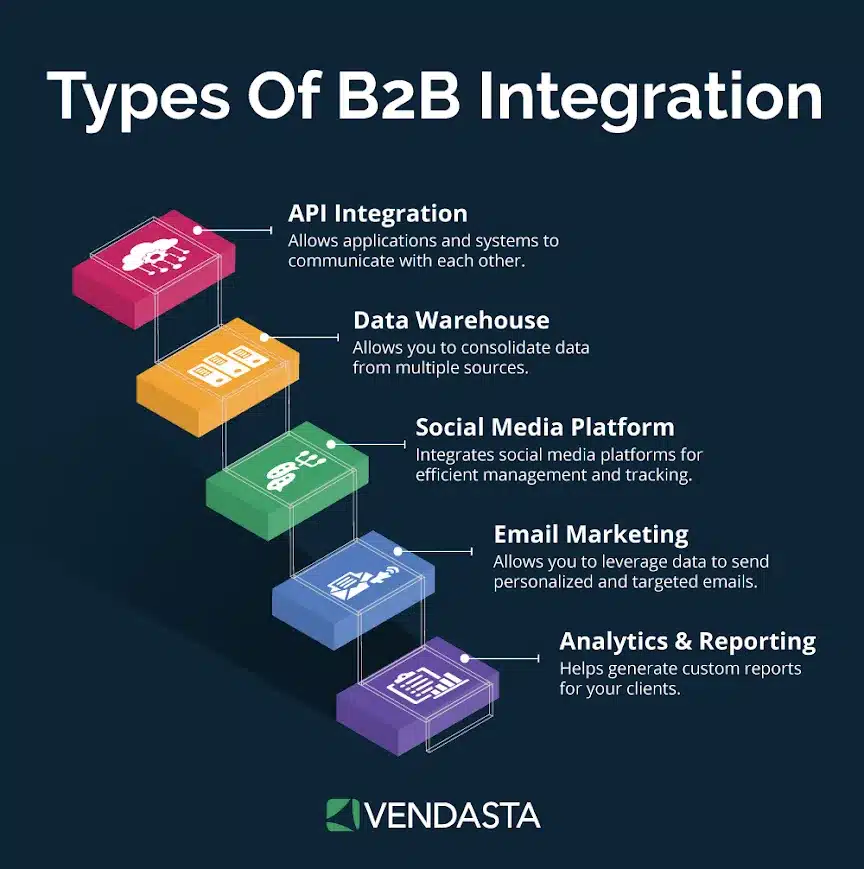
Data integration ensures that all relevant metrics are in one place, making it easier to track and analyze client performance. For custom user portals or niche advertising platforms that do not natively sync, utilizing Playwright scraping allows software networks to safely extract and centralize critical tracking details.
One caution when evaluating integrations: every major reporting platform pulls from the same GA4 and Google Ads APIs. Interface and template design distinguish the platforms. Refresh frequency also varies. Ask vendors how quickly they adopt API changes; platforms slow to update can display data incorrectly, as happened when Google’s v23 Ads API changed how Performance Max campaigns report by channel.
Customization Options
Clients don’t all care about the same metrics, and reports carrying another vendor’s logo undercut your brand. Look for white-label reporting that puts your agency’s name and visual identity on every report, plus per-client control over which key performance indicators (KPIs) lead the first page.
A local law firm wants calls and form fills up front; an ecommerce client wants revenue and return on ad spend. Templates should flex per client without a rebuild from scratch.
Scheduling and Frequency Control
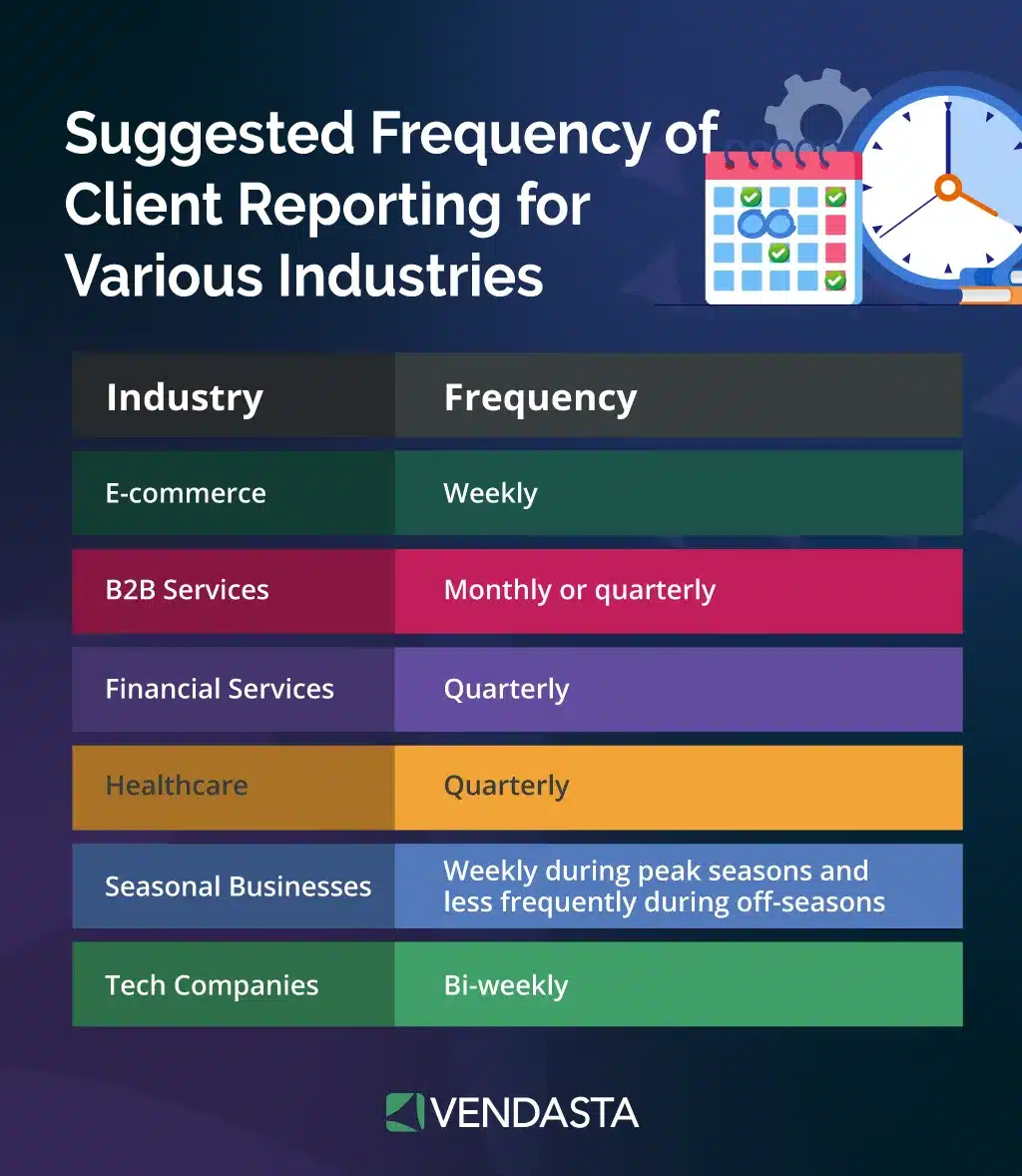
A capable platform lets you set cadence per client: monthly reports for most accounts and weekly summaries for high-spend clients. It should also provide a live dashboard for anyone who wants to check numbers between reports. Delivery should run without a human trigger, so reports generate under your branding and reach the client’s inbox or portal on the date you set.
Why Automated Client Reporting Matters for Agencies
Agency researchers have documented specific connections between reporting and retention practices.
Building Trust and Transparency
Forrester’s 2025 research on business-to-business agency relationships found 80% of marketing leaders say clear communication is critical, while only 55% are satisfied with it: a 25-point gap between what clients expect and what agencies deliver. Agencies feel the shift too; in the vendor-sponsored AgencyAnalytics 2026 benchmarks, 25% reported client expectations had changed to require greater transparency into performance.
Consistent, scheduled reports are a visible transparency mechanism. They turn client management from reactive reassurance into a standing record of the work the agency completed and the results that work produced.
Enhancing Client Retention
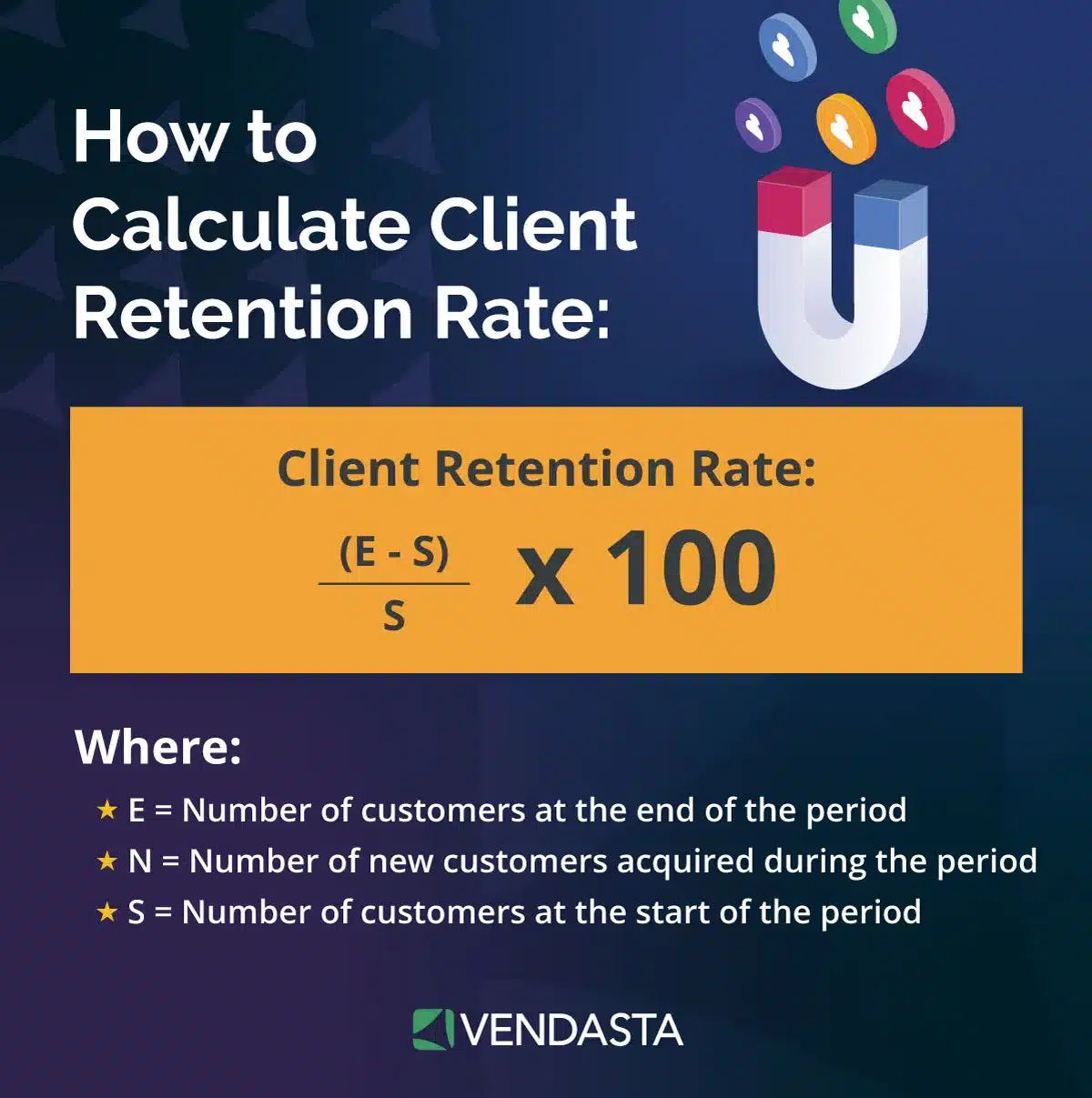
CallRail’s vendor-sponsored 2026 Agency Marketing Outlook Report contains the sharpest data point on reporting and churn: among agencies whose typical client lifespan runs 0–12 months, only 6% provide analytics and reporting, versus 48% of agencies overall. In the same survey, 71% of agencies use increased communication and transparency as a retention strategy, and 68% increase reporting efforts to retain clients. Agencies themselves are near unanimous, with 97% rating accurate reporting as important or extremely important for retention in the vendor-sponsored AgencyAnalytics 2026 benchmarks.
One honest caveat from the research: Promethean researchers surveyed 165 agency leaders for the 2026 benchmark and found return on investment (ROI) reporting alone did not correspond to longer client tenure. Longer tenure corresponded with formal onboarding and agreed client KPIs. It also corresponded with quarterly business reviews led by dedicated account managers. Automated reports work best as the backbone of that structured client retention strategy, providing standing evidence that feeds every review call and helps build client loyalty over years. They provide evidence for account managers to discuss during client reviews.
Agency leaders see different churn rates depending on how they structure client contracts. Focus Digital’s 2026 analysis found retainer-based agencies lose 18% of clients annually versus 42% for project-based agencies, and a recurring, evidence-backed report is part of what justifies the retainer.
Supporting Performance-Based Decisions
When agency teams rely on stale data, they make decisions after the useful intervention window has closed. Funnel’s 2026 Marketing Intelligence Report, a vendor-sponsored survey of 238 marketers, found 55% say they have mountains of data but struggle to turn it into insight, and 52% lack up-to-date visibility across channels.
Automated reporting gives agency teams current data sooner. When dashboards refresh continuously, your team can shift budget mid-flight and give the client the data supporting each decision.
Time and Cost Savings
In the vendor-sponsored AgencyAnalytics 2025 benchmark of 220+ agency leaders, 42% of agencies reclaimed 5 to 10 billable hours per week through AI. That figure covers AI use across agency work, not reporting alone. Agencies can direct any reclaimed time to managing marketing campaigns and the business development or strategy work clients pay premium rates for.
Top Automated Client Reporting Tools
The market splits by pricing model and scope, so the right tool depends on how many clients you serve and how many services you report on. The following tools are worth evaluating.
Vendasta
Standalone reporting tools focus on the report. Vendasta connects reporting with the products and fulfillment behind the results, handling billing in the same AI customer acquisition and engagement platform.
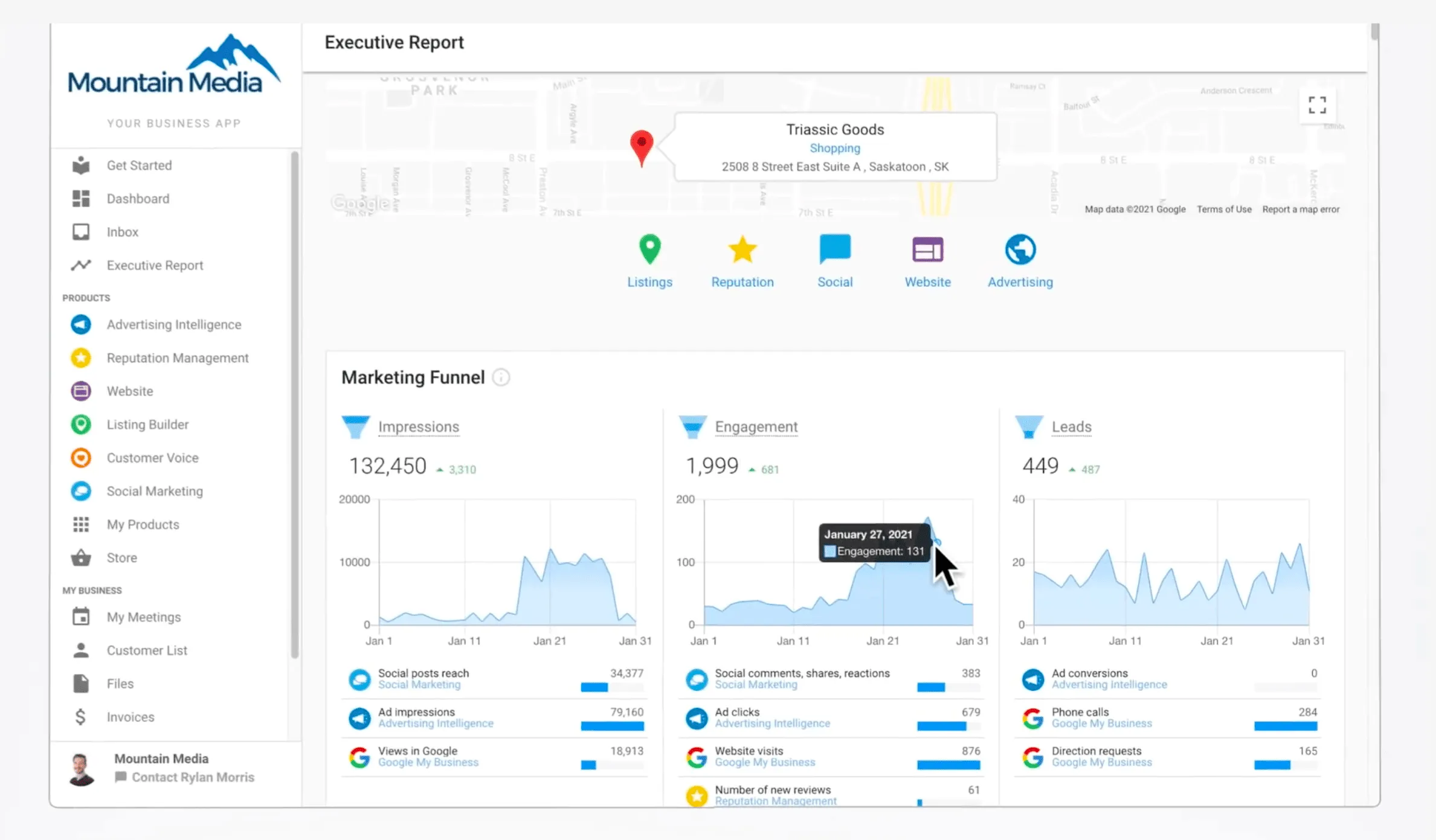
The Vendasta Executive Report lives inside Business App, Vendasta’s white-label client portal, and compiles proof of performance across local SEO, social marketing, ad campaigns, listings, and reviews. Review reporting earns its monthly slot: BrightLocal’s 2026 Local Consumer Review Survey found that nearly three-quarters of consumers only consider reviews from the previous three months, so clients need to see fresh review activity every cycle.
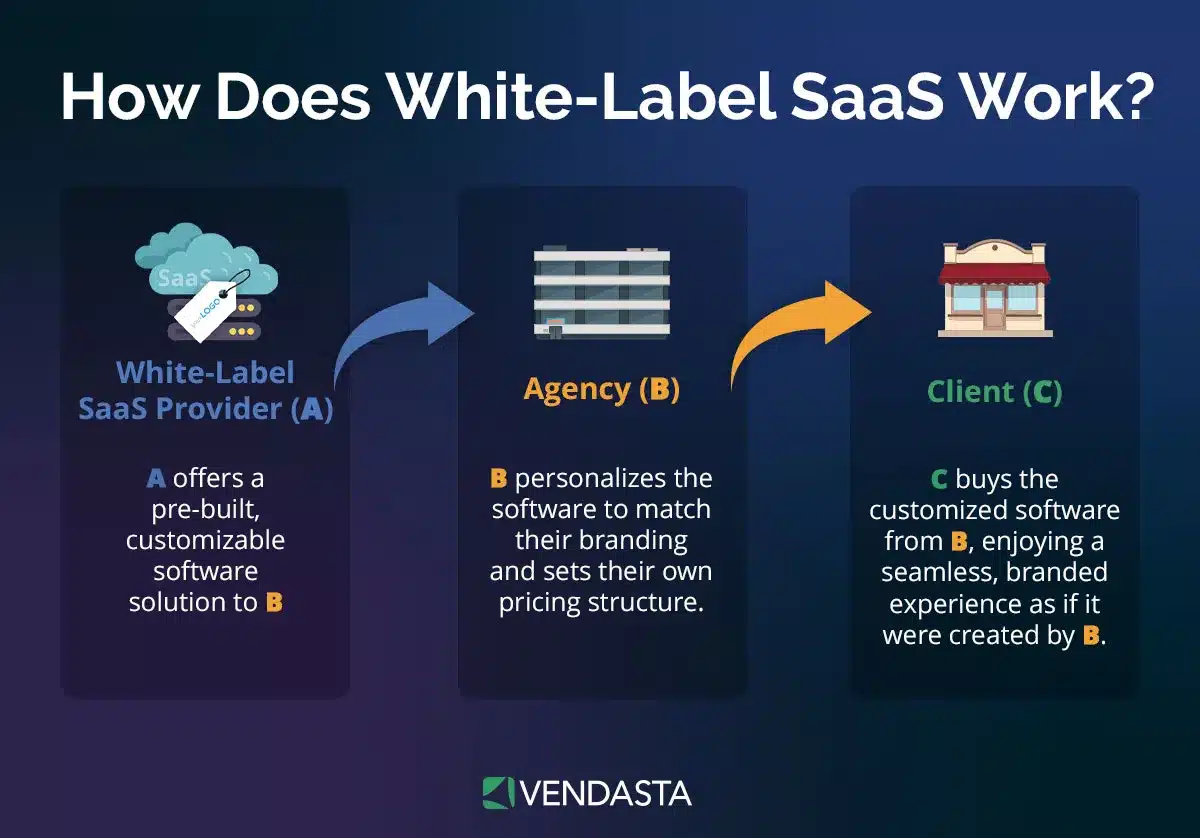
Because everything runs under your brand as white-label SaaS, clients see one provider and one report under your agency brand.
Vendasta’s AI Workforce extends this: the AI Reputation Specialist, for example, handles review responses across every client account, and that activity flows into the same reporting. This helps agencies prove value across multiple service lines.
AgencyAnalytics
AgencyAnalytics uses a per-client pricing model.
- Price: $20 USD per client per month.
- Billing: AgencyAnalytics offers annual billing at 20% less than monthly rates.
- Enterprise plans: Agencies managing 25+ clients can request custom plans.
- Included features: Every plan includes unlimited reports, dashboards, staff and client users, white-label branding, 85+ integrations, and API access.
The vendor’s published case studies claim large gains; NetSixtySix, for example, reports 30+ hours saved monthly and an 80% improvement in client retention. Treat those as vendor-published success stories. They do not provide independent research. A 14-day trial requires no credit card, and a 30-day money-back guarantee backs annual commitments.
Whatagraph
Whatagraph sells two plans, Max and Prime.
- Max: Whatagraph bills the plan annually, starting at $812 per month.
- Prime: Whatagraph prices this plan through custom quotes and adds premium integrations with public API access. It also includes an enterprise service-level agreement (SLA).
- Source credits: Max includes 50 source credits, where one credit equals one connected data account.
- Integrations: The platform offers 68 integrations across advertising, SEO, social, analytics, email, and ecommerce sources.
Capterra reviewers rate it 4.4/5 across 84 reviews with 90% positive sentiment, while flagging report design flexibility and data discrepancies when source APIs update. Some reviewers also describe a steep learning curve. At $812 per month, Whatagraph targets larger agency teams. Per-client tools target a lower pricing tier.
How to Automate Your Client Reporting Process
Moving from manual to automated reporting is a one-time setup project that pays back every month. Work through it in seven steps.
Step 1: Define Reporting Goals and Metrics
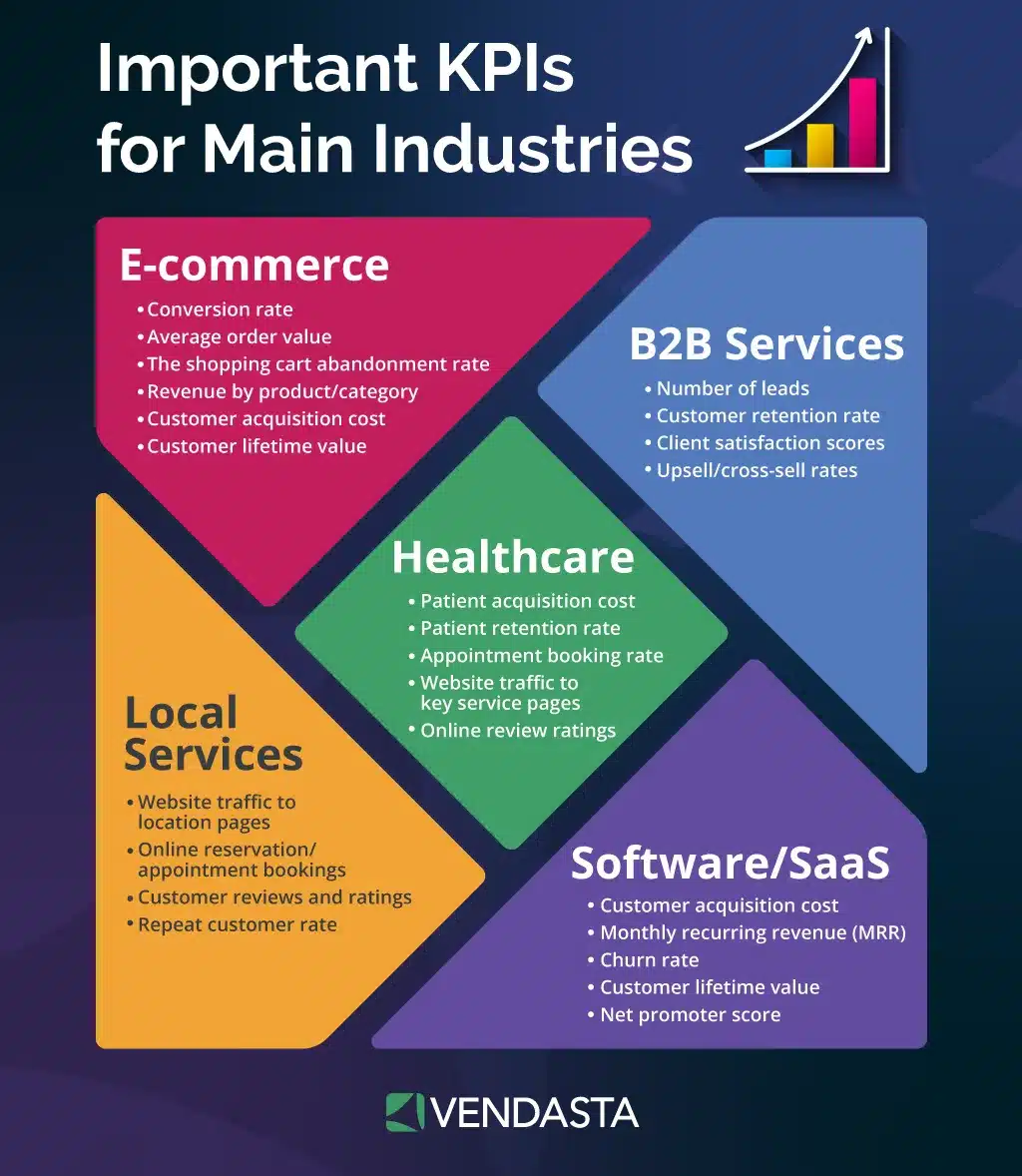
Agree on KPIs with each client before touching software; Promethean researchers found agreed KPIs among the practices tied to longer tenure. The right metrics depend on your marketing niche: lead-gen clients need calls and form fills, while ecommerce clients need revenue and return on ad spend.
Step 2: Choose a Tool
Match the pricing model to your book of business. Per-client pricing suits agencies with many clients and few sources each; per-source-credit pricing suits fewer clients with deep multi-channel stacks. Normalize any comparison by multiplying clients by data sources per client.
Step 3: Set Up Data Integrations
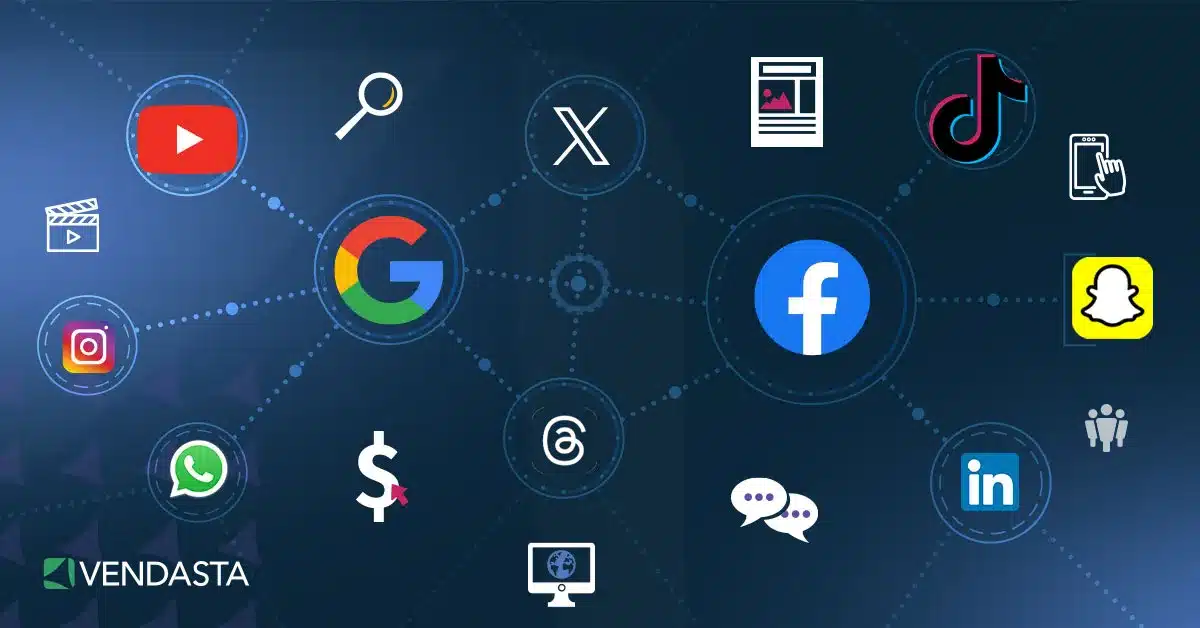
Connect each client’s analytics and paid media accounts, including GA4 and Google Ads. Then add social platforms, SEO tools, call tracking, and review sources. Verify the numbers against the native dashboards once before trusting them; in 2024, GA4 replaced its “conversions” metric with “keyEvents,” and platforms that hadn’t migrated showed conversion discrepancies.
Step 4: Customize Report Templates
Build one template per client type and lead with the KPIs from Step 1. Then apply your branding. Keep reports focused; the vendor-sponsored AgencyAnalytics 2024 benchmark found multi-source reports running 8–10 pages.
Step 5: Schedule and Deliver
Set monthly delivery for most clients and weekly summaries for high-spend accounts, with portal access covering everything in between. Automate the send so reports arrive on the same date every cycle without anyone remembering to hit export.
Step 6: Review Client Engagement
Check whether clients open reports and what they ask about afterward. If a client never opens the PDF but raises questions on calls, shift the emphasis to a walkthrough during the review meeting and keep the report as the standing record.
Step 7: Optimize and Improve
Reinvest the saved hours in interpretation. Fluent researchers measured analysis at 26% of reporting time and commentary at 14%; those are the parts clients value, so expand them as automation shrinks the rest.
Automated Client Reporting Made Easy with Vendasta
For agency owners who want reporting connected to the services their agencies deliver and track, Vendasta’s model produces three specific outcomes.
Enhanced Client Retention
Retention compounds with product depth: Vendasta’s own study of 200,000 client accounts found that one product retains 30% of clients at two years, a second product lifts that by roughly 20 points, and four products retain 80%. Automated Executive Reports show performance across all of a client’s products in one place, so clients see the full value of the relationship. Clients can use that broader view to assess the full relationship’s value, supporting client retention rates beyond any single service’s numbers.
Increased Upsell Opportunities
Account managers can use performance reports to identify service gaps. The Snapshot Report scans a prospect’s listings across 70+ directories and reviews across 30+ review sites. It also evaluates social presence, giving your upsell conversation a data foundation. When the client says yes, Vendasta’s Marketplace lets you deliver without a new vendor contract: partners buy at wholesale rates that scale up to 80% off retail with plan tier and volume, and set their own retail prices.
Time Savings
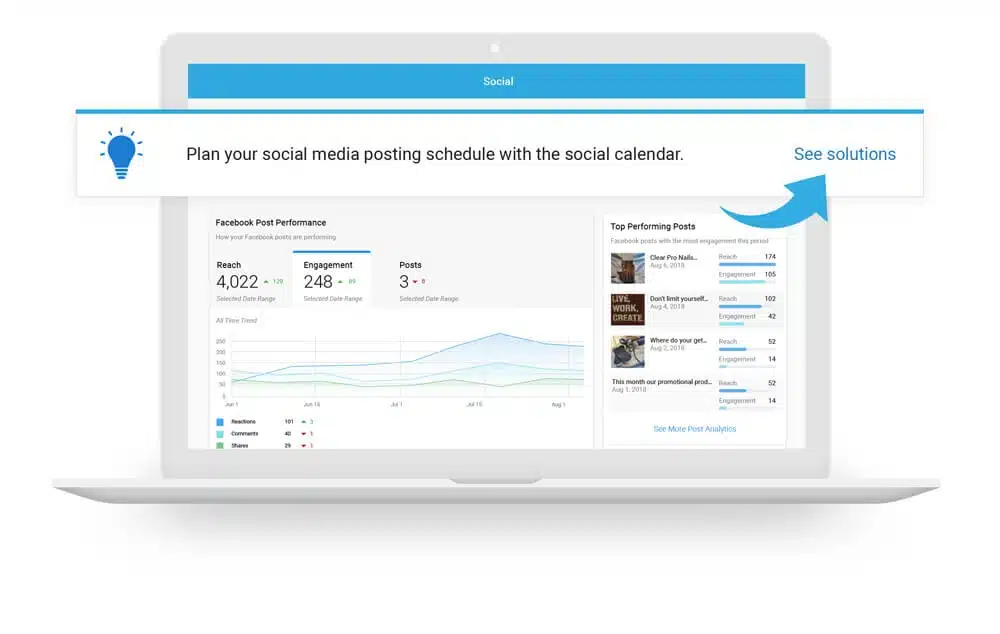
Reports generate automatically inside Business App, under your brand, on your schedule. Vendasta has 66,000+ channel partners serving 8.2 million local businesses, and Business App reduces the need for teams to build and monitor each report manually.
Pro Tip: Check out this video if you want to learn more about how AI agents help marketing agencies cut costs:
Build Reporting into Your Retention Process
Regular reporting supports transparency, but the available research does not isolate automation as a cause of higher retention. Agencies report longer tenure when they agree on KPIs and use formal onboarding. Quarterly reviews led by dedicated account managers also correspond with longer tenure.
Start by agreeing on the KPIs for each account, then automate the recurring report that carries those numbers into every client review. Agency owners who want to see how automated reporting connects directly to the services their agencies deliver and track can request a demo to walk through how that works in practice.
Automated Client Reporting FAQs
1. What is automated client reporting?
Automated client reporting is the use of software to generate and deliver performance reports without manual assembly. The platform pulls data from connected marketing sources and compiles it into branded reports. It then sends them on a set schedule, so clients stay informed while your team’s hours go elsewhere.
2. How does automated client reporting benefit agencies?
It removes repetitive report assembly and cuts copy-paste errors while giving clients consistent, data-rich updates. Agency teams spend those reclaimed hours on strategy and execution, while automated systems compile the spreadsheets. This improves efficiency and supports client communication.
3. Do I need automated client reporting if I only have a few clients?
Yes. Even a small client base costs hours each month in manual reporting, and automation delivers professional, on-time updates from day one. The same process then scales as your roster grows, so you never have to rebuild it later.
4. How does Vendasta’s automated client reporting work?
The Vendasta Executive Report automatically pulls data from SEO, social media, advertising, reputation, and listings tools. The report gives clients ongoing visibility into performance while your team stays out of the assembly work.
5. Can agencies customize automated reports for each client?
Yes. Most tools let you adjust each client’s metrics and visuals. You can also set the delivery frequency. Vendasta lets agencies apply their own branding and lead each report with the KPIs that matter most to that specific client.
6. What data sources integrate with automated reporting software?
Typical integrations include Google Analytics and Google Ads, along with social media platforms, SEO tools, and CRM systems. Vendasta goes further by consolidating marketing and sales information with reputation and listings data in a single dashboard.
7. Does automated client reporting improve client retention?
Available research does not isolate automated reporting as a cause of higher retention. Regular reports support transparency, but agencies report longer tenure when they agree on KPIs and use formal onboarding. Quarterly reviews led by dedicated account managers also correspond with longer tenure.
8. How secure is client data in automated reporting systems?
Security practices vary by provider. Review each vendor’s security documentation as part of your evaluation, including how integrations authenticate and who can access client data.
9. What KPIs should agencies include in automated client reports?
KPIs vary by client goals but commonly include website traffic, conversions, ad performance, social engagement, SEO rankings, and reputation metrics. Consolidating them in one report makes it easier to demonstrate results across multiple services.
10. How much does automated client reporting cost?
Pricing models vary widely: some tools charge per client, others per connected data source, and entry points range from free tiers to $800+ per month. Vendasta includes automated reporting within its white-label platform, so partners deliver reports at scale as part of their platform subscription.