About Us
 Careers
 Leadership
 Board
Board Newsroom
AI workflow automation now lets a handful of people run a large operation: McKinsey’s research on the agentic organization found early adopters with two to five people supervising 50 to 100 specialized agents across an end-to-end process.
It uses large language models and machine learning to complete business processes that require judgment. Connected systems let it read a message, decide what it means, and act inside the right tool.
Rule-based automation follows fixed if-then steps and stops when the input does not match. For a digital agency, the difference is a fulfillment layer that adds services without adding a specialist for each one.
This blog defines the term, explains the perceive-decide-act loop, compares AI with rule-based automation, walks through use cases by department, compares six platforms on pricing and limits, and lays out an implementation path that does not require a new hire per client.
Turn hours of work into minutes with AI-powered workflows
TL;DR
- Vendasta’s AI Receptionist answers calls around the clock: It answers calls, chats, and texts 24/7 and books appointments, giving agencies a sellable AI Workforce service they can resell under their own brand without hiring a specialist per client.
- AI Receptionist qualified 778 of 1,017 leads: Elite Web Professionals used Vendasta’s AI Receptionist to handle 1,017 calls in four months, a 76% qualified-lead rate, according to Vendasta’s case study.
- Start with one workflow, then expand within 90 days: Deploy AI Receptionist against a single measurable metric like booked appointments, then add a second AI Employee — Vendasta’s retention research found clients not upsold within three months are far more likely to churn.
What Is AI Workflow Automation
AI workflow automation is software that completes a multi-step business process by interpreting inputs and using decisions to take actions in other systems without a person handling each step. The input can be a phone call, a web chat, an emailed invoice, or a Google review; the action can be a booked appointment, an updated CRM record, or a posted reply.
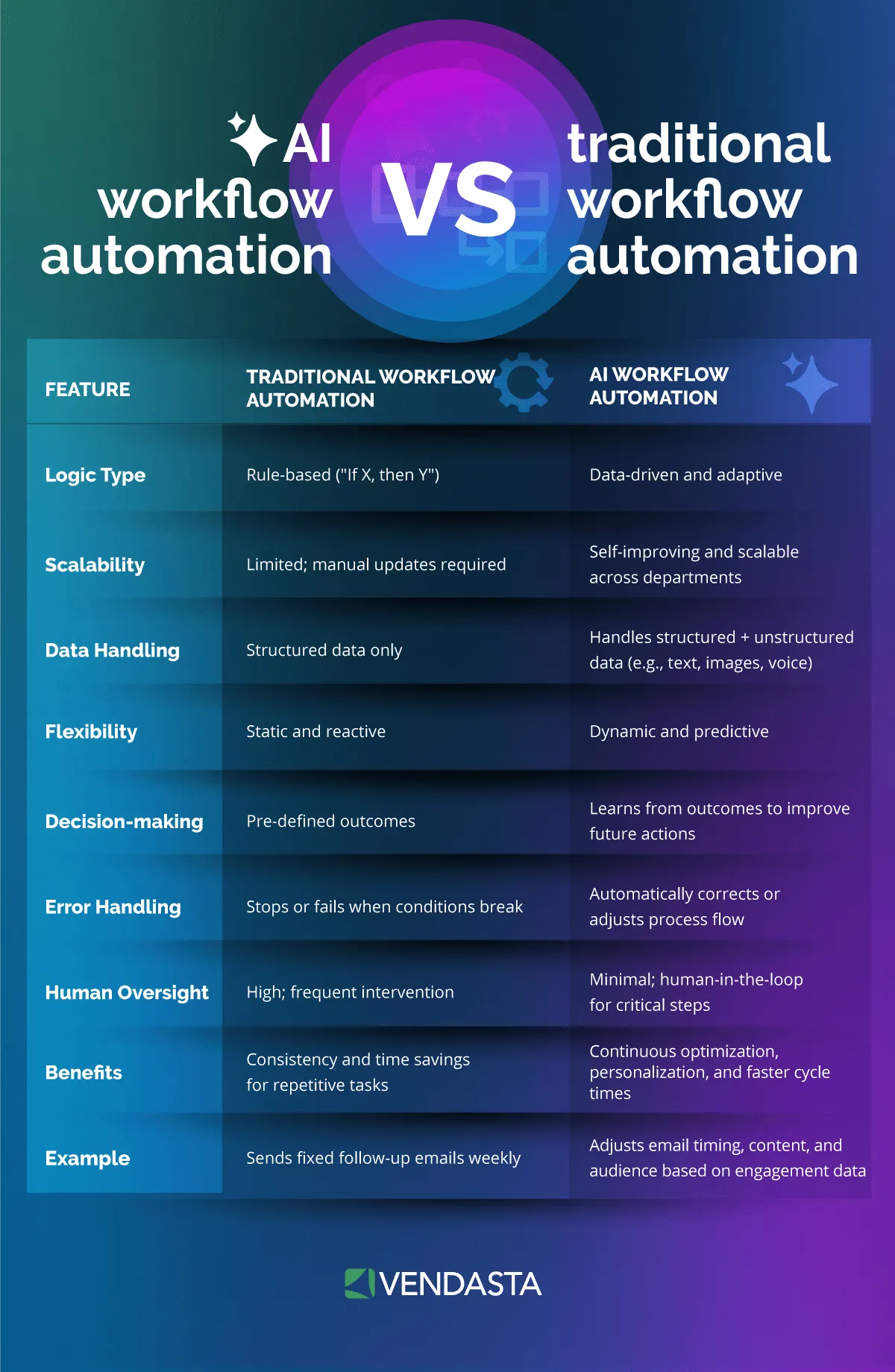
Traditional workflow automation moves data between apps when a trigger fires; the AI layer decides what the data means before anything moves. Rule-based automation, including robotic process automation (RPA), follows instructions a person wrote in advance. When a form is submitted, copy the email field into the CRM. When a caller presses two, route to billing.
Those rules hold as long as inputs arrive in the expected shape. A lead who texts “do you handle commercial roofs and can someone come Thursday afternoon” breaks the shape, because a rule-based flow has no field to map. An AI workflow reads the intent, checks the business’s service list and calendar, answers the question, and books Thursday at 2 p.m.
The two approaches coexist. Forrester’s report on agentic process management argued that deterministic process engines will stay indispensable for controlling end-to-end processes for the next three years. Keep the fixed steps deterministic and apply AI at the points where inputs are unstructured or a decision is required.
How AI Workflow Automation Works
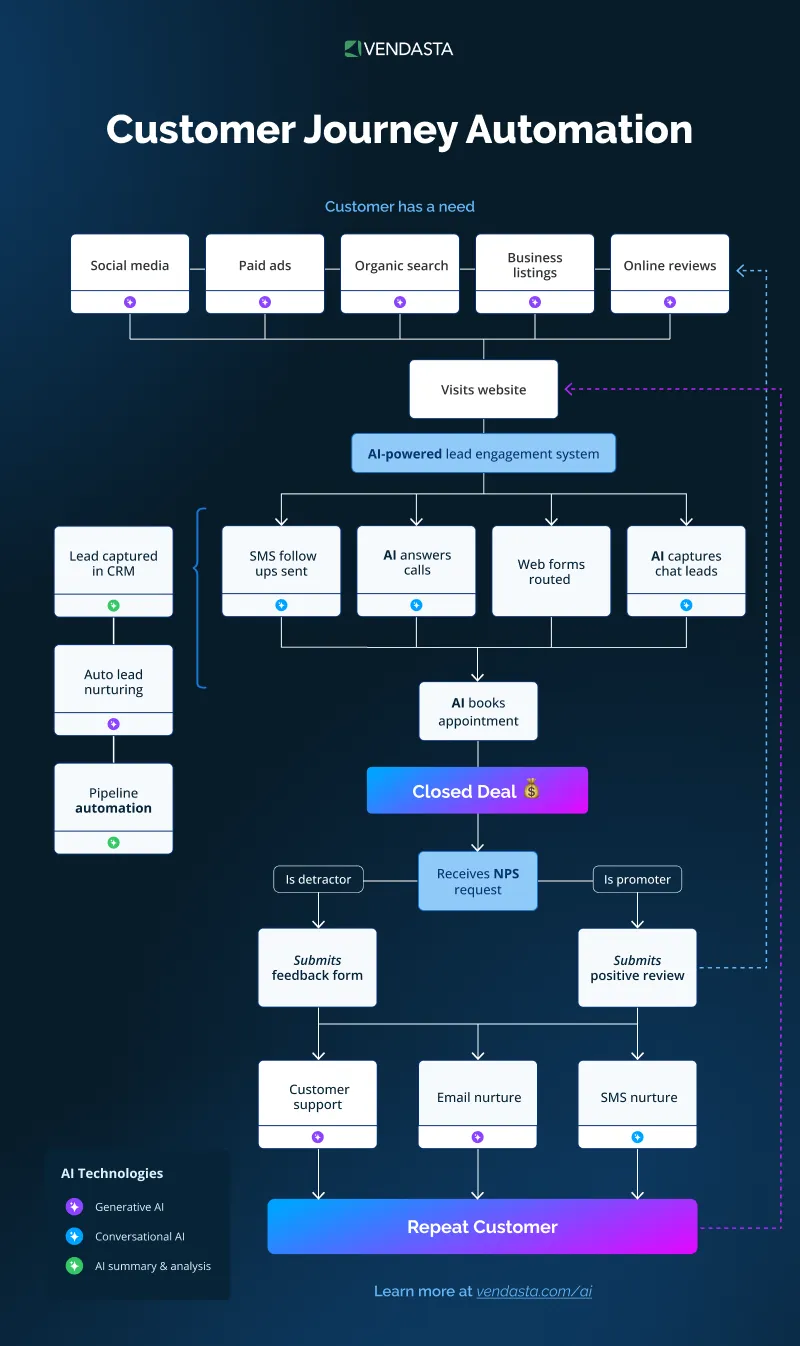
Every AI workflow runs the same loop: perceive an input, decide what to do, act in a connected system, then log the result.
In the perceive step, the system ingests a call transcript, a chat, an email, a scanned document, or a CRM event. In the decide step, a model classifies intent, retrieves the relevant business data, and selects a next step from the actions administrators permit it to take. In the act step, it writes to a calendar, CRM, publishing tool, or messaging channel through an API and records what it did.
At 11 p.m., a homeowner opens a web chat on your client’s plumbing site and asks whether they service tankless water heaters and what a visit costs. The AI reads the question, pulls the service list and diagnostic fee from the business profile, quotes the fee, and books the first open slot on the technician’s calendar.
By morning, the complete conversation record and booked appointment sit in the client’s inbox, and the whole customer journey from first question to booked job ran without a person being awake.
Core Technologies Behind AI Workflows
The large language model (LLM) does the reading and deciding, but it rarely works alone. Natural language processing (NLP) components classify intent and pull out entities such as a date, a service type, or a dollar amount, which is cheaper and more consistent than asking the LLM to do everything.
Machine learning models handle the predictive work: scoring which leads are likely to close or which reviews signal churn risk, based on patterns in past outcomes rather than on language generation.
Optical character recognition (OCR) turns a photographed receipt or a PDF contract into text the LLM can read. Application programming interfaces (APIs) execute the write-back: the booking into the calendar, the invoice into the accounting system, or the note into the CRM.
In a document workflow, OCR extracts the vendor name and total from an invoice. The LLM matches it to an open purchase order and decides whether it falls under the approval threshold. An API call then posts it to QuickBooks.
Vendasta connects to the systems a local business already runs through APIs and Model Context Protocol:
-
Field service and professional tools: Jobber, ServiceTitan, Housecall Pro, Clio, and Dentrix.
-
Business and commerce systems: QuickBooks, Shopify, HubSpot, Google products, Microsoft Teams, and Monday.com.
These connections let the act step reach the appropriate system.
How AI Agents Power Automated Workflows
AI agents is the search term buyers use; Vendasta calls its purpose-built roles AI Employees, because each one owns a defined job rather than answering isolated prompts.
Agentic AI means administrators give the model a goal, after which it plans the steps and calls tools until it meets the goal or triggers a stopping rule. A rule-based flow executes a script; an agentic workflow decides the script at runtime within limits you set.
Multi-agent orchestration splits a job across specialized roles. In n8n, the AI Agent Tool node lets a supervisor agent delegate to nested agents; in Microsoft Copilot Studio, child agents coordinate through the Agent2Agent (A2A) protocol, which reached general availability in April 2026.
Vendasta runs the same pattern with prebuilt roles: AI Blogger publishes a weekly article to WordPress, then hands it to AI Social Media Manager to produce a week of platform-adapted posts.
Semantic routing sits at the front of that chain. A classifier reads an inbound message, decides whether it is a sales inquiry or a support issue such as a question or complaint, and routes it to the right role or to a person. Model Context Protocol (MCP) standardizes how agents call tools; the current MCP specification is revision 2026-07-28, Streamable HTTP is the standard transport, and Zapier’s MCP server exposes 9,000+ apps to any compatible agent.
RAG and Grounding Outputs in Business Data
Retrieval-augmented generation (RAG) retrieves documents from the business’s own knowledge, such as the service list, price sheet, policies, CRM records, and past conversations, and passes them to the LLM as context before it answers. The model then writes from that retrieved material instead of from its training data.
Menlo Ventures’ enterprise survey of 495 AI decision-makers ranked RAG as the second most common production technique after prompt design; the 2024 edition put RAG adoption at 51% of production deployments, up from 31% the prior year.
Grounding reduces hallucination without eliminating it. A Stanford study of legal RAG tools found Lexis+ AI and Ask Practical Law AI hallucinated between 17% and 33% of the time on 200+ queries, and Westlaw AI-Assisted Research hallucinated in one-third of responses. When the answer is missing from the indexed documents, the model either invents one or declines, and when the index is stale, it answers from outdated data.
Vendasta’s AI Employees learn from the business’s website, business profile, uploaded knowledge, and connected records, plus more than a decade of local-business data. The multi-tenant architecture keeps each deployment in the correct business and brand context.
AI vs Traditional Rule-Based Automation
The two approaches fail in opposite ways, which is the most useful thing to know before you assign work to either one:
|
Dimension |
Rule-based automation (RPA) |
AI workflow automation |
|---|---|---|
|
Decision-making |
Executes if-then rules written in advance |
Classifies intent and chooses among permitted actions |
|
Adaptability |
Breaks when a screen, field, or format changes |
Tolerates format changes; fails on reasoning errors instead |
|
Unstructured data |
Requires structured fields and predictable layouts |
Reads calls, chats, emails, reviews, scanned documents |
|
Typical failure |
Environmental change halts the run |
Hallucination or logic loop; needs grounding and review |
|
Speed per run |
Fast and consistent |
Slower; reasoning steps add latency |
|
Best assignment |
Stable, high-volume, structured steps |
Judgment steps with variable inputs |
The only direct head-to-head test in the research is small but instructive. A University of Jyväskylä master’s thesis from May 2026 ran a financial journaling workflow 10 times each through Microsoft Power Automate Desktop and the Copilot Studio Computer Use Agent: RPA succeeded 6 of 10 times, failing on minor UI rendering delays and shifting data tables, while the agent succeeded 5 of 10 times, failing on semantic hallucinations and logic loops.
RPA averaged 4 minutes 27 seconds per successful run against 18 minutes 5 seconds for the agent. Ten runs of one workflow prove nothing statistically, but the failure pattern matches what the table predicts.
Treat RPA as the layer AI extends rather than replaces. Make designed its AI Agents, in open beta since February 2026, to combine “deterministic steps with agentic reasoning in a single workflow,” according to Make’s product announcement, and Vendasta follows the same split: no-code Automations handle the fixed steps while AI Employees manage conversations and classification before replying.
The deterministic layer keeps costs and latency low; the AI layer handles the variable inputs that would otherwise land in an exception queue.
Top Business Use Cases for AI Workflow Automation
The highest-return use cases for local businesses differ from the ones enterprise analysts recommend. IDC’s 2026 research on small and medium businesses (SMBs), covering 2,700 IT decision-makers in 23 countries, found generative AI for content creation was the top current SMB use case and that AI rose from SMBs’ third technology priority in 2024 to first in 2025.
The same research found 40% of SMBs lack a full-time IT employee and prefer AI embedded in platforms they already use, which shapes every department example below.
Marketing and Content
The LeadWorks success story reports that the Vendasta partner cut a 90-minute-per-piece content workflow to 10 minutes, a 90% reduction, and that is the shape of the marketing win: the drafting and scheduling work disappears while the strategy stays with your team.
AI Blogger researches the questions a client’s customers search for, writes one SEO-optimized FAQ-style article per week, publishes it to WordPress, and passes it to AI Social Media Manager, which adapts it for Google Business Profile, Facebook, Instagram, LinkedIn, X, TikTok, and YouTube.
Both run with an approval workflow or on full autopilot depending on edition, so an agency can choose where its AI marketing strategy still requires a human editor.
Quality is the trade-off to manage. The Content Marketing Institute’s 2026 B2B benchmarks, from 1,015 marketers, found 89% use AI for content creation and 87% report improved productivity, while 12% say content quality decreased. That 12% is why AI Blogger runs with an approval workflow or on full autopilot, depending on the edition.
Output quality tracks input quality. Brand voice samples and service descriptions, along with audience notes, matter more than clever AI prompts. The 100 AI Prompts Every Marketer Needs guide gives your team a starting library for the campaign work AI Employees do not yet own.
Sales and Lead Follow-Up
Roughly 30% of Neighborly’s inbound leads went uncontacted before automation. After Vendasta’s AI platform took over conversations across voice, chat, SMS, and email, the franchise handled 35,700 conversations that produced 3,400 conversions in one quarter.
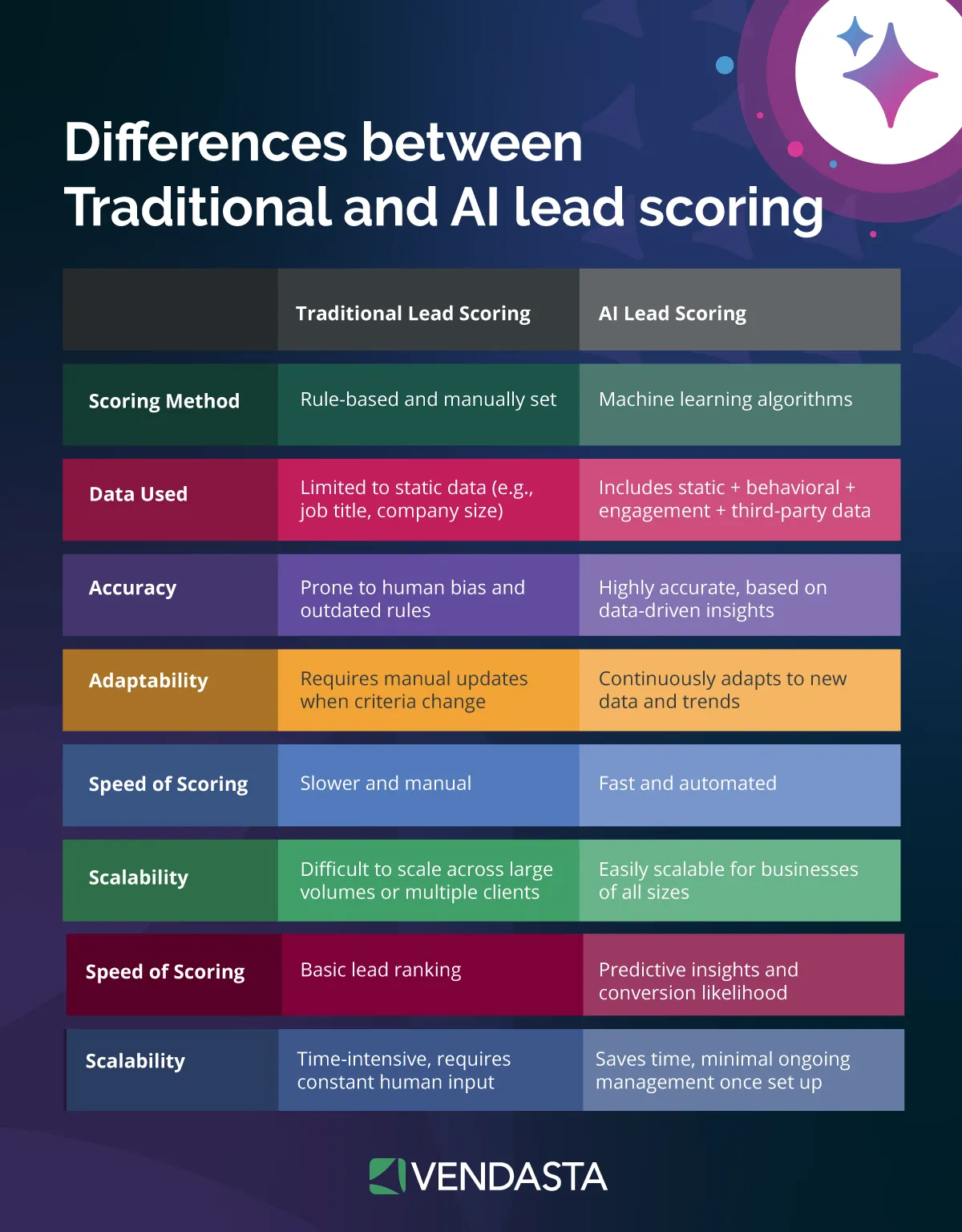
Vendasta reports a 372% year-over-year increase in leads converted to revenue. The AI Receptionist runs the front of that funnel. It answers calls, web chats, texts, and messages 24/7, asks qualifying questions the business defines, and books appointments against a real calendar. The client defines the lead qualification rules instead of relying on a generic script.
The client also defines any lead scoring thresholds. Conversations AI, the layer underneath it, unifies phone, web chat, SMS, WhatsApp, email, Facebook Messenger, and Instagram into one inbox and logs every interaction to the CRM.
AI Sales Assistant, inside Vendasta CRM AI, extracts outcomes from meetings and sales activity to update records automatically, enriches contacts and companies with web research, and answers plain-language questions about the pipeline, while Campaigns Pro handles lead nurturing through segmented email and SMS sequences.
The messaging layer uses conversational AI to maintain context across those channels.
Operations and Document Processing
Invoice and document handling is a measurable starting point for operations because the before-state is measurable to the cent. Ardent Partners’ 2025 research, surveying 204 accounts payable and finance leaders, put the average cost per invoice at $9.84 against $2.65 for the top-performing group, and average processing time at 8.2 days against 2.9.
The workflow chains OCR, an LLM, and an API: extract the fields, match to a purchase order or job, apply an approval threshold, post to the accounting system, and route anything above the threshold to a person. Contracts and intake forms follow the same pattern with different fields.
Agency teams can build Custom AI Employees such as Payment Coordinator, Job Estimator, Project Manager, and AI Data Analyst without code by uploading price lists and standard operating procedures, with Custom Capabilities connecting external systems through APIs.
Customer Support
Gartner predicts agentic AI will autonomously resolve 80% of common customer-service issues by 2029 and cut operational costs by 30%. The same firm cautioned in January 2026 that generative AI cost per resolution will exceed $3 by 2030 and that full automation will be prohibitively expensive for most organizations, so the design goal is resolving the routine 80% and escalating the rest with context, not eliminating the support desk.
Brynjolfsson and colleagues measured the case for assisted support. The Quarterly Journal of Economics study randomized AI assistance across 5,172 customer-support agents and measured a 15% average productivity increase, rising to 34% for novice workers. AI raised the floor most for the least experienced staff, which is exactly the profile of a local business’s front desk.
AI Support Agent, one of Vendasta’s Custom AI Employees, resolves questions 24/7 from an uploaded knowledge base and escalates to a person with context when it cannot.
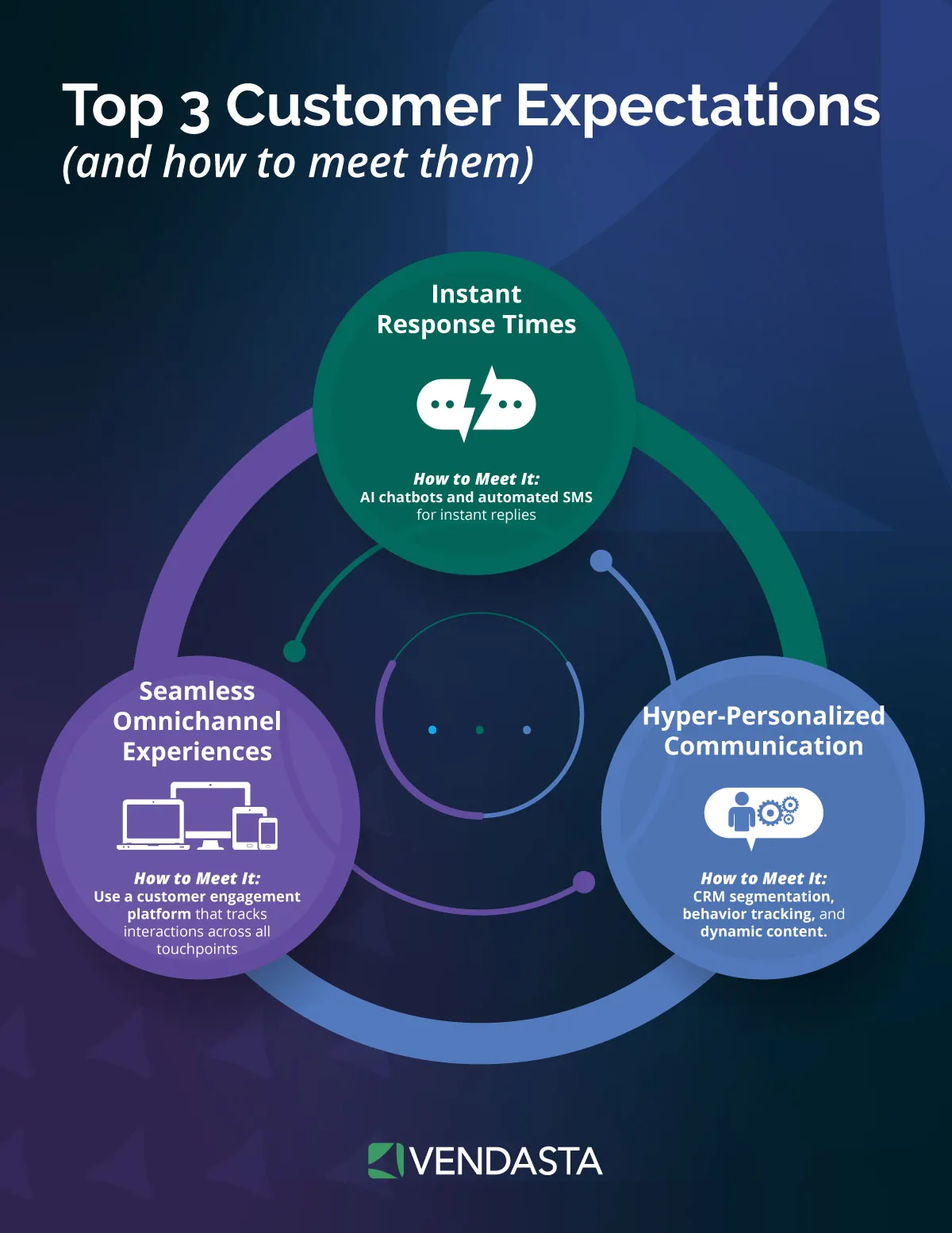
Routing rules decide which channel and which person receives the handoff, and the customer never repeats the question. That always-on service drives better customer experiences and, downstream, the renewals that depend on customers feeling heard.
Business Benefits and ROI of AI Workflow Automation
Conversion and Headcount Economics
Vendasta reports a 39.2% lead conversion rate for early AI Workforce adopters. Vendasta’s agency case studies show how that figure can appear in practice.
Elite Web Professionals deployed AI Receptionist for Choice Signature Luxury Car Rental, which had been losing leads to unanswered calls because prospects rarely picked up return calls from unfamiliar numbers.
Over four months, the AI handled 1,017 inbound calls and captured 778 qualified leads, a 76% rate. That 76% measures qualified-lead capture, not completed rentals, which is the honest way to read it.
Headcount avoidance shows up in agency revenue per employee. Blackfeather Digital generated $1 million in first-year revenue with a three-person team and retained 100% of clients; Gig Strategic reached $3.05 million in revenue and $51,800 in monthly recurring revenue, also at 100% retention.
The Xcite Group raised lead-to-appointment conversion from 50% to 70% and helped one construction client move its close rate from 15% to 50% using AI sales coaching.
Retention and Proof of Performance
Agencies compound the Margin Engine through retention. Vendasta’s retention research, covering 200,000 client relationships, found that two-year retention rises from 30% with one product to 80% with four, and that 62% of clients not upsold within three months churn within two years.
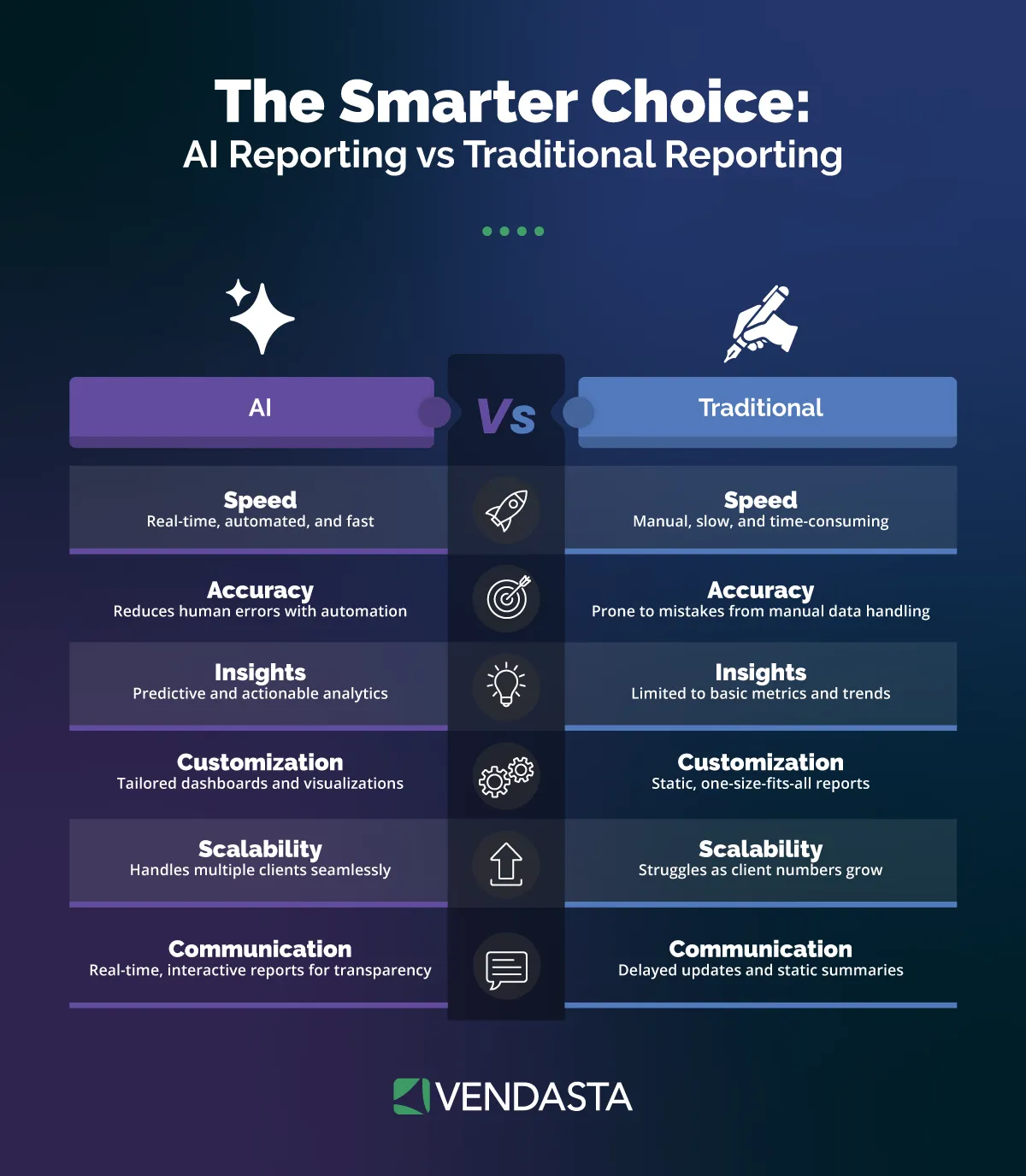
Each AI Employee you add to an account counts as another product, and regular proof-of-performance reporting improves retention by a further 38% in the same study.
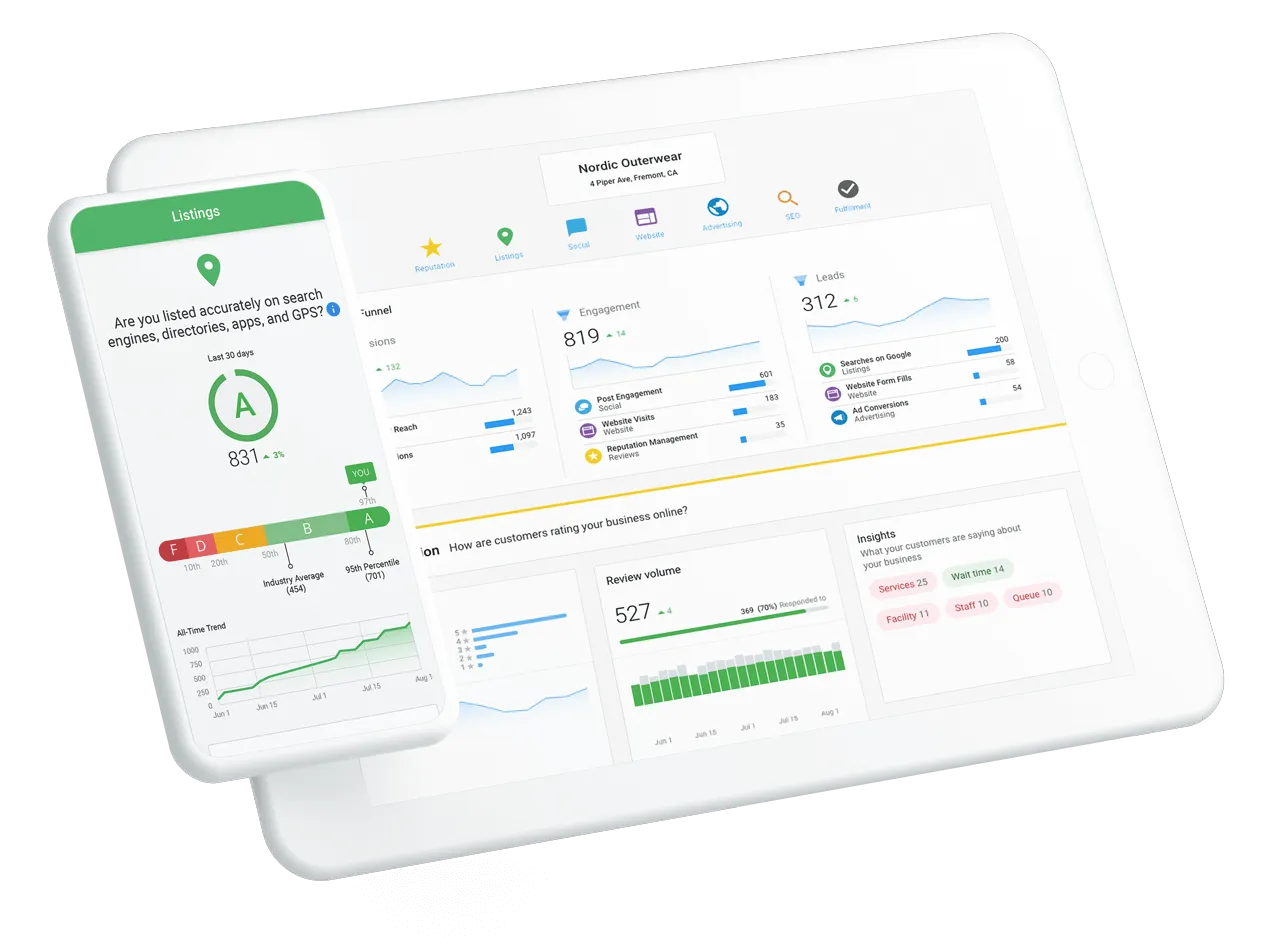
Vendasta builds proof of performance into the platform by logging every AI action. White-label Executive Reports and automated client reporting turn those logs into monthly evidence for clients. Vendasta partner, Blue River Digital, reported 21 five-star reviews in 30 days for an auction-house client and a $20,000–$30,000 commission from one 11 p.m. AI-matched lead.
Expected Time to ROI
Set the timeline expectation before the pitch. Deloitte’s 2025 survey of 1,854 executives found most enterprises reach satisfactory ROI on an AI use case in two to four years, with only 6% reporting payback under one year, while Salesforce’s August 2026 survey of 2,025 agentic AI leaders reported about eight months to meaningful ROI.
MIT NANDA’s 2025 review found mid-market top performers moving from pilot to full implementation in 90 days against nine-plus months for large enterprises. A local-business workflow with a single trigger and one success metric, such as an appointment booked, may sit at the faster end of that range, but the research does not establish a separate local-business benchmark.
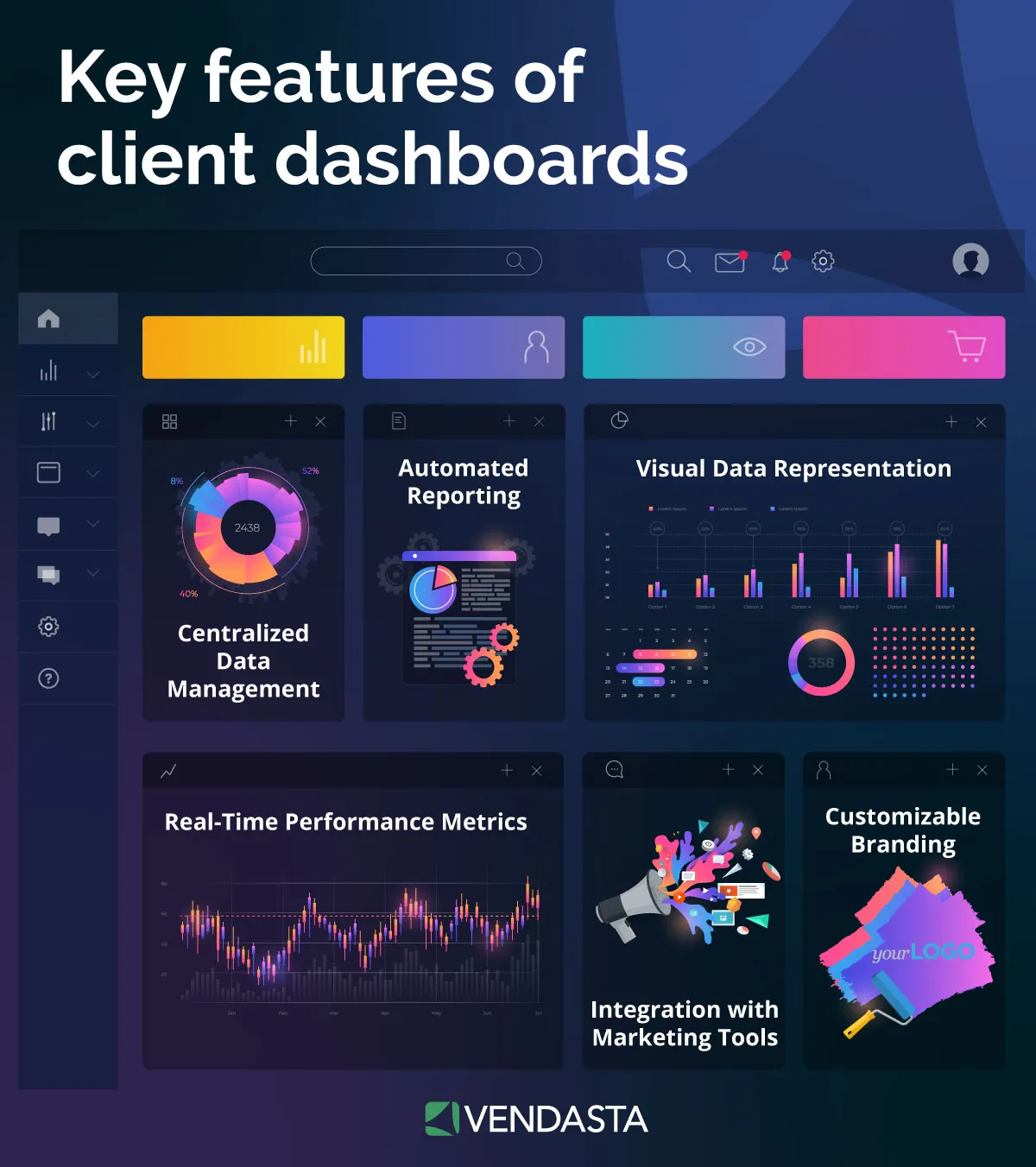
Live client dashboards can shorten the evaluation cycle because the client sees booked appointments accumulate week by week instead of waiting for a quarterly review.
Best AI Workflow Automation Tools Compared
We assessed each platform below on the same five criteria. We took pricing from each vendor’s own pricing page as of September 2026 on annual billing:
|
Platform |
Intended user |
Primary strength |
Meaningful limitation |
Pricing (verified) |
Best-fit verdict |
|---|---|---|---|---|---|
|
Vendasta AI Workforce |
Agencies and the local businesses they serve |
Prebuilt AI Employees deployed multi-tenant under your brand, every action logged |
Built for customer acquisition and engagement, not general API-to-API integration |
Partners: spend-offset subscription (each dollar of product spend credits the subscription), wholesale up to 80% off retail |
Agencies scaling recurring revenue without adding headcount |
|
Make |
Technical business users |
Visual canvas with routers, iterators, and AI Agents on all plans; ISO/IEC 27001:2022 |
AI actions consume variable credits by token volume; scenarios stop when credits run out |
Free 1,000 credits/mo; Core $12/mo for 10,000 credits |
Complex branching logic at low cost |
|
Zapier |
Non-technical business users |
9,000+ apps reachable via Zapier MCP; AI by Zapier agents GA July 2026 |
AI steps cost 3× or 5× tasks on advanced models; US-only hosting |
Free 100 tasks/mo; Professional $19.99/mo for 750 tasks |
App-to-app glue for teams without developers |
|
n8n |
Developers and technical agencies |
Execution-based pricing regardless of step count; supervisor multi-agent orchestration GA; free self-hosted Community Edition |
Self-hosted compliance and patching fall on you; critical CVEs in 2025–2026 |
Starter €20/mo for 2,500 executions; Community Edition free |
Agencies with in-house engineering or data-residency requirements |
|
Microsoft Power Automate + Copilot Studio |
Microsoft 365 organizations |
HIPAA BAA, EU Data Boundary, attended and unattended RPA, MCP client GA |
Per-user and per-bot licensing; seeded AI Builder credits end November 1, 2026 |
Premium $15/user/mo; Process $150/bot/mo; Copilot Studio $200 per 25,000 credits |
Regulated clients already on Microsoft 365 |
|
Relevance AI |
Teams building custom agent workforces |
Visual Workforce canvas; LLM costs passed through as Vendor Credits at wholesale |
Cloud-only; extra Actions cost $80 per 1,000 |
Free 200 Actions/mo; Pro $19/mo for 2,500 Actions plus $20 Vendor Credits |
Custom multi-agent builds without infrastructure work |
Vendasta takes a different approach from the rest of the above: instead of a canvas for building workflows, it ships the workflows as prebuilt roles. AI Receptionist, AI Reputation Specialist, AI Social Media Manager, AI Blogger, and AI Sales Assistant each deploy in under 30 minutes after learning from the business’s own data, run multi-tenant across thousands of accounts in the correct brand context, and log every action for proof-of-performance reporting.
Partners buy at wholesale with discounts up to 80% off retail and set their own retail prices; the spend-offset model credits each dollar of product spend against the platform subscription.
The full AI workforce lineup and Vendasta’s 72 badges in the G2 Fall 2026 reports, including Leader status in 12 categories, give a sense of where the platform stands with reviewers.
Choosing the Right AI Workflow Automation Tool
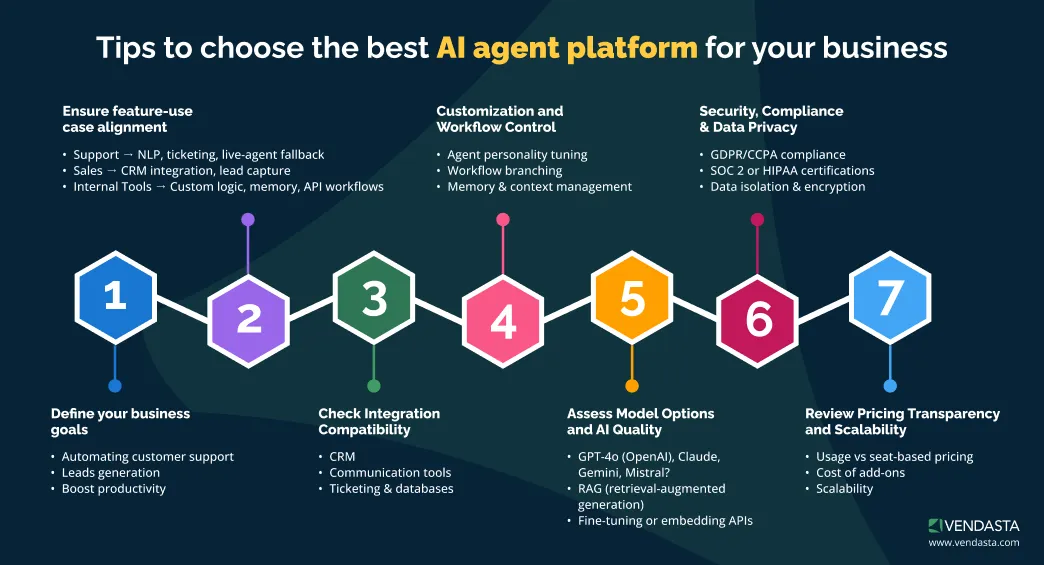
When comparing AI workflow automation tools, focus on your specific use cases rather than just feature lists. It is also worth separating the two categories while you evaluate: automation tools fire triggers between apps, while workflow management software owns the process end to end, including stages, ownership, approvals, and reporting in one place.
Ask:
- Do you need all-in-one business process automation software, or just lightweight integrations?
- How important is scalability and governance for your team?
- Will the tool integrate smoothly with your existing CRM or marketing automation tools?
- Do you want prebuilt templates or full customization?
For businesses that manage multiple SMB clients, Vendasta is the standout choice. It combines the power of CRM automation, marketing automation, and workflow orchestration in one platform—without the need to stitch together multiple systems.
Its AI Employees, white-label capabilities, and deep data integrations give partners the ability to deliver measurable results faster and more efficiently than ever before.
Whether you’re automating lead nurturing, client onboarding, or reporting, these tools represent the leading edge of AI-powered workflow automation in 2026, and Vendasta is uniquely positioned to help you put them all to work in a unified, scalable way.
Human-in-the-Loop Controls, Error Handling, and Governance
Approval Gates By Risk Level
Every serious platform lets operators configure human-in-the-loop review by action. The difference is where you place the gate, because that changes both risk and speed to value.
Use approval-required mode for public-facing or revenue-sensitive work. Zapier’s AI by Zapier supports per-tool approval, n8n routes approve-or-deny decisions through Chat, Slack, Gmail, or Outlook, Relevance AI surfaces approvals on a Tasks page, and Copilot Studio supports multistage approvals with human and AI reviewers.
Vendasta Controls In Brand Context
Vendasta’s Social AI runs with approval workflows or full autopilot by edition, AI Blogger publishes under the same approval-or-autopilot setting, and AI Reputation Specialist responds to reviews under configurable rules such as star-rating thresholds.
That matters because the right control is not uniform across the portfolio. A public review reply needs tighter review than a routine content draft, and the platform should let you set that distinction once.
Fallbacks, Limits, And Proof Of Performance
Oversight has a measurable cost. A Salesforce survey found lighter governance reached positive ROI in 7.2 months versus 9.3 months for heavier governance, so put review gates on the actions that can lose a customer or post to the public web, and let low-stakes work run.
Hallucination fallbacks come in two forms: decline and escalate. A 2025 RAG evaluation benchmark found GPT-4o declined to answer only 31.1% of the time when grounding was insufficient, so the model cannot be trusted to recognize every failure.
The workflow needs an explicit rule: when retrieval returns nothing relevant, hand the conversation to a person with the transcript attached rather than letting the model improvise. That is the difference between a contained miss and a client-facing error.
Vendasta logs every AI action and surfaces it in executive reporting, which gives agencies proof of performance instead of a promise. The guide to AI workforce management covers how to staff the review queue as the portfolio grows, and a companion piece on the division of labor between AI and human staff covers who reviews what.
How to Implement AI Workflow Automation Without Adding Headcount
The agency that treats AI Employees as a Margin Engine runs one bounded workflow across many clients rather than many workflows for one. The sequence below is the one Vendasta partners follow.
Pick One Workflow With a Clean Before-State and a Single Success Metric
Live 360 Marketing, a Pittsburgh agency, cut client lead response from 24 to 48 hours to under 30 seconds with AI Receptionist and reported a 70% ROI increase for clients, per Vendasta’s case study.
The trigger (unanswered call or form) is narrow, the action is additive during hours nobody was working anyway, and the metric (appointments booked) is one every client understands.
Connect the Business’s Own Data Before Launch
Website, business profile, uploaded knowledge such as price sheets and FAQs, the booking calendar, and CRM records are the retrieval layer.
The Salesforce survey found organizations that unified data before deploying agents reached ROI in 7.3 months against 8.8 months for those that fixed data afterward, and only 31% did it first.
Set the Guardrails in Writing
Define what the AI Employee may answer, what it must escalate, the thresholds that trigger review, and which actions require approval, then encode them; the guide to AI prompting covers how to phrase qualifying questions and escalation rules so the role behaves the same at 2 a.m. as at 2 p.m.
Start with approval workflows on public-facing output and loosen them after a few weeks of clean logs.
Deploy Under Your Brand Across the Portfolio
Partner Center handles account templates, deployment, billing, and reporting for every client at once, and each client manages its AI Employees and unified inbox inside the CRM through a white-label Business App.
Setting expectations up front, including what the AI will and will not handle, is a client collaboration exercise as much as a technical one.
Measure With Logged Actions, Not Anecdotes
Only 12% of organizations conduct a full ROI analysis, according to IDC research, which is why so many pilots stall without a case for expansion.
Count calls answered, leads qualified, appointments booked, and reviews responded to, then put those numbers into the monthly client reporting so the client sees the work and you see which accounts are ready for a second AI Employee.
Add the Second Product Within 90 Days
Vendasta’s retention research found 62% of clients not upsold within three months churn within two years, so the moment AI Receptionist proves itself is the moment to add AI Reputation Specialist or AI Social Media Manager.
The Xcite Group reported 50% to 70% lead-to-appointment conversion and 100% retention among its AI clients, and a broader customer journey optimization review shows where the third and fourth products fit.
Fulfillment services stay optional at every step. Vendasta offers expert setup for selected AI Employees, and the AI Workforce Optimization Plan adds monthly health checks and implementation-team access for agencies that want the configuration work handled under their brand.
The pattern for successful AI adoption at agencies in the case library is consistent: one workflow, one metric, one brand, then depth, with client relationships strengthening as each account carries more of the work you used to staff.
Why AI Workflow Automation Is the Path to Scaling Without Headcount
AI workflow automation breaks the hire-to-grow cycle by moving judgment work into a fulfillment layer that you can deploy across every client. It can answer the 11 p.m. call and qualify the lead while rule-based automation handles fixed steps.
For an agency of 11 to 100 people, revenue per employee can rise, as Blackfeather Digital’s $1 million with three people shows.
Product depth can also increase, which Vendasta’s retention research ties to two-year retention climbing from 30% to 80%. Vendasta logs every action, so proof of performance replaces unsupported claims about completed work. Choose the platform based on how it meters AI and where it runs.
Then determine whether its channel architecture lets you sell the service under your brand without adding a specialist for every account. To see how Vendasta can address this workflow in your business, book a Vendasta demo.
AI Workflow Automation FAQs
1. What is the difference between AI workflow automation and rule-based automation?
Rule-based automation executes if-then instructions written in advance and stops when an input arrives in an unexpected format. AI workflow automation reads unstructured inputs such as calls, chats, and documents, decides what they mean, and chooses among permitted actions. The two coexist: deterministic steps handle stable, structured work, and AI handles the judgment steps where inputs vary.
2. Is RPA a form of AI?
Robotic process automation is not AI. RPA replays scripted clicks, keystrokes, and data transfers on a fixed schedule or trigger, and it fails when a screen or field changes. Combining RPA with AI components such as OCR, natural language processing, or a language model creates intelligent automation that decides what the scripted steps should act on.
3. What are examples of AI workflow automation for local businesses?
The strongest local-business examples are after-hours call answering and appointment booking, review response under configurable rules, weekly blog and social publishing from the business’s own data, and CRM updates extracted from sales calls. Neighborly’s Vendasta deployment handled 35,700 conversations in one quarter and converted 3,400 into paying customers after roughly 30% of leads had gone uncontacted.
4. What are the best AI workflow automation tools?
Zapier fits non-technical teams connecting apps; Make suits technical users building branching logic cheaply; n8n serves developers and self-hosting requirements; Microsoft Power Automate fits regulated clients on Microsoft 365; Relevance AI supports custom agent builds. Vendasta AI Workforce ships prebuilt AI Employees that agencies deploy multi-tenant under their own brand and resell at wholesale margins.
5. What is the difference between AI workflow automation and autonomous AI agents?
AI workflow automation applies AI at defined points inside a process whose steps are mostly fixed. An autonomous agent is given a goal and plans its own steps, calling tools until it finishes. Agents are more flexible and less predictable; the 2026 long-horizon benchmark found task completion dropping from 76.3% to 50.5% as tasks lengthened.
6. How do I know which workflows to automate first?
Pick a workflow with a narrow trigger, a single measurable outcome, low downside if the AI declines to act, and a clear handoff path. Unanswered calls and web chats after hours meet all four tests: the trigger is clear, the metric is appointments booked, and a handoff to a person costs nothing. Invoice processing and review responses come next, since both are reviewable before anything is final.
7. Do I need technical skills to set up workflow automation?
Not for prebuilt roles. Vendasta’s AI Employees deploy in under 30 minutes after learning from the business’s website, profile, and uploaded knowledge, and Zapier’s template-driven editor can be learned in a day according to PCMag. Self-hosted platforms such as n8n assume comfort with JSON, APIs, and server administration, so budget for a developer if you choose that route.
8. Is my data safe with AI automation?
Safety depends on the platform’s controls and your configuration. Check for SOC 2 Type II, ISO 27001, a GDPR data processing agreement, data residency, and an AI training opt-out. Zapier hosts only in the United States; Power Automate offers an EU Data Boundary and a HIPAA agreement. Self-hosting shifts every one of those obligations to you.
9. How do I measure the success and ROI of AI automation?
Measure the workflow’s own outcome rather than time saved in the abstract: calls answered, leads qualified, appointments booked, reviews responded to, invoices posted without a touch. Compare each against the before-state, such as the 30% of leads Neighborly had never contacted. Platforms that log every AI action make this a report you pull rather than a survey you run.
10. How do you automate a workflow?
Choose one bounded workflow, connect the business’s own data, set written guardrails, deploy across every client from one command center, and measure with logged actions. Then add a second AI Employee within 90 days, because Vendasta’s retention research found 62% of clients not upsold within three months churn within two years.
This article was originally published in October 2025 and was updated in September 2026 to include the latest information and insights.