About Us
 Careers
 Leadership
 Board
Board Newsroom
An AI employee is agentic software that a business assigns to a specific role. It answers calls, qualifies leads, books appointments, and logs every interaction using your own business data rather than generic scripts. Unlike a chatbot that handles one-off questions, an AI employee owns a workflow from start to finish, the same way a human hire would.
Speed decides who gets the job, whether the lead is a web form or a homeowner calling about a leak. A Harvard Business Review study found that businesses that responded within an hour were nearly seven times as likely to qualify the lead as those that waited even an hour longer, and more than 60 times as likely as those that waited a day or more. That is what the AI employee category exists to fix: completing the work a missed hire leaves undone at every stage of customer journey management.
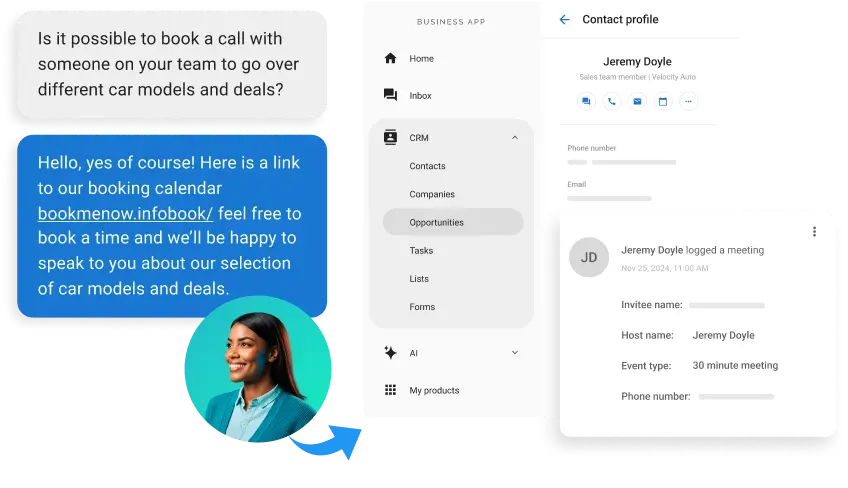
An AI employee picks up the call, qualifies the lead, books the appointment against your real calendar, requests the review after the job, and logs all of it in your customer relationship management (CRM) system. Local businesses already run this kind of AI-driven engagement on live phone lines, and the Vendasta success stories below report outcomes from those deployments.
This guide explains what an AI employee is, how it works, and where it pays off. To see the specific roles Vendasta offers and how they deploy, visit the AI Employees page.
Automate every step of the customer journey with AI employees
TL;DR: AI Employees at a Glance
If you only have two minutes between job sites, here is the short version:
- Definition and distinction: An AI employee is agentic AI software that completes end-to-end business workflows, such as answering calls and booking jobs. It can also respond to reviews using your business’s own data rather than generic scripts. Unlike a traditional chat assistant that responds to prompts, an AI employee plans multiple steps, uses tools like calendars and CRMs, remembers context, and acts toward a goal without waiting for instructions.
- Vendasta-reported results: In Vendasta’s AI Employee success stories, an AI Receptionist captured 778 qualified leads in four months for Choice Signature Luxury Car Rental, AI intake drove $47,698 in monthly revenue for Social Ordeals’ nine-location veterinary client, and Blue River Digital’s Custom AI Employee cut proposal turnaround from days to minutes.
- The caveat: Gartner estimates only about 130 of the thousands of vendors claiming “agentic AI” are genuine, so test any vendor’s demo for memory, tool use, multi-step planning, and action taken without a human prompt.
What Is an AI Employee?
An AI employee is software that can complete an entire business workflow with minimal supervision and configured escalation: it answers the call, qualifies the caller, checks the calendar, books the job, and updates your records. The category sits at the top of a capability ladder that starts with rule-based automation and passes through traditional chat assistants on the way up.
Analysts have converged on the underlying definition. Gartner describes AI agents as “autonomous or semiautonomous software entities that use AI techniques to perceive, make decisions, take actions and achieve goals.” IBM defines a digital worker as “software-based labor that can independently run meaningful parts of complex, end-to-end processes by applying a range of skills.”
HFS Research draws the line that matters for a business owner. HFS describes AI employees as accountable digital colleagues, not just agentic systems. In plain terms, a business assigns an AI employee a role, measures its outcomes, and reviews a record of everything it did. If a tool can’t own a role and show its work, it isn’t an AI employee, no matter what the label says.
The Critical Difference Between AI Automation and AI Employees
Basic automation follows if-then rules and breaks on anything unexpected. A traditional chat assistant answers questions when prompted and does nothing else. An AI employee plans and acts across systems, adapting when a customer says something the script never anticipated.
The three tiers differ most on memory and action:
| Capability | Rule-based automation | Traditional chat assistant | AI employee |
|---|---|---|---|
| Task type | Predefined, repetitive | Prompt-and-response | Multi-step, dynamic |
| Decisions | If-then logic only | None or minimal | Plans and reasons toward a goal |
| Memory | None | None | Maintains state across steps |
| Action | Runs a fixed workflow | Provides text | Acts in your connected business systems |
| Human involvement | Required for every exception | Required for direction | Minimal supervision, with escalation |
A copilot, such as Microsoft Copilot, sits between the second and third tiers: it drafts and suggests inside one app, but a person still decides and acts. “AI coworker” and “digital worker” are other names for the third tier.
Gartner warned in June 2025 that “many vendors are contributing to the hype by engaging in ‘agent washing’: the rebranding of existing products, such as AI assistants, robotic process automation (RPA) and chatbots, without substantial agentic capabilities,” estimating only about 130 of thousands of agentic AI vendors are real.
The same Gartner release predicts that over 40% of agentic AI projects will be canceled by the end of 2027, citing escalating costs, unclear business value, and inadequate risk controls. Deloitte’s research, a survey of 1,854 executives across Europe and the Middle East, found that only 10% of organizations using agentic AI report significant, measurable return on investment (ROI).
The simplest buyer’s test is the off-script moment. When a vendor demos an “AI employee” that stalls the moment a caller goes off-script, you are looking at a traditional chat assistant in a costume.
Put a demo through these checks:
- Hold context across a whole conversation: mention a detail early, refer back to it five exchanges later without repeating it, and see whether the answer still lines up. Then inspect what it says and what it writes to connected systems. A real AI employee books into your live calendar and updates the customer record; a rebranded assistant hands a transcript to a person who types it in later.
- Take the call off-script mid-demo. Change the address or ask about a service the vendor never seeded into the script. Then interrupt with something unrelated. A genuine agent replans and keeps going.
How Agentic Workflows Power Digital Workers
For a plumbing company, the architecture means one system can hold a phone conversation, remember what the caller said three exchanges ago, check tomorrow’s open slots, and book the job. Platforms that use true AI agents do this across phone calls as well as web chat and text.
Under the hood, AI digital workers run on agentic workflows: architectures that give a large language model (LLM) memory and tools directed toward a goal instead of a script. Andrew Ng of DeepLearning.AI cataloged the four design patterns that make this possible:
- Reflection: “The LLM examines its own work to come up with ways to improve it.”
- Tool use: The model uses tools such as web search and code execution to gather information and process data. It can also act through connected functions.
- Planning: “The LLM comes up with, and executes, a multistep plan to achieve a goal.”
- Multi-agent collaboration: Multiple agents split up tasks and debate approaches to produce better results than one agent alone.
Anthropic’s engineering guidance says developers orchestrate workflows through predefined code paths. By contrast, true agents dynamically direct their own processes and tool usage while maintaining control over how they accomplish tasks.
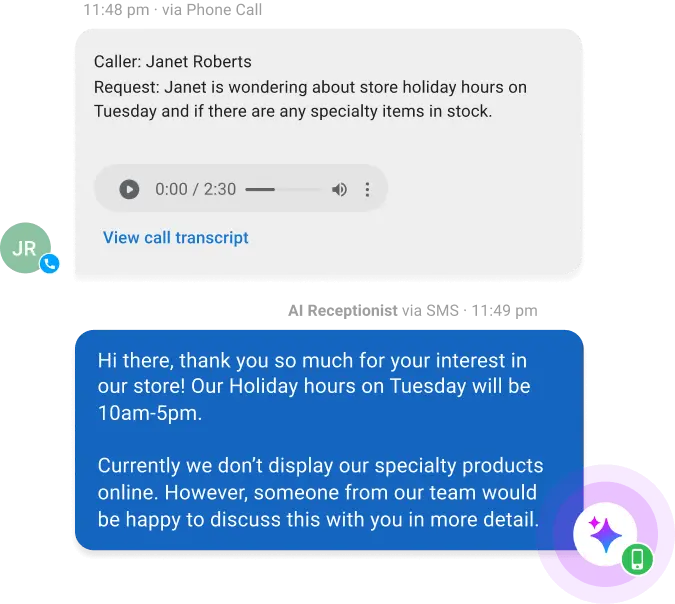
Together, those patterns turn large language models into workflow execution. The AI understands the caller through natural language processing, pulls answers from a knowledge base of your business information, and an orchestration layer decides which tool to use next, whether that’s the calendar, the CRM, or a handoff to a person.
The AI Workforce Hierarchy: From Tasks to Executive Insights
Scope separates the three layers of AI on the market today. Task-level automation handles single repeatable actions, while role-level AI employees own an entire function. An AI Workforce assigns dedicated AI workers by function, with one covering reception while others handle reputation or customer support.
- Task and role levels: At the task level, a trigger fires one repeatable action, such as a missed-call text-back; anything the template did not anticipate still lands on your desk. At the role level, one AI employee owns a function end to end, taking the call, qualifying, checking availability, booking, and writing the record.
- Decision level: A briefing turns the activity from the layers below into a recommended next step.
The direction of travel is toward more autonomy at every layer. Gartner forecasts that by 2028, agentic AI will make at least 15% of day-to-day work decisions autonomously, up from 0% in 2024. The businesses building the role layer now will have the data foundation for the decision layer when it arrives.
AI Employees in Action: Transforming Local Industries
Contractors, dealerships, law firms, and clinics all lose leads when staff cannot answer the phone.
Home Services: Plumbing, HVAC, and Construction
The trades are already adopting. Housecall Pro’s report, a survey of 400+ trade businesses across North America, found roughly 40% actively using AI, with active users saving an average of 3.2 hours per week; 57% of AI-using contractors said AI helped them grow.
The AI employee picks up on the first ring while your tech is still under someone’s sink. It asks what failed, whether water or heat is still running, the service address, and whether the caller owns the property, then offers the next open slot on the real calendar instead of promising a callback. The after-hours version ends the same way: the caller has a time, and the job is sitting in the schedule before anyone opens a truck door in the morning.
Call quality matters as much as call coverage. In one Vendasta success story, The Xcite Group used a Custom AI Employee to record and analyze every inbound call, surfacing missed questions and outdated pricing so the client could coach its sales team. The construction company’s close rate rose from 15% to 50%.
Automotive: Repair Shops and Rental Agencies
Pied Piper’s study of 2,105 dealerships and 200 independent service centers found AI successfully handled 91% of service calls without human reliance, including booking.
The 9% of calls AI could not handle went to humans, and 56% of those handoffs failed through dropped calls, hold loops, or voicemail. That is the part of the workflow worth designing carefully.
The AI sends the service desk a call record containing the vehicle and the reported symptom. It also notes the customer’s preferred day, so the advisor picks up mid-conversation rather than restarting it. Handoffs that dump the caller into a hold queue waste the one advantage the AI just created.
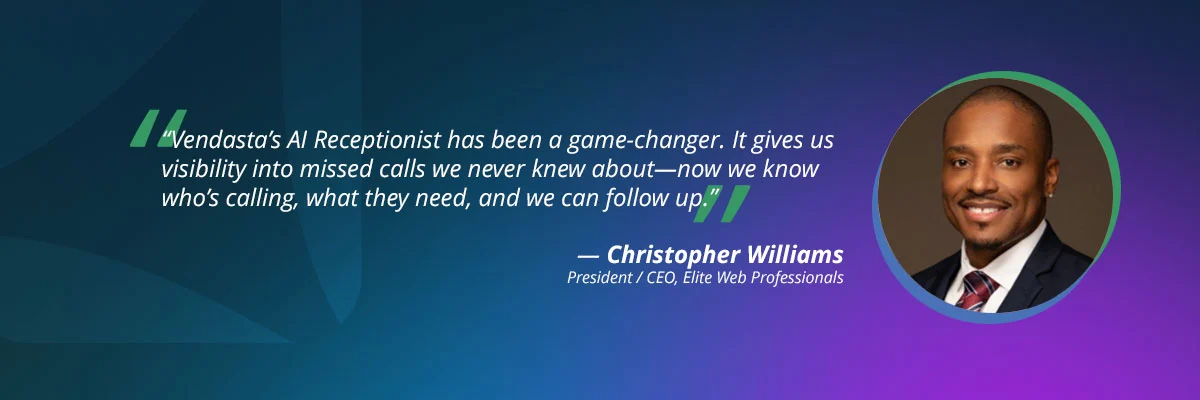
On the rental side, Elite Web Professionals set up an AI Receptionist to answer Choice Signature’s inbound rental inquiries around the clock, sorting luxury from rideshare callers and explaining chauffeur licensing requirements before handing them to staff. In four months, it handled 1,017 calls and captured 778 qualified leads, a 76% conversion rate.
Professional Services: Law Firms and Financial Consulting
Clio’s report found that callers could not reach 48% of law firms by phone, and only 20% of firms returned voicemails. For a profession billing by the hour, every unreturned intake call is a retainer walking to the next listing.
People call a lawyer after an accident or a termination letter. They also call after the process server leaves, which is rarely between nine and five on a Tuesday.
An AI employee that picks up at 9 p.m. can capture, in one call:
- Matter type: It records what happened and when.
- Jurisdiction: It asks where the matter arose.
- Names involved: It collects the names of everyone involved, which is what the conflict-check questions run against.
- Next step: It either books a consultation slot or routes the matter to a partner for review.
In another Vendasta success story, Next Level Digital Marketing turned a static website into a live funnel: the AI Receptionist answered visitors’ questions on web chat around the clock and captured 5 to 30 additional leads a month.

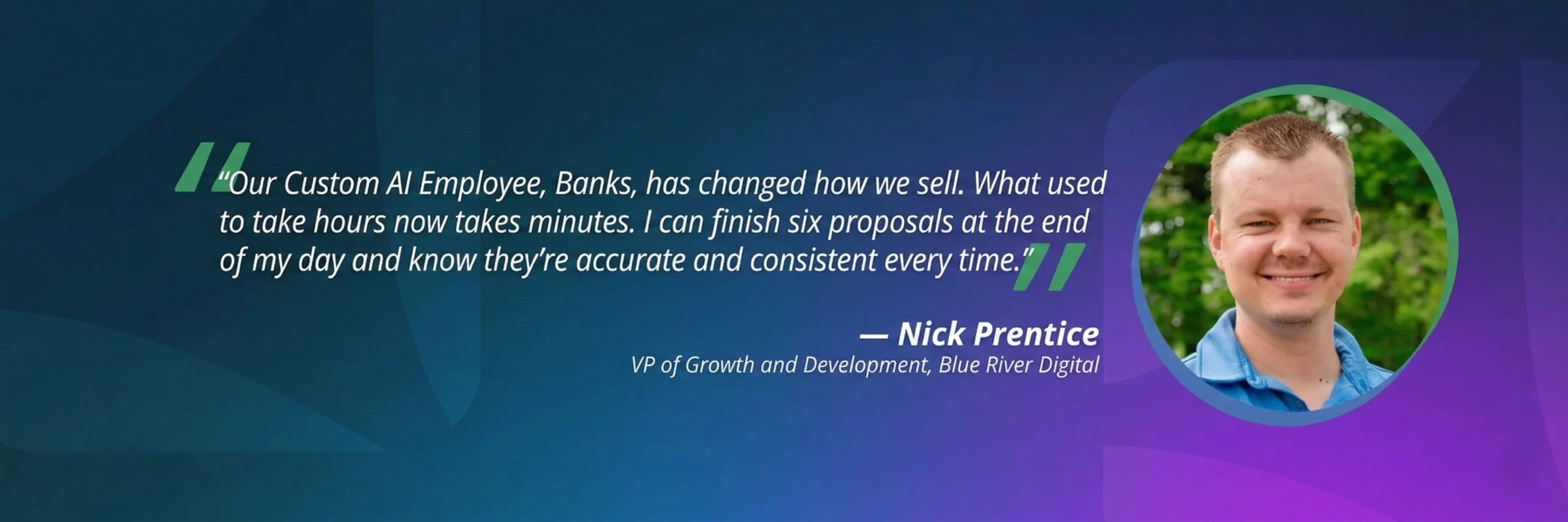
The same architecture applies to back-office work. Blue River Digital’s Custom AI Employee, a form of intelligent document processing, turns sales call transcripts into polished proposals, cutting turnaround from days to minutes.
Healthcare and Veterinary Services
Healthcare intake carries compliance obligations the other verticals do not. HHS guidance lists a third-party AI chatbot on a provider’s patient portal, handling symptom assessment, reminders, and scheduling, as a business associate requiring a Business Associate Agreement under the Health Insurance Portability and Accountability Act (HIPAA).
Social Ordeals deployed an AI Receptionist as the central intake for a nine-location veterinary group. It answered pet owners’ web inquiries late at night, pointed emergencies to the group’s 24-hour hospitals, and logged every conversation in one inbox for the call center, driving $47,698 in monthly revenue.
How an AI Employee Changes a Local Business’s Week
For a local business owner, an AI employee changes four things first: phone coverage, review response, lead follow-up, and reporting. You can run one yourself or have your marketing agency manage it for you. Either way, it works from your business’s own information, so callers hear your services and hours, not a generic script.
Transforming Daily Operations: The Before and After
A typical week for a local service business changes like this:
| Operation | Before AI employees | After AI employees |
|---|---|---|
| Phone coverage | Voicemail after 5 p.m. and on weekends | The AI Receptionist answers, qualifies, and books calls 24/7 |
| Review responses | Whenever the owner finds an hour | Configured workflows trigger automatic review responses |
| Lead follow-up | Whoever remembers, whenever they remember | Instant response, automatic booking against real calendars |
| Reporting | Gut feel | A record of the calls answered and jobs booked |
That log is how you verify the AI is earning its keep, and it’s the accountability HFS describes.
How to Onboard Your First AI Employee
Onboarding an AI employee takes three steps:
- Pick one role. Start with phone and message coverage, where missed revenue is easiest to measure.
- Load its knowledge base. Most AI Employees learn from your website, business profile, and uploaded documents such as price lists and FAQs, and most deploy in under 30 minutes.
- Set guardrails and escalation paths. Decide what it can book or answer on its own, when it hands a caller to a person, and who reviews its activity log each week.
When an AI Employee Gets It Wrong
Every Vendasta AI Employee action is logged, so a wrong answer or a stalled booking shows up in the record instead of in a customer complaint weeks later.
Review the log weekly at first, correct the knowledge base when the AI misstates a price or policy, and tighten escalation rules for any request type it mishandles. Keep human-in-the-loop approval on anything that can’t be undone, such as refunds or sensitive replies.
What an AI Employee Costs Compared With a Hire
A full-time receptionist earns a median of $38,010 a year according to Bureau of Labor Statistics data, before benefits, and covers business hours only. Staffing a phone line 24/7 takes 168 hours a week, roughly four full-time hires. An AI employee runs on a monthly subscription and covers nights, weekends, and every overlapping call. Book a demo to see pricing for your business.
The Roles AI Employees Cover Today
Vendasta’s lineup shows what role-level AI looks like in practice. Each AI Employee owns one role and works in the context of a specific business:
| Role | What it does |
|---|---|
| AI Receptionist | Answers calls, web chats, texts, and messages 24/7, qualifies leads, and books appointments against your real calendar |
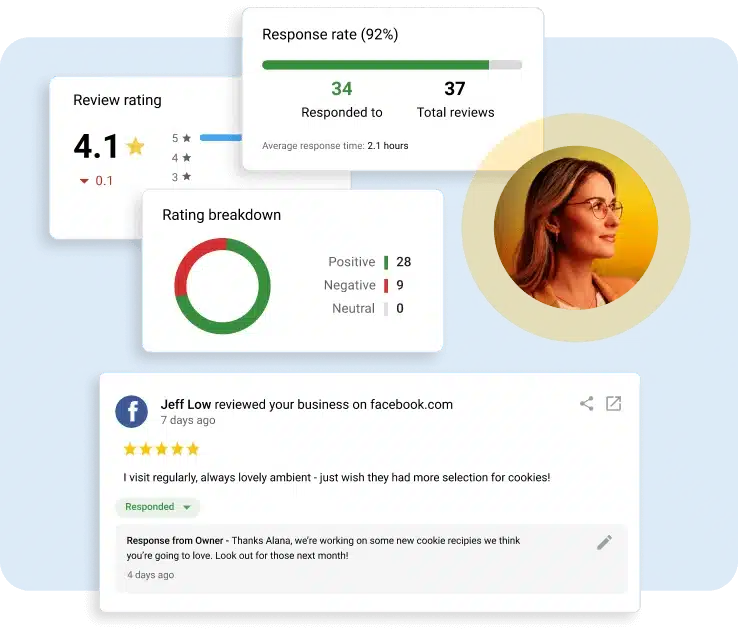
| AI Reputation Specialist | Replies to Google and Facebook reviews under your rules, suggests replies for other sites, and sends review requests |
| AI Social Media Manager | Writes, schedules, and publishes posts in your brand voice |
| AI Blogger | Publishes one SEO-optimized article a week and hands it off for social posts |
| AI Sales Assistant | Keeps CRM records current from sales activity |
| AI Search Specialist | Optimizes business profiles and reports how you appear in ChatGPT, Gemini, and Perplexity answers |
| Custom AI Employees | Roles you build without code from your own documents and rules, connected to your systems to check inventory, book appointments, or update records |
Consumers are warming to AI on the front line: in BrightLocal’s blind tests, 58% of consumers preferred an AI-written owner response over a human-written one, a result that held in both 2024 and 2025. Still, 46% said a review that feels AI-written is a sign it might be fake, so the reply needs to sound like your business.
Vendasta also offers ready-made Custom AI Employees, such as the AI Inside Salesperson, which qualifies inbound inquiries and books meetings, and the AI Support Agent, which resolves questions from your knowledge base and escalates the rest with full context. Businesses and partners can also build their own without code; the guide to custom AI assistants walks through the build.

For setup details and how each role deploys, see Vendasta’s AI Employees page.
What to Look for in an AI Employee
The differences between AI employee platforms show up when conversations stop being routine. Each of these is checkable in a demo.
Does It Learn Your Business?
An AI employee should answer from your own data, not an industry script. Vendasta, founded in 2008, holds the profile, listing, and review data for the businesses on its platform, so its AI Employees answer from that business’s record.
Does It Act Without Being Asked?
A traditional chat assistant waits to be asked. A real AI employee is assigned an outcome and acts toward it without a prompt, so the work happens whether or not you remembered to start it.
Does It Plug Into the Tools You Already Run?
Look for named integrations, not vague “custom connections.” Vendasta’s AI Employees connect to tools such as Jobber, ServiceTitan, Housecall Pro, QuickBooks, Clio, Dentrix, Google, HubSpot, and Zapier, so booked jobs and review requests flow from systems you already use.
Does It Hand Off to a Person Cleanly?
Consumer research supports the human-plus-AI design. Five9’s Report found 72% of consumers are open to AI-powered interactions provided they can escalate to a human when needed. Qualtrics XM Institute found comfort depends on the task: 73% of consumers were comfortable using AI to check an order status, but only 45% to get medical advice. Let the AI employee handle the high-acceptance, high-volume work, and make sure it passes anything it can’t handle to your team with full context.
Conclusion: Putting an AI Workforce to Work
Your AI readiness depends on understanding where your leads come from and which calls you miss. It also requires knowing what a booked job is worth.
When you’re ready to evaluate a specific platform, Vendasta’s AI Employees page covers the roles and how they deploy.
Put an AI employee on phone and message coverage first, the workflow with the highest consumer acceptance and the most missed revenue.
AI Employees FAQs
Local business owners ask these questions most often before deploying an AI employee:
1. What is an AI employee?
An AI employee is agentic AI software that a business assigns to a role, such as reception or reputation management. It completes end-to-end workflows with minimal supervision: answering, qualifying, booking, and logging without a human prompt at every step. Analysts describe the underlying technology as AI agents; “AI employee” is the label for an agent doing an accountable job inside a business, not a person who works at an AI company.
2. How do AI employees differ from traditional chat assistants?
Traditional chat assistants respond to prompts one message at a time, with no memory or tools and no goals. AI employees maintain state across a conversation and use tools like calendars and CRMs. They plan multiple steps and act toward an outcome, so they can take a call from “my furnace died” to a booked appointment. Copilots sit in between: they suggest and draft inside one app, but a person still acts.
3. How do AI employees benefit local businesses and agencies?
Local businesses capture the leads their ad spend already generates, including calls that come in after hours or while the team is on a job, without adding payroll. Agencies can deliver AI employees to clients under their own brand, adding a recurring service without hiring a new person for every account.
4. Do AI employees replace human workers?
No. AI employees take over routine, high-volume work, like answering calls, booking appointments, and handling status questions, so your team can focus on complex or sensitive conversations and the work itself. A well-designed AI employee hands anything it can’t handle to a person with full context. Five9’s research found 72% of consumers are open to AI interactions as long as they can reach a human when needed.
5. What specialized AI employees does Vendasta offer?
The prebuilt lineup includes the AI Receptionist, AI Reputation Specialist, AI Social Media Manager, AI Blogger, AI Sales Assistant, and AI Search Specialist, with the AI Salesperson coming soon. Vendasta also offers ready-made Custom AI Employees, such as the AI Inside Salesperson, AI Support Agent, and AI Data Analyst, and businesses and partners can build their own without code.
6. Is it difficult to set up an AI workforce?
No. Most Vendasta AI Employees deploy in under 30 minutes. You choose the first role, and the AI learns from your website, business profile, and uploaded knowledge such as price lists and FAQs. Done-for-you setup is available if you’d rather not configure it yourself.
7. How does Vendasta ensure the security of my business data?
Each business’s information is kept separate from every other account on the platform, and every AI action is logged so you can see exactly what it did. Vendasta has completed a SOC 2 Type 2 examination and publishes its security reports through its Trust Center at trust.vendasta.com.
8. Can AI employees handle industry-specific tasks like legal or medical intake?
Yes, with the right guardrails. Healthcare scheduling that touches patient information requires a Business Associate Agreement under HIPAA, and bar association guidance, including Florida Bar Ethics Opinion 24-1, calls for disclosing that intake callers are speaking with AI. Deployments in regulated verticals should include disclosure and prompt human review.
9. How do AI employees integrate with existing business tools?
Vendasta’s AI Employees connect to tools such as Jobber, ServiceTitan, Housecall Pro, QuickBooks, Clio, Dentrix, Google, HubSpot, and Zapier, including your calendar and CRM. Those systems can trigger review requests and follow-ups when staff complete jobs.
10. What is the future of the AI workforce in 2026 and beyond?
Gartner predicts 40% of enterprise applications will feature task-specific AI agents by the end of 2026, up from less than 5% in 2025. Expect consolidation too: the vendors that survive the shakeout will be the ones whose agents deliver measurable, logged outcomes.
This article was originally published in December 2024 and was updated in October 2026 to include the latest information and insights.