About Us
 Careers
 Leadership
 Board
 Newsroom
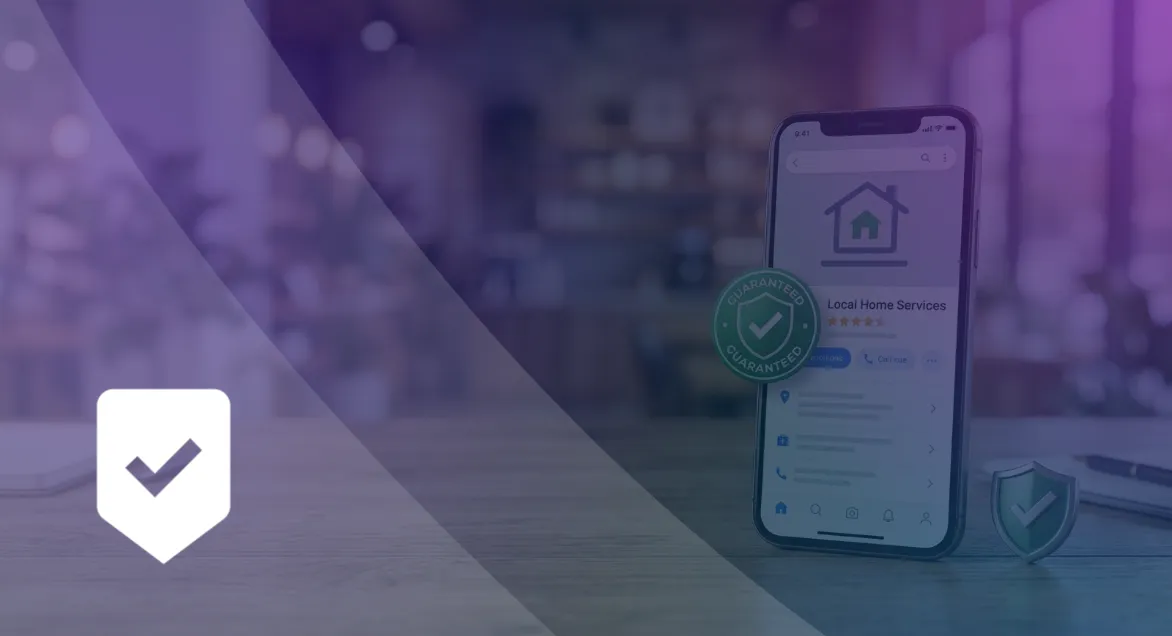
Google Guaranteed was the trust badge that Local Services Ads (LSAs) showed for home service providers who passed Google’s background, license, and insurance checks. It came with a customer money-back guarantee. On October 20, 2025, Google replaced it with a single Google Verified badge for eligible advertisers and discontinued the guarantee, so the badge a business earns today is Google Verified.
Owners still search the old name because the screening behind it decides whether a Local Services ad runs at all. For a plumber, roofer, or house cleaner, that ad sits at the top of the search results and charges per lead instead of per click, which makes it one of the most direct routes to local customer acquisition for service businesses.
This guide covers the timeline, eligibility, documents, setup steps, cost per lead, lead credits, and what Google is changing next.
Attract, convert, and retain more customers with less manual work
TL;DR
- Google Verified replaced Google Guaranteed in 2025: One badge now covers Local Services advertisers in eligible categories. Reimbursement applied only to services booked before December 7, 2025.
- Verification takes about three to four weeks: Depending on category and location, Google checks your Business Profile, licenses, insurance, business registration, and background checks for select users.
- AI Receptionist answers the leads you pay for: Vendasta’s AI Receptionist answers calls, texts, and web chats 24/7 and books appointments. Google charges for missed business-hours calls when callers stay on the line for more than 20 seconds.
What Is Google Guaranteed?
Google Guaranteed is the legacy Local Services Ads badge for in-home service providers such as plumbers, heating, ventilation, and air conditioning (HVAC) technicians, locksmiths, house cleaners, painters, and appliance repair companies. A business earned the green check by passing Google’s license, background, and insurance checks. Searchers could see from the check that Google had screened the provider.
The badge also carried a money-back promise. Under the old terms, Google could reimburse a dissatisfied customer up to the amount paid for the initial service, at its sole discretion. Each US customer had a lifetime limit of $2,000.
Google has since rebuilt the program under a new name, and the current badge is Google Verified. Consumers can see that a business passed Google’s screening, and Google calls out the relevant verifications on verified profiles. The verification work carries over to Google Verified, and the reimbursement does not, so the badge’s value now rests on your checks and your reviews.
Is Google Guaranteed Still a Thing?
Google Guaranteed no longer exists as a separate badge. Google Verified replaced it on October 20, 2025, along with Google Screened and License Verified by Google, and Google discontinued the Money Back Guarantee tied to the old badge. Google’s Google Verified help page says Local Services Ads ranking won’t be affected by the change.
What changed is what the badge promises. The screening still sits behind it, but Google no longer reimburses unhappy customers, so the badge now tells searchers that Google checked your business rather than that Google backs the job.
The bigger shift for advertisers came after the badge change: Google is moving LSAs into Google Ads. The timeline below shows both changes, followed by what each one means for existing and new advertisers.
Timeline From Google Guaranteed to Google Verified
Google emailed advertisers about the consolidation on August 20, 2025, and Search Engine Roundtable reported the October 20, 2025 effective date. The table lists the badge milestones and the related move of LSAs into Google Ads:
| Date | Milestone |
|---|---|
| August 20, 2025 | Google tells advertisers it will replace its LSA badges with one Google Verified badge |
| October 20, 2025 | Google Verified replaces Google Guaranteed, Google Screened, and License Verified by Google, and the Money Back Guarantee ends |
| December 7, 2025 | Booking cutoff for jobs eligible for a reimbursement request |
| August 2026 | LSAs begin moving into Google Ads as Performance Max campaigns with pay-per-lead goals, starting with select US home and storefront service advertisers |
| October 1, 2026 | Updated call-charging rules take effect for some missed and follow-up calls |
| Late 2026 | Broader advertiser groups migrate to Google Ads |
| 2027 | Non-US accounts and remaining categories migrate |
Reimbursement requests had to reach Google within 30 days of the initial service completion date, so the program no longer covers any job.
What Changes for Existing vs New Advertisers
Existing and new advertisers reach the same badge by different routes:
- Existing advertisers: Google says no action is required. Eligible advertisers who had completed verification earned Google Verified automatically, and their ads kept running.
- Accounts moving to Google Ads: The Google Ads Help page says verified status and the badge transfer automatically for businesses that completed verification, and that insurance and license reverification are no longer required. Google may still request business-level checks through an in-account notification.
- Reporting during migration: Lead history transfers to Google Ads, but past performance reports do not, and the old dashboard closes once an account migrates. Google says those reports will be downloadable from a redirection page, so save them when they become available.
- New advertisers: Google issues the badge once a business meets every screening and verification requirement for its category and location.
- Pre-badge ads: In eligible categories, new providers can start running pre-badge ads before they earn the badge. Pre-badge ads are not available for garage door services, health care, or locksmiths.
Neither group gets a customer guarantee anymore. For an existing advertiser, the most urgent task is saving reporting data before the migration notice arrives.
How Google Guaranteed Works With Local Services Ads
Local Services Ads place a badged provider profile in Google Search and Maps and charge for leads instead of clicks. The badge is the trust signal attached to that profile, and it sits next to your rating, reviews, and hours where a searcher compares providers.
That pairing changes the economics compared with regular search ads. You pay when a customer contacts you, so your answer rate and lead quality shape your costs more than your click-through rate does. For a full walkthrough of campaign setup and management, see our guide to Google Local Services Ads.
The sections below cover where the badge appears, how Google counts a billable lead, and what happened to the customer guarantee.
Where the Badge Appears in Local Search
Google’s Local Services Ads product page pitches the Google Verified badge as a way to build confidence in local search and says advertisers pay for customers rather than clicks. Google also says the badge may appear on other surfaces where it adds consumer value.
Google says the pay-per-lead campaigns replacing the LSA dashboard will keep serving only on Search and Maps, in the same ad positions as before.
WebFX’s 2026 study ran 100 US home services keywords five times each, for 500 searches. LSAs appeared in 142 of them and held the top position above the Local Pack every time, while standard Google Ads appeared in 42.
For a plumber or roofer, that placement often puts the badge in front of the searcher before the map does.
Pay-per-Lead vs Pay-per-Click
Google Ads search and standard Performance Max campaigns charge for every click, whether or not the person contacts you. LSAs charge only for valid leads, and Google’s How leads work page counts these as chargeable:
- A phone call you answer, or a callback where you speak with the customer
- A missed call during business hours when the caller stays on the line for more than 20 seconds
- A call that reaches voicemail or an automated greeting during business hours and lasts more than 20 seconds
- A text message or email from the customer
- A booking request (US and Canada only)
Once Google charges a lead, it does not charge for follow-up calls or messages from the same phone number or email address while interaction continues within 15 days. Lead prices vary by location, job type, lead type, and bidding mode, and message leads are typically priced lower than phone leads.
Search Engine Roundtable reported that Google emailed advertisers about updated charging rules for missed and follow-up calls starting October 1, 2026. If you let calls ring out during a job, you now pay for some of those leads anyway, which makes your answer rate a direct cost.
The Customer Guarantee
The guarantee has been discontinued. Google’s legacy Google Guarantee terms set out how it worked:
- Claim window: Customers had to submit a request within 30 days of the date the initial service was completed.
- What it covered: Reimbursement went up to the amount paid for the initial service. The lifetime limit was $2,000 in the US, $2,000 CAD in Canada, and £1,500 in the UK.
- What it excluded: Google did not pay for add-on or future projects, property damage, complaints about price or provider responsiveness, or cancellations.
Google’s current pages describe no replacement reimbursement program under Google Verified. With no payout behind the badge, your own complaint handling and review responses now carry the trust load.
Who Is Eligible for the Badge
Eligibility depends on two things: whether Google offers LSAs for your category in your area, and whether that category can carry the badge. Google’s Getting Started page says LSAs are available only for certain service categories and tells businesses to check eligibility for their area.
Those are separate questions. The same page says the Google Verified badge is currently unavailable for auto, beauty, and dining verticals, and several categories are offered only in California and Florida. Check both before you set a budget or start gathering documents.
Eligible Industries and Service Categories
Google’s US list is one flat alphabetical list, so the grouping below is ours:
| Category Group | Example Trades on Google’s US List | Badge Notes |
|---|---|---|
| Home services | Plumbers, electricians, HVAC, roofers, locksmiths, garage door services, house cleaning, pest control, moving services, tree services, water damage services | Garage door services go through Advanced Verification; garage door services and locksmiths cannot run pre-badge ads |
| Professional and business services | Lawyers across many practice areas, tax services, financial planning, real estate services | Insurance agency, interior designer, and architect are listed for California and Florida only |
| Health services | Dentist, chiropractor, physical therapist, optometrist, podiatrist, primary care physician | No pre-badge ads or lead credits for health care verticals |
| Care services | Child care, preschool, massage therapist, plus pet boarding, grooming, training, and veterinarian | Google lists pet categories without a group; we placed them here |
Home insulation and drain experts are also listed for California and Florida only. Auto, beauty, and dining businesses appear in Google’s category list and can run LSAs, but they cannot earn the badge for now.
Supported Countries and Regions
Google’s help pages do not include a single dated country list, so eligibility comes down to the checker for your address. These market facts come from Google’s own pages:
- Legacy guarantee markets: The old Google Guarantee terms listed reimbursement limits for the US, Canada, the UK, Switzerland, Austria, Belgium, France, Germany, Ireland, Italy, and Spain.
- Background checks: Background checks apply to select users in the US and Canada.
- Booking requests: Booking requests count as leads only in the US and Canada.
- Lead credits: Advertisers in Europe, the Middle East, and Africa (EMEA) do not receive lead credits.
- Google Ads migration: Pay-per-lead Performance Max campaigns start with select US businesses. Non-US accounts are scheduled to move in 2027.
A business outside the US should plan on managing its campaigns in the standalone LSA dashboard until its 2027 migration.
Verification Requirements and Document Checklist
Google’s screening varies by category and location, and most checks apply to select users or verticals rather than every advertiser. Gather the documents before you sign up, because the three-to-four-week clock starts when you submit them.
The checks fall into two groups. Business-level checks cover your Business Profile, registration, licenses, and insurance, while person-level checks cover the owner, the business representative, and in some trades the field workers who enter customers’ homes. Which ones apply to you depends on your category, so read the requirements for your country and trade before you upload anything.
Document Checklist
Google’s US screening requirements page and its related screening pages list these checks:
- Google Business Profile: You need a public, verified profile. If yours isn’t verified yet, verify your Google Business Profile before you apply.
- Identity check: Evident, Google’s partner, checks the business representative using a clear, unexpired government-issued photo ID.
- Background checks: Select users go through business and owner checks. HVAC providers also go through background checks on their service professionals, and garage door providers face an additional level of screening.
- Business registration: Google runs a business check and a business representative check for select verticals and users. Search Engine Roundtable reported that Google began telling some US advertisers it will require a Data Universal Numbering System (D-U-N-S) number. Businesses that can’t get one can submit a Secretary of State registration, an Employer Identification Number (EIN) from the IRS, or a Department of Revenue registration.
- Licenses: You need the required business and owner licenses, which Google validates against state or country databases.
- Insurance: General liability coverage, plus professional liability in some categories, must equal or exceed the minimum for your category and location. The document must stay valid for at least 14 days after submission, and its address must cover the area you advertise in.
- Advanced Verification: Garage door services go through Google’s Advanced Verification process, which can include video interviews.
- Health care: Providers go through provider and practice checks, plus National Provider Identifier (NPI) verification for select users.
Approval Time and Rejections
Google says screening takes three to four weeks on average after you submit documents. The Business Profile step can take up to 24 hours to show as complete, and the representative’s full name and the legal business name must match exactly on every document.
Google’s screening process page says businesses that fail the background check aren’t eligible to participate. The business or its workers can contact the background check partner to correct errors in the results.
After a final disqualification, you must wait 30 days to reapply. If a second application is also denied, every later reapplication requires a 180-day wait. One mismatched name or expired certificate can cost a month of leads.
How to Get the Badge Step by Step
Google spreads its setup instructions across several help articles. These steps combine them into the standalone Local Services Ads flow:
- Check eligibility: Enter your category and address on the Local Services site to confirm Google offers LSAs where you work.
- Sign up: Enter your business hours, service area, and services, which Google uses to build your profile. Google says new pay-per-lead campaigns can’t yet be created directly in Google Ads, so new advertisers start on the Local Services site.
- Link your Business Profile: Confirm that the matched Google Business Profile is correct and that you own or manage it. If you already have a profile, connect that one instead of creating a duplicate.
- Choose job types and service areas: Switch on every job type you perform and add the areas you serve. Google no longer credits leads for job types or areas you don’t serve, so accurate settings protect your budget.
- Complete screening: Upload the documents from the checklist above and finish any background checks.
- Set budget and bidding: Enter an average weekly budget. Google’s bidding page recommends Maximize leads with a minimum budget of 10 leads per week.
- Build reviews: Google weighs your rating and number of reviews when it ranks your ad, so start asking recent customers for reviews early.
- Keep hours accurate: Google can charge for missed calls during your business hours, so list the hours when someone can actually answer.
- Go live: The badge appears once you meet every requirement. In eligible categories, pre-badge ads can start running earlier.
For accounts already migrated to Google Ads, a change to the business name, address, or primary category triggers a verification review that usually takes 24 to 48 hours, and the campaign may pause during it. Lock in those details before you submit documents.
What Google Guaranteed Costs
You pay for each valid lead, and Google says lead prices vary by location, job type, lead type, and bidding mode. Google does not publish cost-per-lead figures by trade.
That makes budgeting a two-step exercise: estimate a cost per lead from outside data, then multiply it by the 10-lead weekly minimum Google recommends. Profile quality also affects price, because Google says higher-quality profiles may pay lower costs per lead.
Cost per Lead by Industry
The figures below come from a vendor dataset, so treat them as planning ranges. SearchLight’s study, from a company that sells revenue-tracking tools to contractors, analyzed February 2026 data from 888 contractors and put the blended home services average at $53 per lead. The weekly budget column is our calculation at Google’s recommended 10-lead minimum:
| Trade | Reported Cost per Lead | Source and Period | Weekly Budget for 10 Leads |
|---|---|---|---|
| Electrical | $39 | SearchLight, February 2026 | $390 |
| HVAC | $51 | SearchLight, February 2026 | $510 |
| Plumbing | $57 | SearchLight, February 2026 | $570 |
| Drain and sewer | $59 | SearchLight, February 2026 | $590 |
Google’s budget page sets the monthly maximum at your average weekly budget × 30.4 ÷ 7, so an HVAC company budgeting $510 a week can spend up to about $2,215 in a month.
These numbers measure leads, not jobs. SearchLight reported a 43.9% average book rate, which turns a $53 lead into roughly $121 per booked job, so judge the channel by cost per booked job rather than by the lead price.
Disputing Invalid Leads
Google replaced manual lead disputes with automated credits in 2024, as Search Engine Land reported when the change rolled out.
Google’s lead credits page says leads judged invalid or low quality are not charged. Charged leads are reassessed over time and may be credited automatically, usually within 30 days, though the original charge still appears on the invoice.
Google no longer credits “job type not serviced” or “geo not serviced” leads. Lead credits are not available for health care verticals, tax specialists, or advertisers in EMEA.
To flag a lead:
- Open Leads.
- Select Rate this lead.
- Open and submit the survey.
Google says a lead can be credited through auto-crediting or as a bonus credit for leaving feedback, so rate bad leads while the details are fresh.
Choose accurate job types and service areas to limit inquiries Google will no longer credit.
Google Guaranteed vs Google Screened vs Google Ads
The two retired badges split local advertisers by business type, and Google Ads offers a separate, click-based route. This table compares each option on the same criteria:
| Criteria | Google Guaranteed (Retired) | Google Screened (Retired) | Google Ads Search | Google Verified (Current) |
|---|---|---|---|---|
| Intended user | Home service providers | Professional services such as lawyers, financial planners, and real estate agents | Any business | All LSA advertisers in eligible categories |
| Badge | Green check | Screened badge | None | Google Verified, with relevant verifications called out on the profile |
| Billing model | Pay per lead | Pay per lead | Pay per click | Pay per valid lead |
| Screening | License, background, and insurance checks | License and background checks | No Local Services screening | Checks vary by category and location |
| Customer guarantee | Up to $2,000 lifetime per US customer | None | None | None |
| Best fit | Plumbing, HVAC, and similar trades | Law firms and other licensed professionals | Keyword control and services outside LSA job types | Home and professional services that want leads on Search and Maps |
Home service businesses and law firms now share one badge and one billing model. Google Ads still suits owners who want keyword-level control, because pay-per-lead campaigns are keywordless and use Business Profile information instead. If you run both, Google Ads automation can take routine bid and budget work off your plate.
How the Badge Fits Into Local Lead Generation
Google places LSAs above the Local Pack and considers reviews and responsiveness when ranking advertisers, so the badge works best as one part of a local lead system rather than the whole of it.
Start by comparing LSAs with lead marketplaces and local search engine optimization (SEO), then look at the ranking factors Google says you control.
The last piece is follow-through. A paid lead that rings out or waits hours for a reply costs you the charge and the job, and that is where Vendasta’s AI Employees come in.
LSAs vs Lead Marketplaces and Local SEO
Lead marketplaces and Google both charge advertisers per lead. LSA leads, though, come from Google searches tied to your own Business Profile, reviews, and phone line. With local SEO, you work toward Google 3-pack visibility without a per-lead fee, but that takes longer to build, so you can pay for LSA placement above the map results while continuing that work.
What Google Ranks LSAs On
Google’s ad rankings page says LSAs are ranked in an auction based on bid and overall profile quality:
- Profile quality: Google weighs your rating, number of reviews, average response time, use of high-quality images, and completed verification checks.
- Responsiveness: Google says missed calls may negatively affect your responsiveness.
- Search context: Google considers the time and location of the search and how relevant your services and business bio are to it.
- Bidding mode: Providers with equal quality and budgets who use Maximize leads typically get more leads.
Google adds that higher-quality profiles may also pay lower costs per lead. A missed LSA call therefore costs you on three fronts: ranking, the lead itself, and sometimes the charge.
How Vendasta Answers Every LSA Lead
Vendasta’s AI customer acquisition and engagement platform helps local service businesses answer the inquiries that cost LSA advertisers ranking and paid leads. AI Receptionist, part of the Vendasta AI Workforce and unlocked by Vendasta Conversations AI, answers calls, texts, and web chats 24/7. It answers questions from your business knowledge, qualifies the lead, and books appointments against your real calendar.
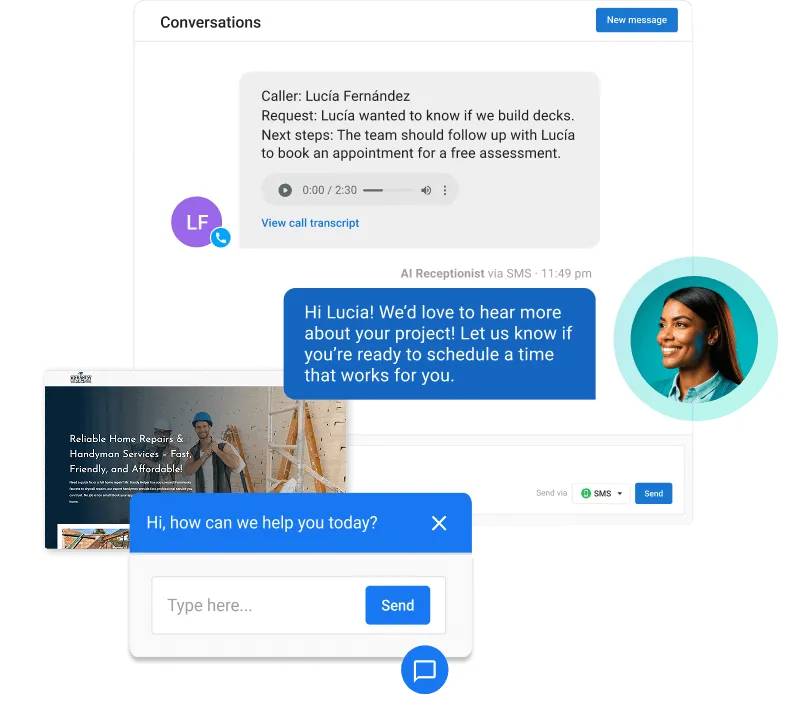
Each LSA pain point maps to a specific capability:
- Missed calls during jobs: AI Receptionist picks up when your crew can’t, so a business-hours call doesn’t ring out on a lead you’re paying for.
- Scattered tools: Vendasta integrates with Jobber, Housecall Pro, and ServiceTitan, and every conversation is logged to the customer relationship management (CRM) system.
- Thin review profiles: Vendasta’s AI Reputation Specialist sends review requests and responds to Google reviews in the reviewer’s language, using rules you set.
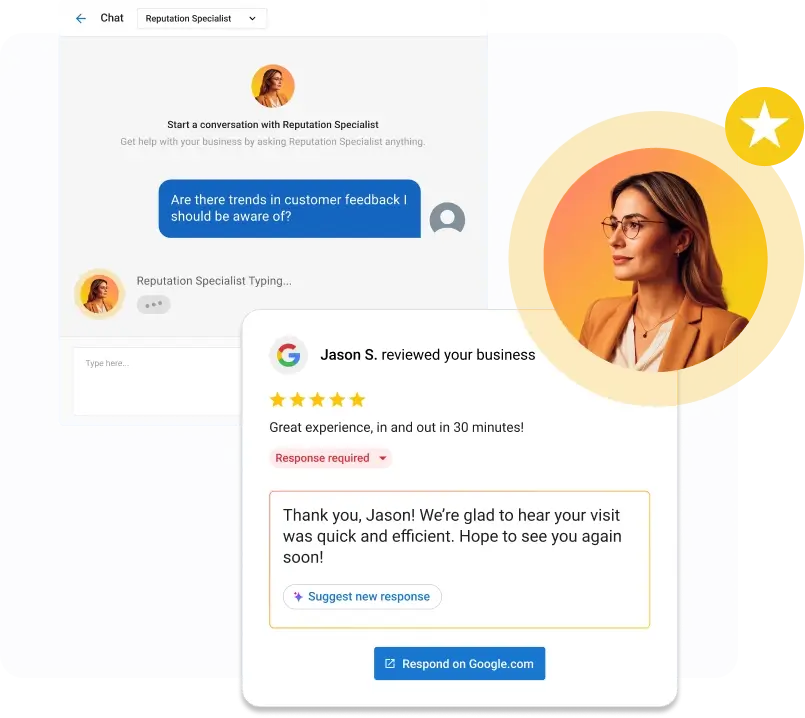
Neighborly, a home services franchisor, cut unanswered leads from roughly 30% to nearly zero and saw a 372% increase in leads converted to revenue year over year.
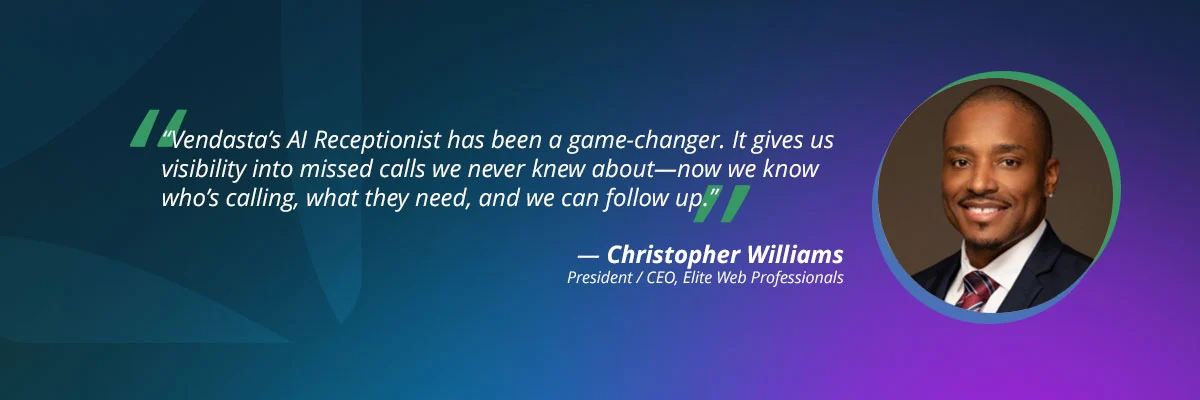
In another case, Elite Web Professionals used AI Receptionist for its client Choice Signature Luxury Car Rental to handle 1,017 calls and capture 778 qualified leads, a 76% conversion rate over four months. Across the platform, early AI Workforce adopters achieved a 39.2% lead conversion rate.
Most AI Employees deploy in under 30 minutes, learning your business from your website, Business Profile, and uploaded knowledge. Google’s screening still runs through you, so keep your licenses, insurance certificates, and registration documents current.
What’s Next for Google Verified
Google is folding the badge into Google Ads rather than adding new badges. Migration continues through late 2026, non-US accounts and remaining categories follow in 2027, and verified status carries over.
The listing itself is changing, too. Google grew its LSA booking partners from about 20 to more than 500, so customers can book directly from your ad on Search and Maps, according to Search Engine Roundtable’s August 2026 report.
Profiles are also getting simpler. Featured professionals stopped showing in October 2026, headshots are now optional, and Google has tested larger listing images and a section that shows passed license and background checks.
None of these changes answers the phone for you. Answering quickly remains the advertiser’s job.
To see how Vendasta’s AI Receptionist can answer every Local Services Ads call and message while your crew is on a job, book a Vendasta demo.
Google Guaranteed FAQs
1. Is Google Guaranteed still a thing?
No. Google retired Google Guaranteed on October 20, 2025 and replaced it with the Google Verified badge, which now covers Local Services Ads advertisers in eligible categories. The money-back guarantee ended with it, and only services booked before December 7, 2025 qualified for reimbursement. Google says the switch did not change how ads rank.
2. How do I become Google Guaranteed?
You can no longer earn the old badge, but the same path now leads to Google Verified. Confirm your category qualifies, sign up for Local Services Ads, then link and verify your Google Business Profile. After that, pick job types and service areas, pass screening, set a weekly budget, and build reviews before going live.
3. Who is eligible for the Google Verified badge?
Most Local Services Ads categories qualify, led by home services such as plumbing, HVAC, roofing, and electrical work, followed by lawyers, financial planners, health providers, and care services. Google currently withholds the badge from auto, beauty, and dining categories. Availability also depends on whether Local Services Ads run in your area.
4. How much does Google Guaranteed cost?
You pay for each valid lead. SearchLight’s February 2026 data puts the blended home services average at $53 per lead, with electrical work at $39 and drain and sewer work at $59. Google recommends budgeting for at least 10 leads a week when you use Maximize leads bidding.
5. What documents do I need for Local Services Ads verification?
You need a verified Google Business Profile. Depending on your category, location, and assigned checks, Google may also request a government photo ID, business registration such as a D-U-N-S number or an Employer Identification Number (EIN), business and owner licenses, and liability insurance. Background checks apply to select users, plus service professionals in some categories.
6. What is the difference between Google Guaranteed and Google Screened?
Google Guaranteed served home service providers and came with a customer money-back guarantee. Google Screened served professional services such as lawyers, financial planners, and real estate agents, with license and background checks but no guarantee. Both merged into Google Verified, which offers no guarantee in any category.
7. Do existing advertisers need to do anything to keep the badge?
No action is required. Advertisers who had completed verification moved to Google Verified automatically, and the badge transfers when the account migrates to Google Ads, with no insurance or license reverification. Lead history carries over, but performance reports do not, so download them when Google makes them available and watch for any business-level check notice.
8. How do I dispute an invalid Local Services Ads lead?
Google reassesses charged leads and credits invalid or low-quality ones automatically, usually within 30 days. To flag one yourself, open it on the Leads page, choose Rate this lead, and complete the survey. Google won’t credit leads for job types or areas you don’t serve, and health care advertisers receive no lead credits.
9. Does Google still reimburse customers up to $2,000?
No. The $2,000 lifetime cap per US customer belonged to the old Google Guarantee, which covered the initial service and excluded property damage, add-on work, and cancellations. Google discontinued the program during the move to Google Verified, and its current pages describe no replacement reimbursement for customers.
10. How long does Google verification take?
Google says screening averages three to four weeks after you submit documents. The Business Profile step can take up to 24 hours to show as complete. Mismatched names delay approval, and a final disqualification means a 30-day wait before reapplying.