About Us
 Careers
 Leadership
 Board
Board Newsroom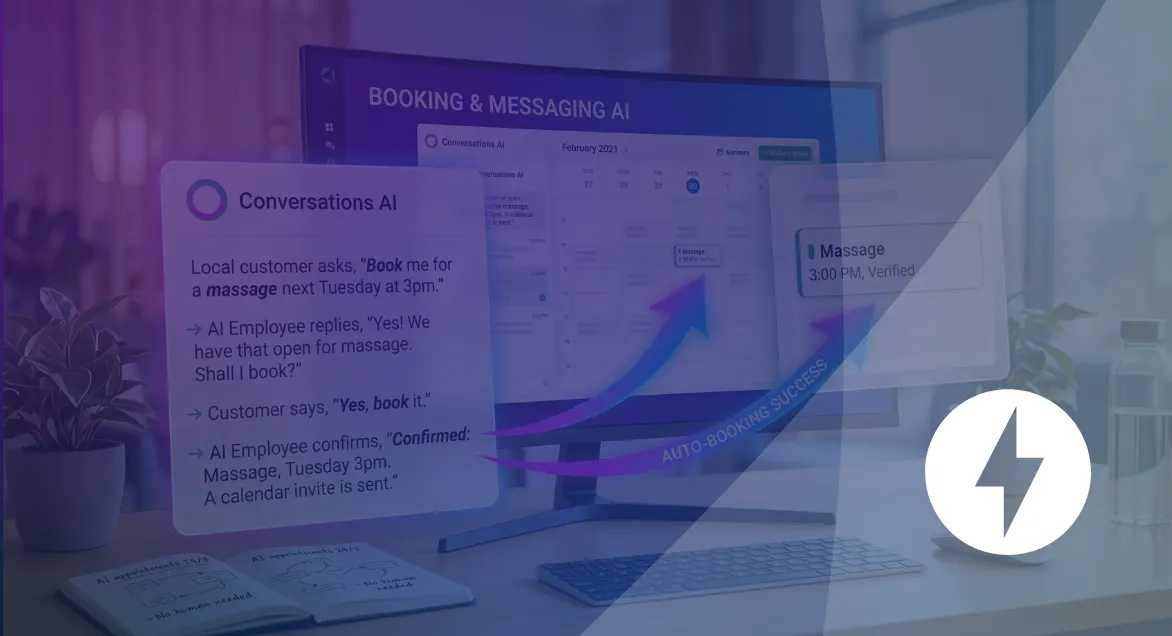
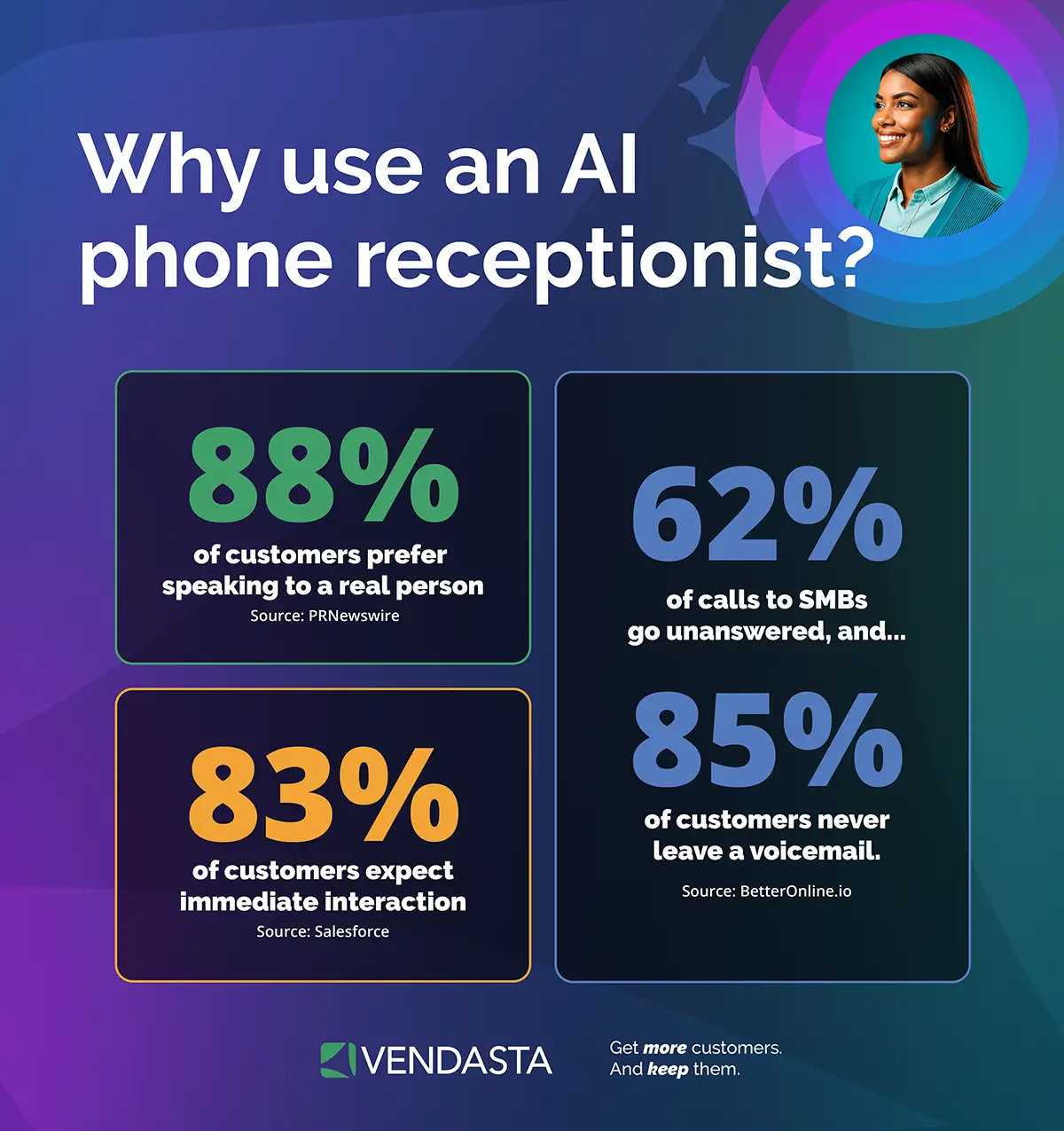
Most local businesses lose bookings for a simple reason: nobody picked up the phone. A customer calls, gets voicemail, and moves on to the next result on Google. Research on missed calls puts the average cost to a small business at roughly $126,000 a year in lost revenue, and most of those callers never try again.
Meanwhile, the businesses winning those calls aren’t necessarily better at what they do. They’re just easier to book with. While you’re relying on staff to answer the phone during business hours only, competitors using automated booking software for local business are capturing appointments at 11 p.m. on a Tuesday, on weekends, and during the exact slow season when foot traffic and staffing both dry up.
This guide walks through what automated booking software actually does, what to look for, and how one seasonal business used it to bring in $25,000 during its slowest month of the year. We’ll also cover how a new category of tools, AI Employees, is changing what “automated booking” even means, plus a full lineup of the best booking tools on the market and a step-by-step setup guide.
Book appointments automatically, day or night
TL;DR
- The problem is bigger than most owners realize: small businesses miss well over half of incoming calls during business hours, and most of those callers never call back.
- Automation recovers revenue you’re already losing: one Colorado rafting company generated $25,000 in bookings during its slowest month using an AI-powered booking system.
- The best tools now go beyond a calendar link: AI Employees like an AI Receptionist can answer questions and book appointments live, any hour, without a human on the line.
What Is Automated Booking Software For Local Business?
Automated booking software is a tool that lets customers schedule appointments on their own, without a phone call, an email chain, or a wait for someone to text back. It syncs with a business’s calendar in real time, sends confirmation and reminder messages automatically, and updates availability the moment a slot is taken so nobody gets double-booked.
The category covers everything from a simple scheduling link to a full local business booking automation system tied into a CRM. The newer, more capable end of that spectrum includes AI-powered appointment booking, where a virtual receptionist or chat agent handles the conversation and completes the booking itself, rather than just presenting a calendar and waiting for someone to click.
Automated Booking Software vs. A Basic Calendar App
A calendar app is a place to write down appointments. Booking automation software does the work around the appointment:
- Lets customers pick a time and confirm it themselves, any hour of the day
- Sends reminders automatically so fewer people forget to show up
- Updates in real time across staff, locations, and service types
- Can collect payment or a deposit at the time of booking
- In its most advanced form, answers questions and books the appointment through a live conversation
Why Local Businesses Are Losing Money Without Booking Automation
The numbers here are hard to ignore. A widely cited analysis of small business call data found that businesses answer only about 37.8% of incoming calls live, meaning the majority go to voicemail or nowhere at all. Of the people who reach voicemail, the overwhelming majority hang up without leaving a message, and most never call back. Answering calls automatically around the clock is one of the most direct ways to close that gap.
No-shows are the other side of the same coin. A study out of Imperial College London found that text reminders reduced no-show rates by 38% compared to sending no reminder at all. That’s a meaningful chunk of your schedule that automated reminders alone can recover, before you even touch the booking process itself.
Put those two problems together and the pattern is clear:
- Most missed calls turn into permanently lost customers, not just delayed ones
- A large share of booked appointments never happen because nobody sent a reminder
- Both problems compound during off-hours, weekends, and slow seasons, when staffing is thinnest and the temptation to let the phone ring is highest
This is exactly the gap automated booking software is built to close, and it’s also exactly the gap one seasonal outdoor business closed with a surprising result.
How A Rafting Company Turned Its Slowest Season Into $25,000 In New Business
White water rafting in Colorado slows down hard in September and October. Water levels drop, trip volume falls, and most operators scale back their staff to match. That’s usually when the phone goes unanswered and a business’s already limited pool of customers gets even smaller.
The Xcite Group, a Vendasta partner working with a Colorado rafting outfitter, took a different approach. Instead of scaling back customer response along with staffing, they deployed a Vendasta AI Receptionist to keep answering questions and booking trips around the clock, even with fewer people on staff.
The AI Receptionist was set up to handle the kind of questions that usually stall a booking:
- Condition handling: answering specific questions about water levels and trip safety to build a customer’s confidence before they book
- Direct booking guidance: pointing high-intent visitors straight to the exact page they needed to finish booking instantly
- Human-in-the-loop handoff: capturing details on more complex inquiries and triggering a follow-up so a staff member could close the sale
Over that September-to-October window, the AI Receptionist generated $9,500 in direct bookings and helped staff close another $15,000 in assisted sales. That’s a combined $25,000, representing roughly 10% of the company’s total revenue for the month, generated during what should have been its quietest stretch of the year.
“Our AI was trained to handle complex questions about water conditions that normally require a human expert. By directing high-intent leads to book instantly and triggering follow-up for our team, it generated $25,000 in a single slow month. That represents at least 10% of the company’s total monthly revenue.”
— Michael Klabon, Partner, The Xcite Group
The takeaway isn’t just that AI can answer a phone. It’s that AI trained on a business’s specific, proprietary details, like water conditions and trip logistics, can carry a sales conversation as far as a booking link alone never could, and can do it at 2 a.m. in November when no human would be answering anyway.
Key Features To Look For In Local Business Booking Automation Software
Not every booking tool is built the same way. Here’s what actually moves the needle for a local business.
Real-Time Calendar Sync
Availability should update the instant a slot is booked, across every staff calendar it touches. Without this, double-bookings and scheduling conflicts creep back in fast.
Automated Reminders By Email And Text
Given that text reminders alone can cut no-shows by well over a third, this feature pays for itself quickly. Look for tools that let you send reminders at multiple intervals, not just once.
Self-Service Booking
Customers should be able to see availability and book a time without calling or waiting on a reply. This is the baseline expectation now, not a nice-to-have.
Multi-Staff And Multi-Location Support
If a business runs more than one location or has multiple people taking appointments, the software needs to route bookings to the right person or site automatically. This matters most for franchises and growing service businesses managing several calendars at once, which is why many multi-location brands lean on dedicated franchise management software to keep booking consistent across every site.
AI-Powered Call And Chat Booking
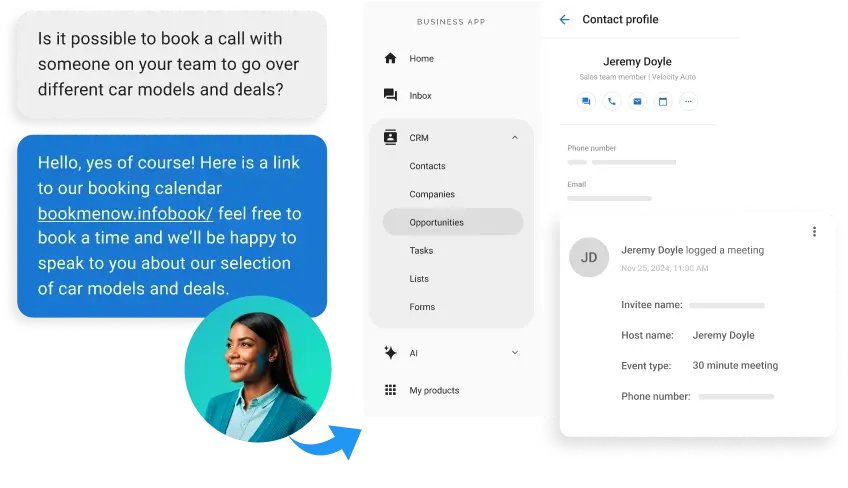
This is the feature most scheduling tools still don’t have. Instead of just presenting a link, an AI-powered phone receptionist can answer a customer’s questions live, on the phone or in chat, and complete the booking itself, exactly like the rafting company example above.
Payment Collection At Booking
Collecting a deposit or full payment when the appointment is booked reduces no-shows further and keeps cash flow more predictable, especially for service businesses that lose money when a client doesn’t show.
How AI Employees Push Booking Automation Beyond A Calendar Link
Traditional booking software solves half the problem. It gives customers a way to schedule themselves once they’re already on your website, ready to book. But someone still has to get them there, and that usually means someone still has to answer the phone or the chat first.
AI Employees close that gap. An AI Receptionist, for example, doesn’t just sit behind a booking form waiting for a click. It answers the call or the chat message directly, works through the customer’s questions using the business’s own data, and either books the appointment on the spot or hands off a qualified lead to a staff member. That’s the difference between a passive tool and something that behaves like a team member.
For a local business, this closes three gaps that standalone scheduling tools can’t:
- After-hours coverage: bookings and inquiries get handled even when no one is on shift
- Answered questions, not just open calendars: customers who need reassurance before booking get real answers instead of a generic FAQ page
- A connected customer record: because the booking lives inside a CRM built around AI, that appointment becomes the start of a tracked relationship instead of a one-off entry on a calendar
This is the direction booking automation is heading, and it’s exactly why the rafting company’s result wasn’t a fluke. An AI Employee that’s trained on real business data can carry a conversation as well as, and sometimes better than, whoever happens to be on shift.
9 Best Automated Booking Software Options For Local Business In 2026
Here’s how the major players in local business booking automation stack up, starting with the platform built around AI-powered booking rather than a standalone calendar tool.
1. Vendasta
Vendasta isn’t just a scheduling tool. It’s an AI-powered customer acquisition and engagement platform where booking automation is one piece of a larger system that includes a CRM, marketing, and reputation management. Its AI Receptionist answers calls and chats live and books appointments directly, while every booking feeds into a shared customer record instead of sitting isolated in a calendar app.
- An AI Receptionist built for small businesses that handles 24/7 call and chat-based booking
- Booking data connects directly to a built-in CRM
- Multi-location support built for franchises and growing businesses
- Available through a network of certified agency partners for setup and ongoing optimization
Best for: local businesses and the agencies, franchisors, and software vendors that support them, especially those that want booking tied to a full customer engagement strategy rather than a standalone calendar.
2. Calendly
A straightforward scheduling link tool that’s easy to set up and widely used for simple, single-person booking.
- Google and Outlook calendar sync
- Automatic meeting links for video calls
- Basic payment collection via Stripe or PayPal on paid plans
Best for: solo consultants and small teams that need simple, no-frills scheduling links.
3. Acuity Scheduling
Built for service businesses that need client intake, packages, and paid sessions alongside booking.
- Custom intake forms at booking
- Packages and subscriptions for repeat clients
- Payment and deposit collection built in
Best for: coaches, consultants, and appointment-based businesses that need intake details before every session.
4. Square Appointments
A natural fit for businesses that already run payments through Square.
- Booking and Square payments in one system
- Shared staff calendars
- Waitlist feature to help fill cancellations
Best for: salons, spas, and local service businesses already using Square for point-of-sale.
5. Setmore
A budget-friendly option with a generous free tier for small teams.
- Free plan supports up to four staff members
- Class and group booking support
- Video meeting integration
Best for: small teams that want core booking features without a big monthly bill.
6. SimplyBook.me
A highly customizable booking page built for businesses that want more branding control.
- Branded, white-label booking pages
- Widget embeds for existing websites
- Marketing add-ons like promotions and discounts
Best for: businesses that want their booking page to look and feel fully on-brand.
7. Cal.com
An open-source, developer-friendly scheduling tool with deep customization.
- Fully white-labeled booking pages
- Embeddable booking widgets
- Unlimited calendar connections, even on the free plan
Best for: technically inclined teams that want full control over how their booking flow looks and works.
8. Booksy
Built specifically for beauty, wellness, and personal care appointments.
- Client self-booking with real-time availability
- Multi-location support
- Client communication and follow-up tools
Best for: salons, barbershops, and spas managing appointments across multiple chairs or locations.
9. Vagaro
A cloud-based system built for health, wellness, and beauty businesses.
- Integrated payments and client records
- Marketing tools like email and text campaigns
- Inventory tracking for retail add-ons
Best for: salons, spas, and gyms that want booking, payments, and basic marketing in one place.
Comparison At A Glance
| Tool | Best For | AI-Powered Booking | Calendar Sync | Payments | Multi-Location Support |
|---|---|---|---|---|---|
| Vendasta | Local businesses and the partners who support them | Yes | Yes | Yes | Yes |
| Calendly | Simple solo scheduling | No | Yes | Yes | Limited |
| Acuity Scheduling | Paid sessions and client intake | No | Yes | Yes | Limited |
| Square Appointments | Square-based service businesses | No | Yes | Yes | Yes |
| Setmore | Budget-conscious small teams | No | Yes | Yes | Limited |
| SimplyBook.me | Branded booking pages | No | Yes | Yes | Yes |
| Cal.com | Developer-controlled scheduling | No | Yes | Yes | Yes |
| Booksy | Beauty and wellness services | No | Yes | Yes | Yes |
| Vagaro | Health, wellness, and beauty businesses | No | Yes | Yes | Yes |
Pricing and feature availability change often. Confirm current details directly with each provider before making a decision.
How To Set Up Automated Booking For Your Local Business
Getting a booking system running doesn’t need to take weeks. Here’s a practical path to follow.
- Audit where you’re losing bookings today. Look at missed calls, unanswered chats, and after-hours inquiries to see where the leaks actually are.
- Choose a tool that connects to your calendar and your customer data. A standalone booking link is a start, but a system tied to a CRM turns each booking into a tracked relationship.
- Set your availability and booking rules. Define hours, buffer time between appointments, and how much notice you need before a booking.
- Turn on automated reminders. Set them at multiple intervals, such as 48 hours and 24 hours before the appointment, to get the biggest reduction in no-shows.
- Add AI-powered call or chat booking if it’s available. This is what captures the leads a basic booking link misses entirely, including calls that come in after hours or during your busiest, most understaffed moments.
- Test the entire flow as a customer would. Book a test appointment yourself before rolling it out to make sure every reminder, confirmation, and calendar sync works as expected.
Conclusion
Booking automation used to mean little more than a scheduling link and an email confirmation. That’s no longer enough to compete for a customer’s attention, especially outside business hours or during a slow season when staffing is thin. The businesses pulling ahead are the ones using AI to answer questions and complete bookings live, the same way the Xcite Group turned a quiet stretch of the calendar into $25,000 in new revenue.
Vendasta brings that kind of AI-powered booking together with a full customer engagement platform, so every appointment booked becomes part of a real customer relationship instead of a line on a calendar. If you’re ready to see what that looks like for your business, or your clients if you’re an agency, franchisor, or software vendor supporting local businesses, book a demo with Vendasta today!
Automated Booking Software For Local Business FAQs
1. What is automated booking software for local business?
Automated booking software lets customers schedule appointments online without calling or emailing back and forth. It syncs with your calendar, sends automatic reminders, and often connects to a CRM. Vendasta takes this further by pairing booking automation with AI Employees that answer calls and chats live.
2. How does local business booking automation reduce no-shows?
Automated reminders sent by text and email cut no-show rates significantly, with one study showing a 38% reduction compared to sending no reminder. Some tools also collect a deposit at booking, which discourages last-minute cancellations even further.
3. Do I need booking software if I already have a calendar app?
A basic calendar only tracks dates. It can’t let customers self-book, send reminders, or update availability in real time. Booking automation adds all of that, and platforms like Vendasta connect each booking directly to a CRM with a shared client portal so every appointment builds toward a longer relationship.
4. What features should I look for in booking automation software?
Look for real-time calendar sync, automated reminders, self-service booking, payment collection, and multi-staff or multi-location support. Increasingly, AI-powered call and chat booking is becoming the feature that sets platforms apart, since it captures bookings a static link would simply miss.
5. Can automated booking software handle multiple locations or staff members?
Yes. Most modern booking platforms support multi-staff and multi-location scheduling, routing appointments to the right person or site automatically. This is especially valuable for franchises and multi-location businesses, a use case Vendasta’s platform is built to support at scale.
6. How much does automated booking software cost?
Pricing ranges from free plans with limited features to $20 to $100 or more per user per month for advanced tools with AI-powered booking and CRM integration. Cost is worth weighing against the revenue recovered from fewer missed calls and no-shows, not just the sticker price.
7. How is AI changing booking automation for local businesses?
AI is moving booking software past static scheduling links. AI Employees, like Vendasta’s AI Receptionist, can now answer phone calls or website chats and book appointments live, even after hours, capturing leads automatically that would otherwise go to voicemail. One rafting company generated $25,000 in a single slow month using exactly this approach.
8. What’s the difference between booking automation and scheduling software?
The terms are often used interchangeably, but booking automation usually implies the full workflow, including self-service, reminders, payments, and follow-up, while scheduling software can refer to something as basic as calendar sync. Vendasta’s platform covers the complete booking workflow, not just the calendar piece.
9. Can booking automation software integrate with my CRM?
Yes, and it should. Booking data that stays siloed in a scheduling app misses the bigger opportunity of turning a single appointment into a tracked customer relationship. Vendasta connects booking activity directly into its CRM, so every appointment feeds into your broader customer engagement strategy.
10. How do I choose the best automated booking software for my business?
Start with your biggest pain point, whether that’s missed calls, no-shows, or coordinating multiple locations, then match features to that need. If you want booking tied to broader customer growth rather than just a calendar, a platform like Vendasta, built around AI Employees and a connected CRM, is worth evaluating first.